How to Install Alibaba Z Image Turbo?
Z Image Turbo Installation
I’m going to show you how to install and set up Alibaba’s lightning fast Z Image Turbo that literally generates within 3 to 4 seconds on a home computer. You can do that too on low-end and high-end PCs.
Requirements
You will need ComfyUI. All you have to do is get the Pinokio app.
Open Pinokio, go to Home or Discover, and you will find ComfyUI. Download ComfyUI. After downloading ComfyUI, you’re kind of all set.
Download the required files
Download 1, 2, and 3. After that, paste them into the correct folders.
Place the files into the correct folders
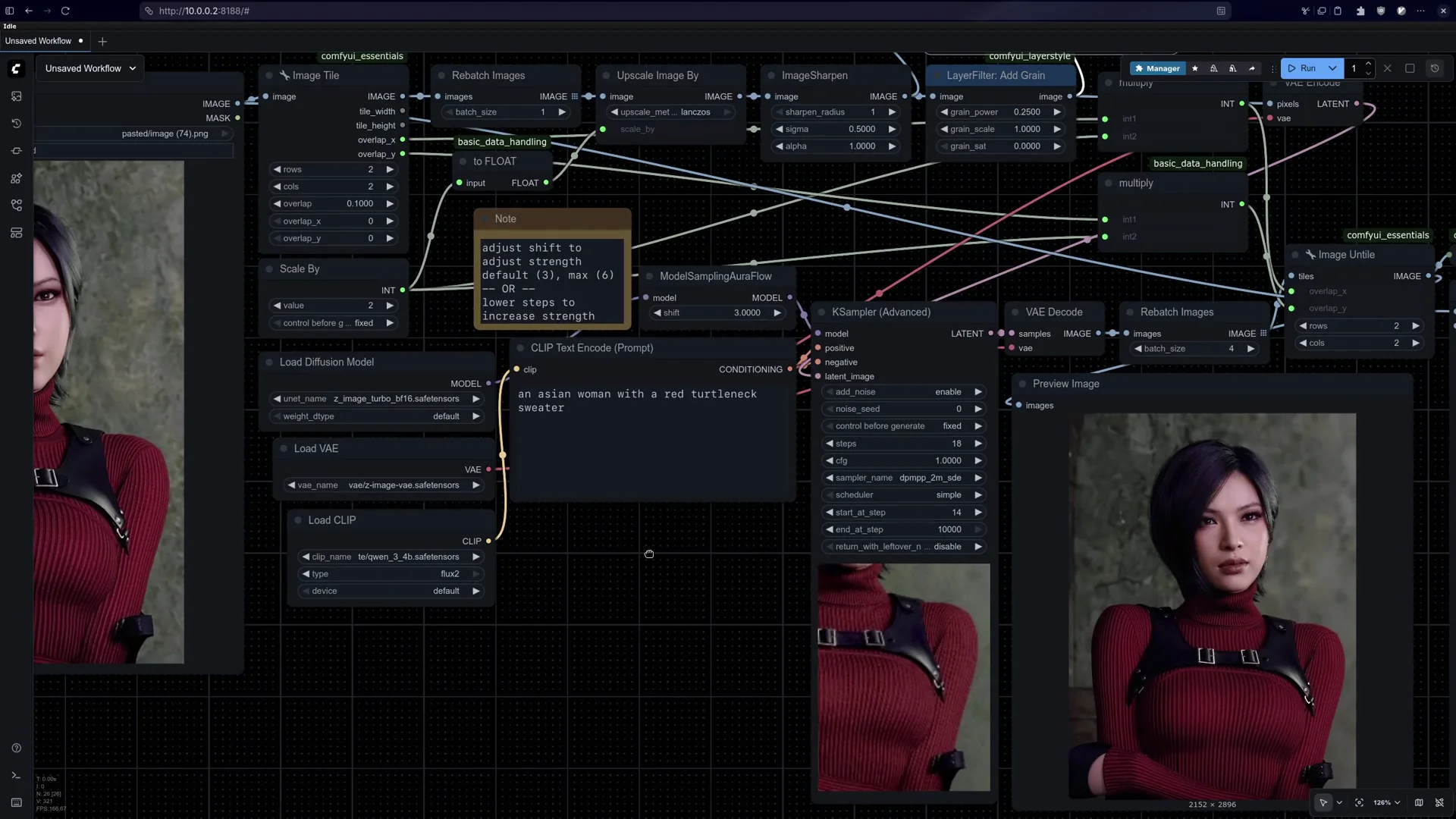
Go to where I installed my ComfyUI, which is in AI folder, Pinokio, Comfy app, models. Here I have text encoder folder, I have models folder, I have DVI folder. I downloaded them and then I put them into these respective folders.
Generate your first image
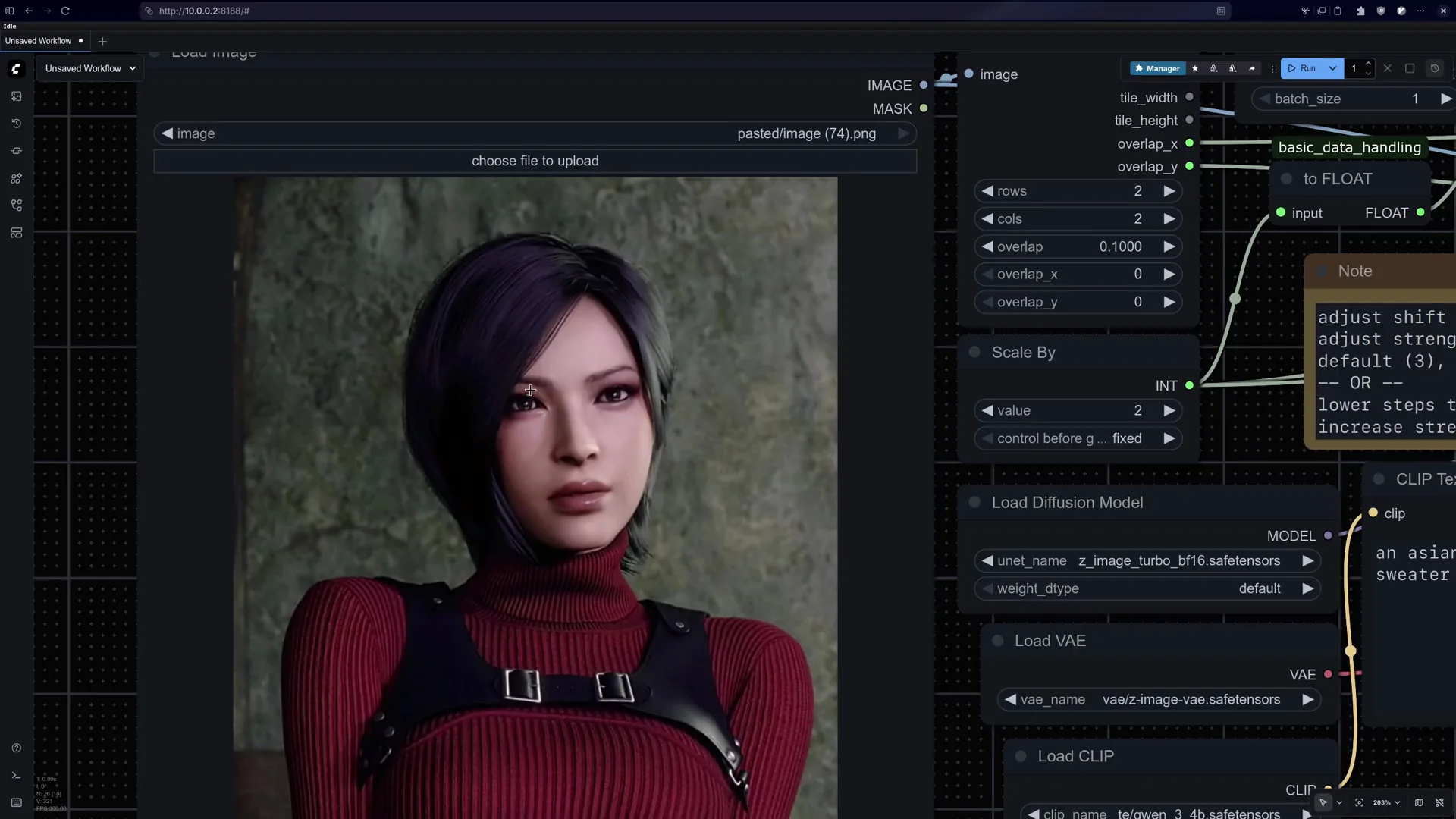
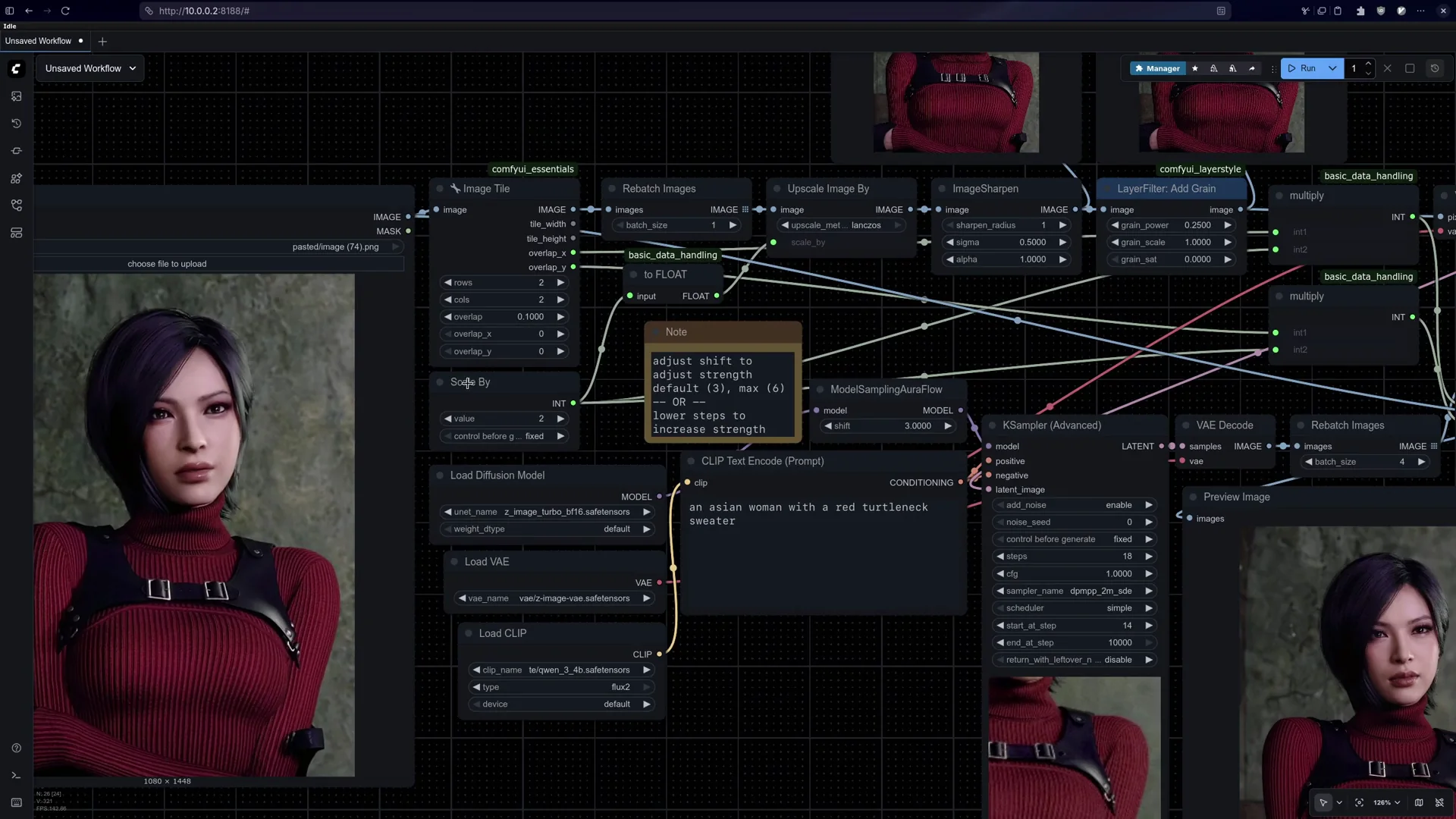
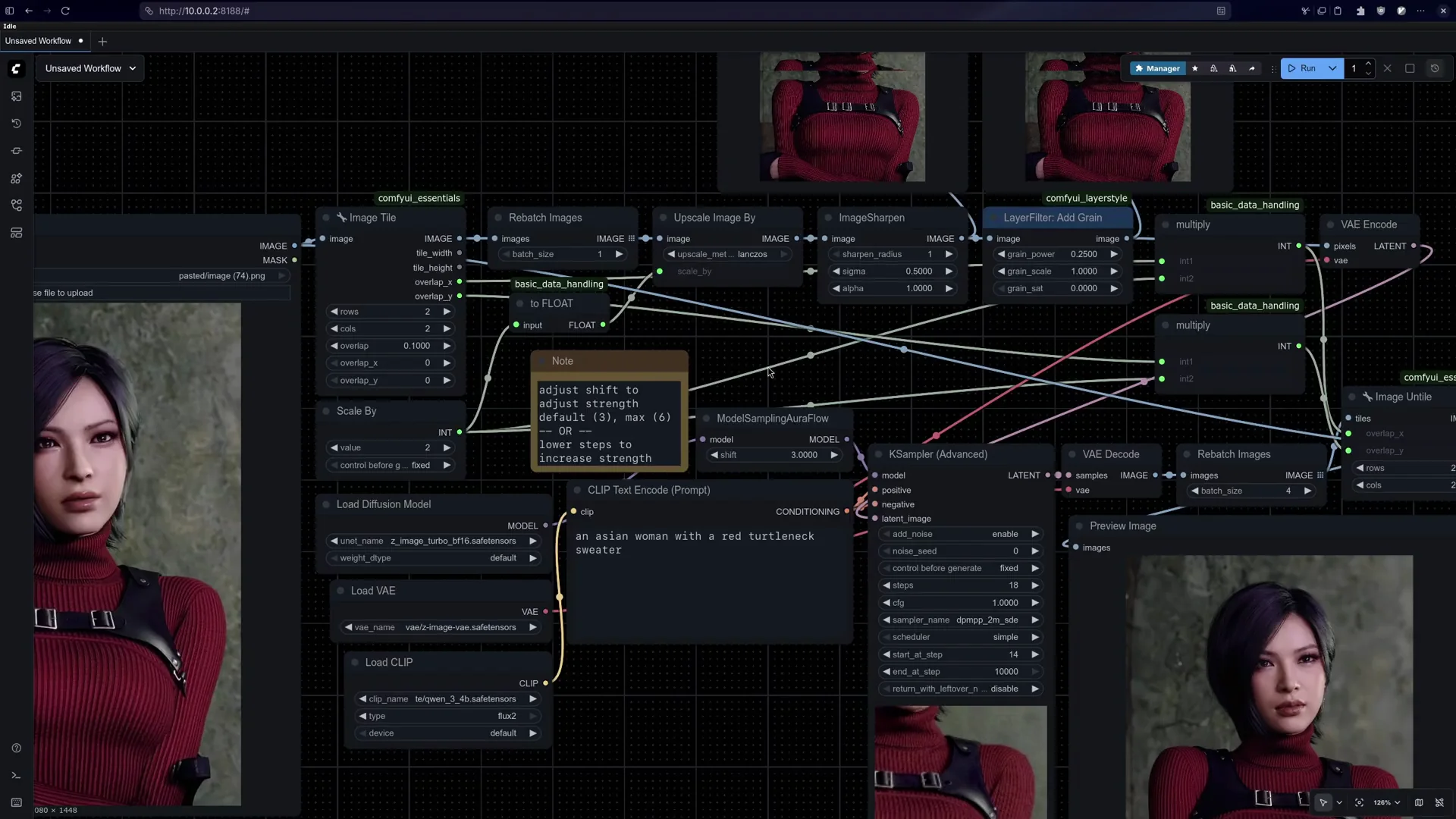
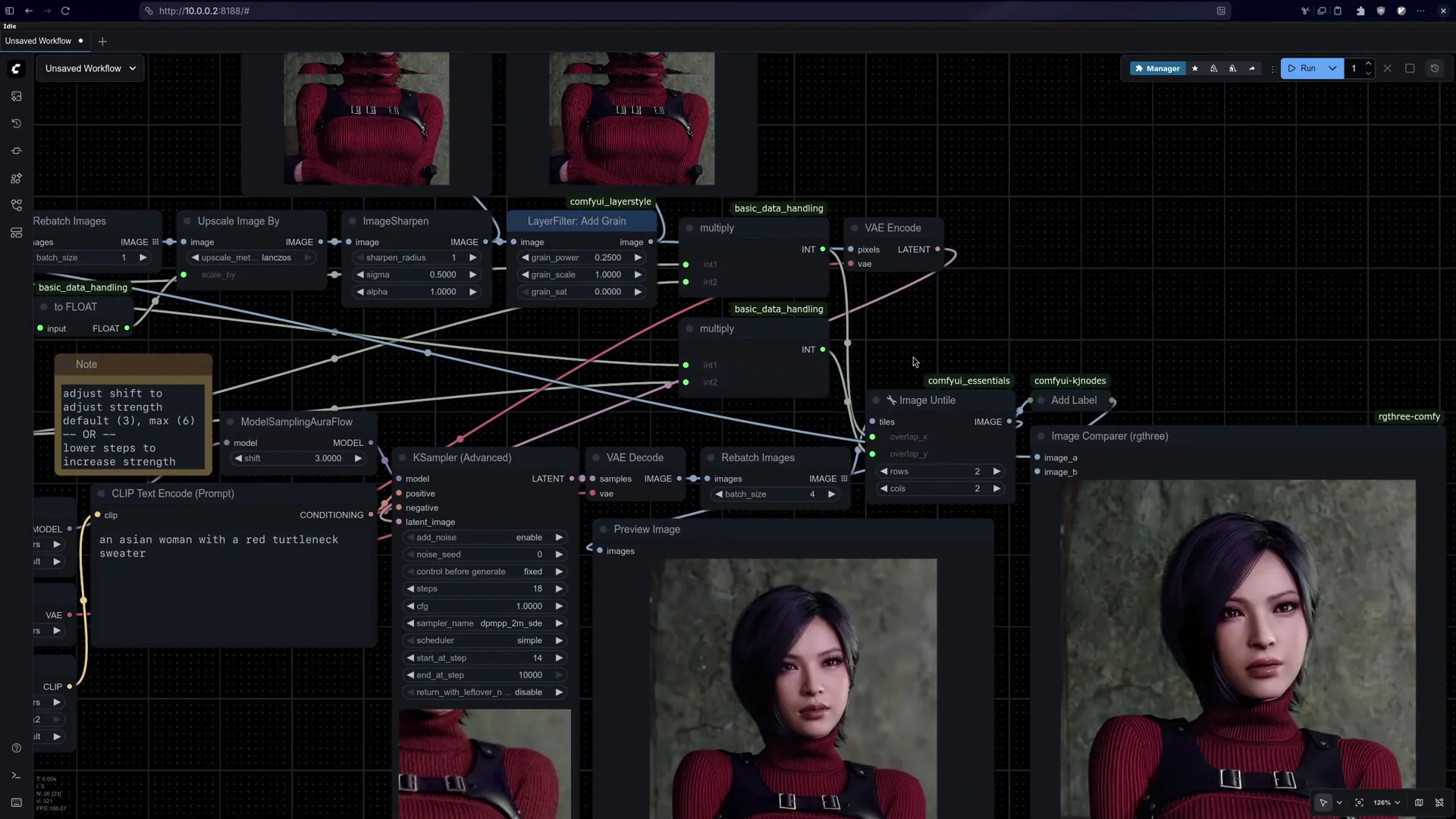
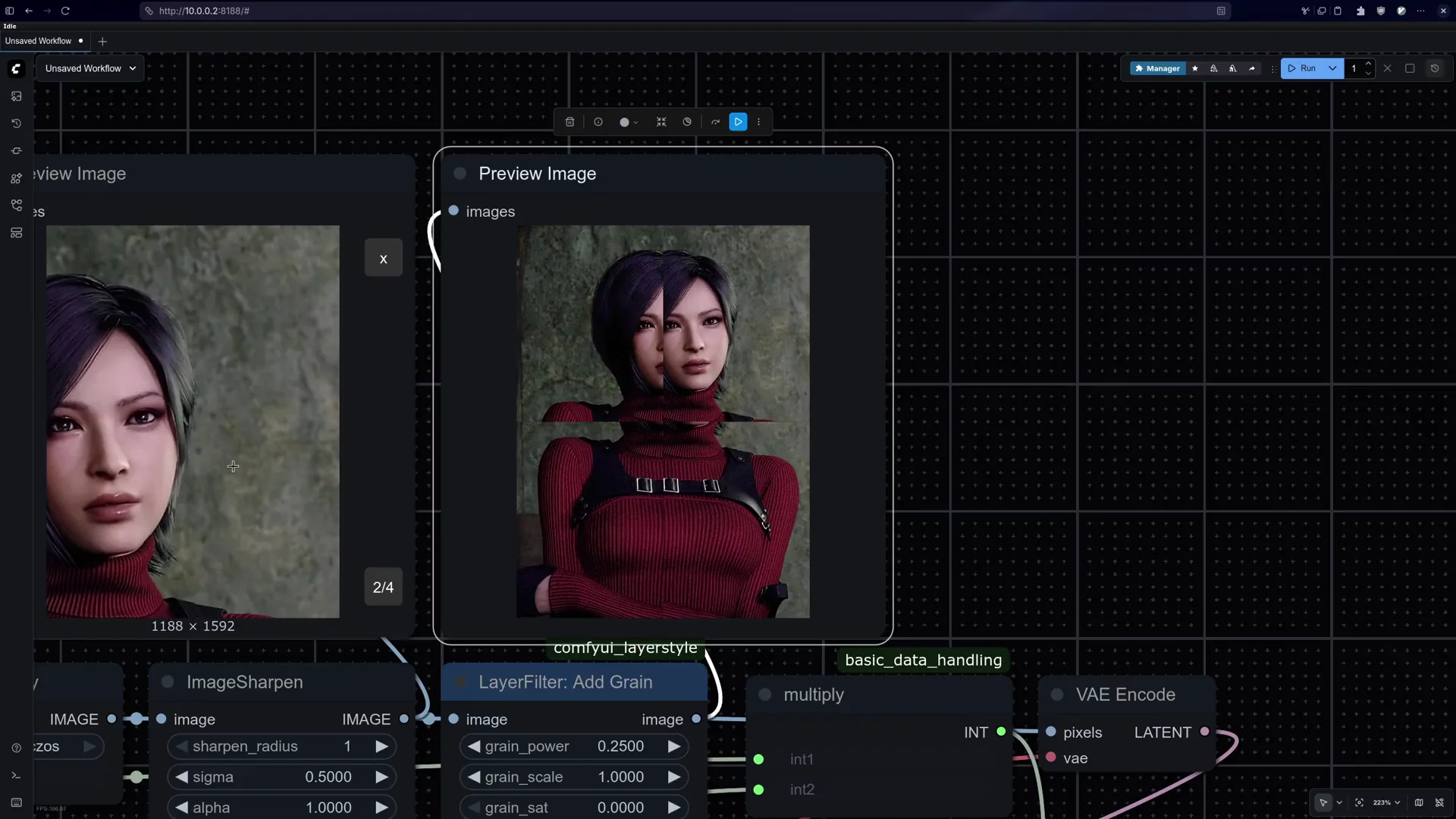
Download a photo. Drag this photo in. You will see the model you downloaded, the exact model, and then you can press Generate.
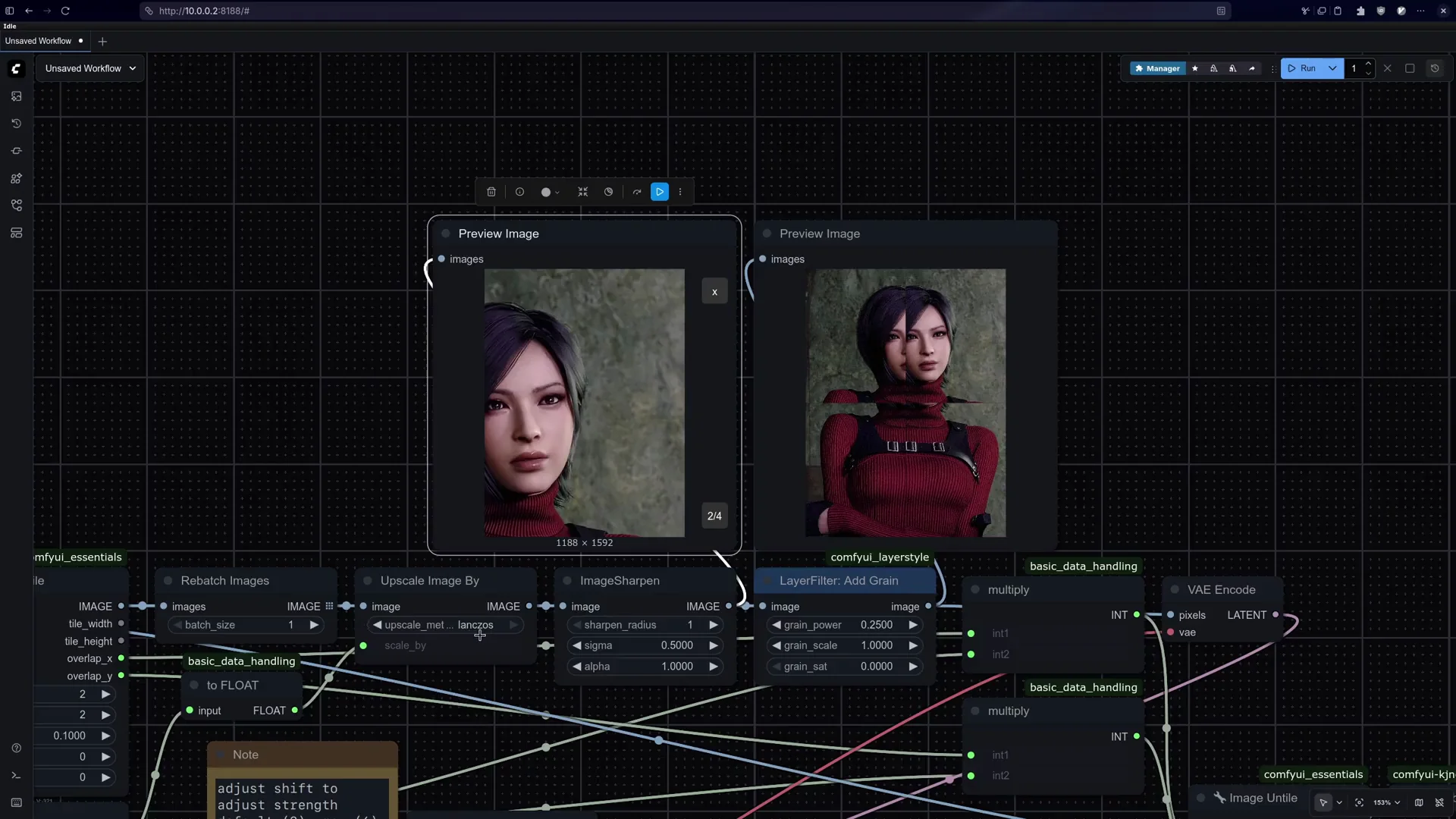
I’ll put a prompt like: wearing a yellow hoodie with flowers. It should be able to generate it, and it did. The cool thing about this is that it’s so spot on with your details and the text that you can do things like this.
Prompt tips and styles
It can generate anime. If you just say anime style, you get anime style. If that doesn’t work, check your styles. I had realistic on, so I removed that and tried again. It took me 5.6 seconds, and we have it.
Final Thoughts
Install ComfyUI with Pinokio, place the three downloads into the text encoder, models, and DVI folders, then drag in a photo and press Generate. Adjust style tags like realistic or anime style to match the result you want. It’s pretty easy.
Recent Posts

How to use Grok 2.0 Image Generator?
Learn how to access Grok 2.0’s AI image generator (Premium required), write better prompts, and avoid pitfalls like real people and brands. Step-by-step tips.
How to use Instagram AI Image Generator?
Use Meta AI in Instagram DMs to turn text into images—and even animate them. It’s free, fast, and built in. No external apps needed; create art right in chat.
Leonardo AI 2026 Beginner’s Guide: Create Stunning Images Fast
Learn Leonardo AI step by step—sign up, explore Home, and generate or enhance photos with free, powerful tools. A quick, clear starter for beginners.