How to use Instagram AI Image Generator?
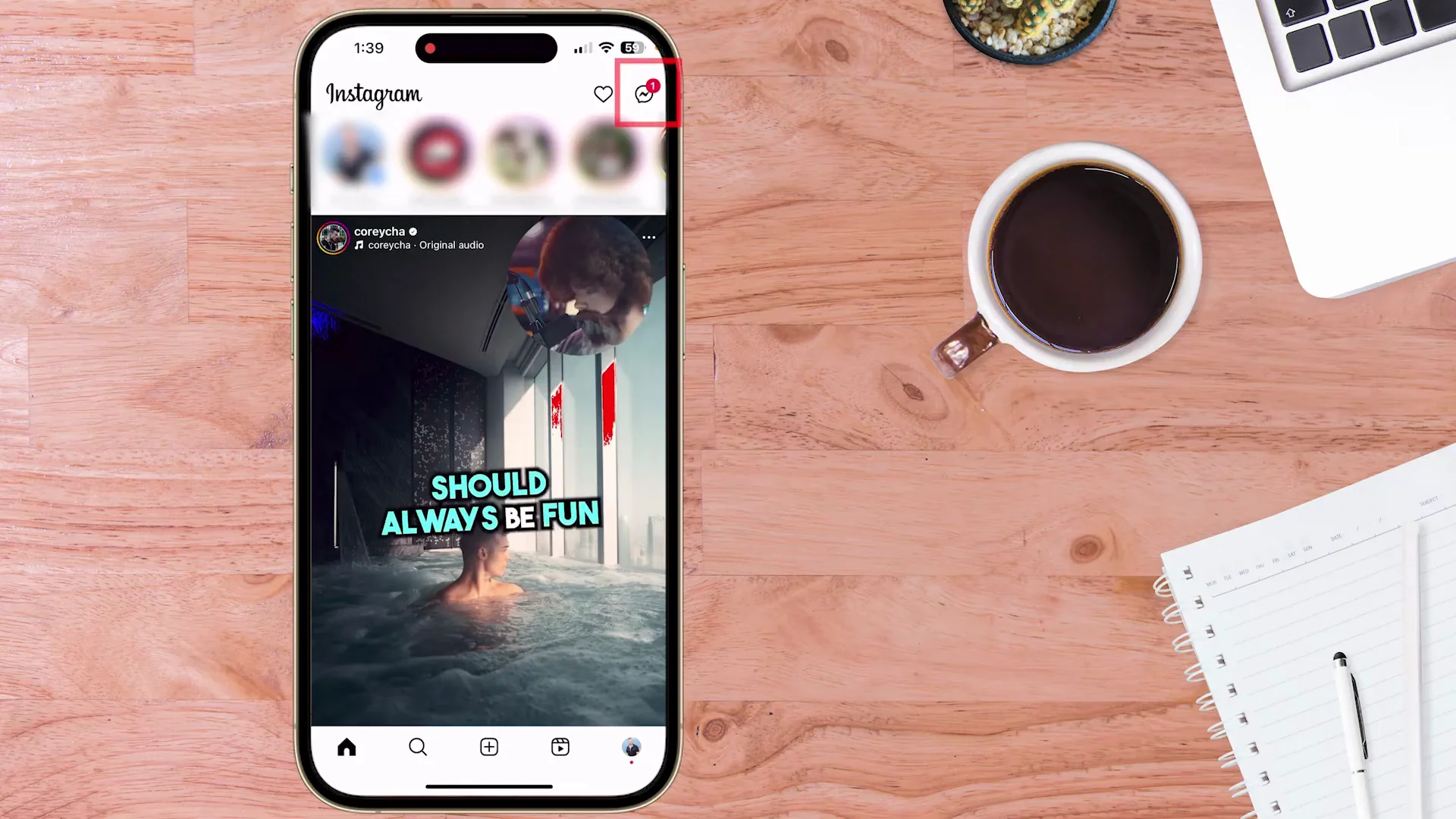
Instagram has embedded a free AI image generator right into your chat experience. Imagine creating mind-blowing AI art images and custom GIFs all within the confines of your chat window.
This is not just any free AI image generator. It’s one of the best out there, integrated into Instagram for maximum accessibility and ease of use. You can even tell Meta AI to animate your newly created AI image. Say goodbye to external apps and hello to instant free creation of text AI images.
Getting Started with the Instagram AI Image Generator
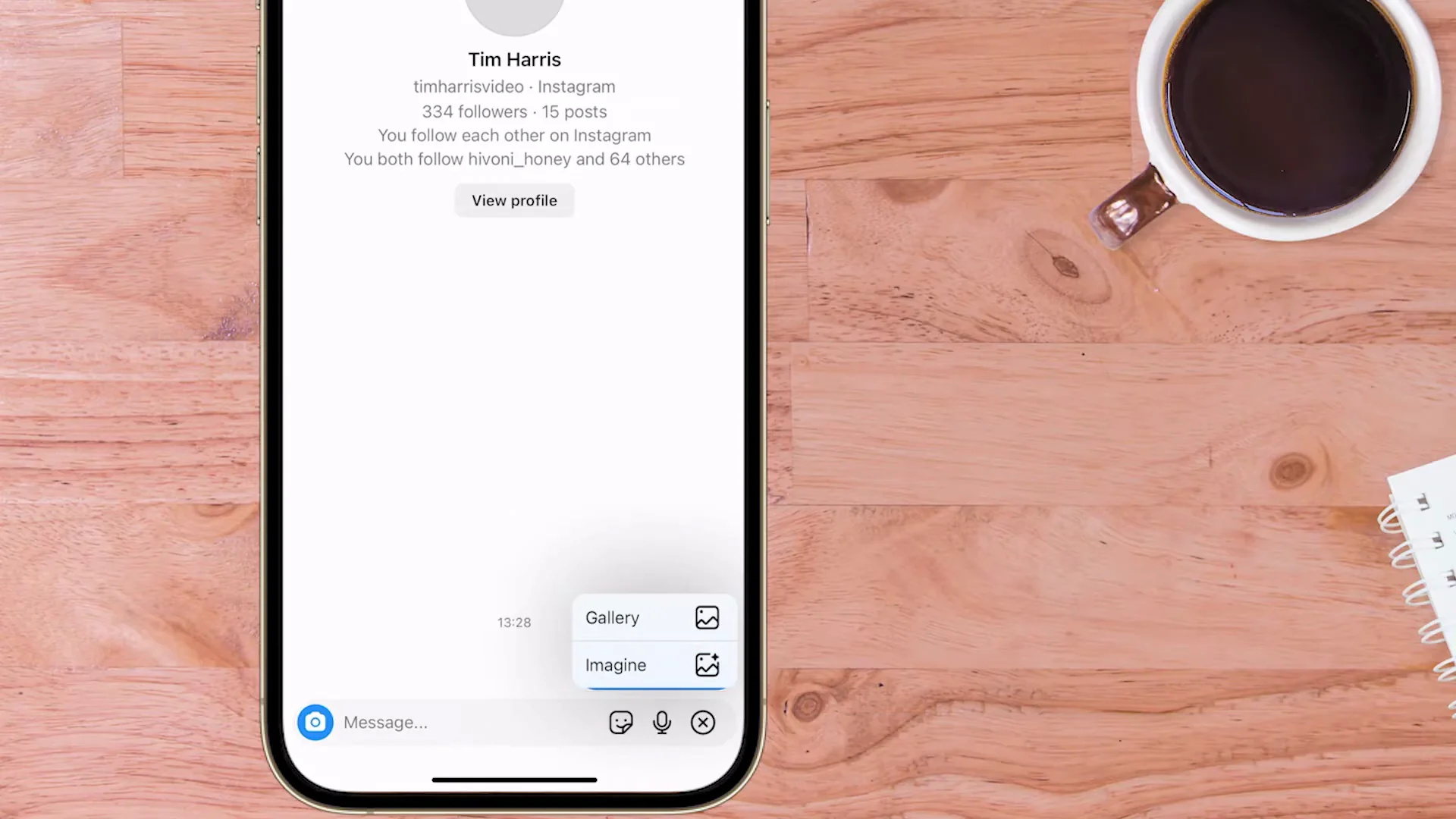
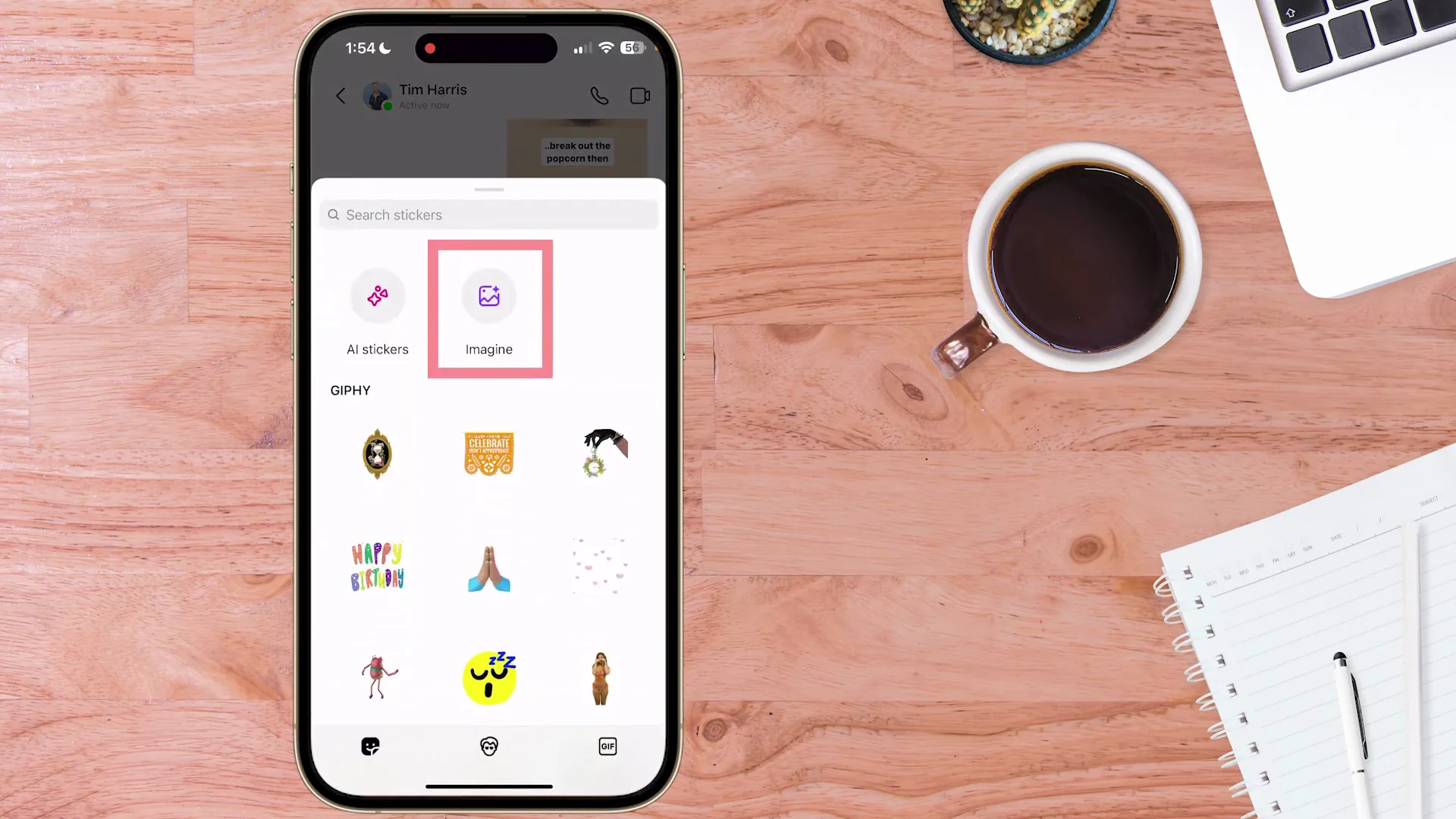
To access the free AI image generator inside Instagram, use Meta AI Imagine. Tap on your messages and go into a chat. I’m using a chat with myself on my other Instagram account. Down in the bottom right, tap the plus symbol.
You’ll see the Gallery button or the Imagine button. If you tap the plus symbol and you don’t see the Imagine button, that means you haven’t activated it. Later I show you how to activate this. Gallery is your photo roll, whereas Imagine is the new button you can press.
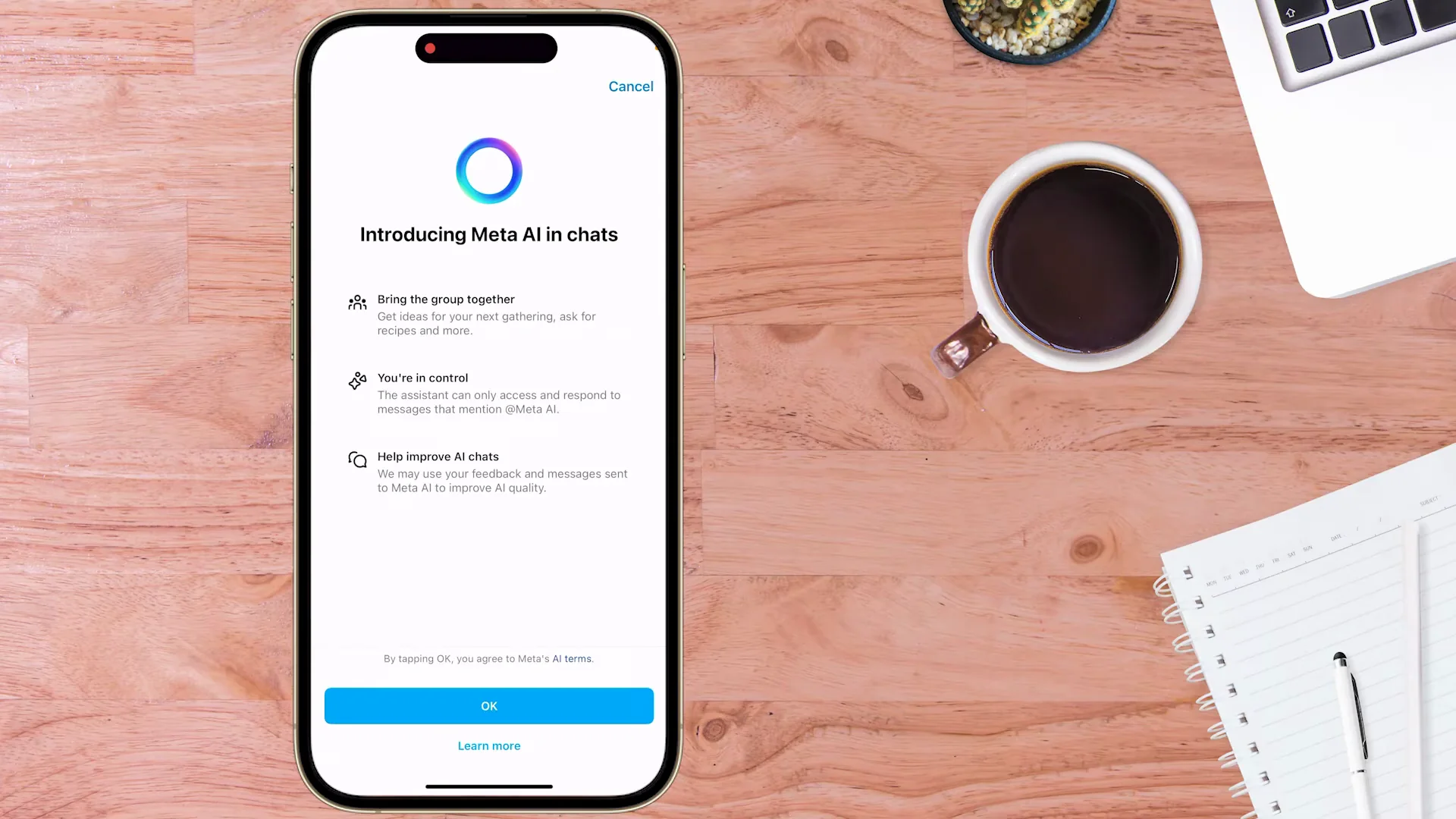
Tap Imagine. You’ll be presented with a screen about Meta AI in chats. Tap OK to agree, and from here you can start creating images.
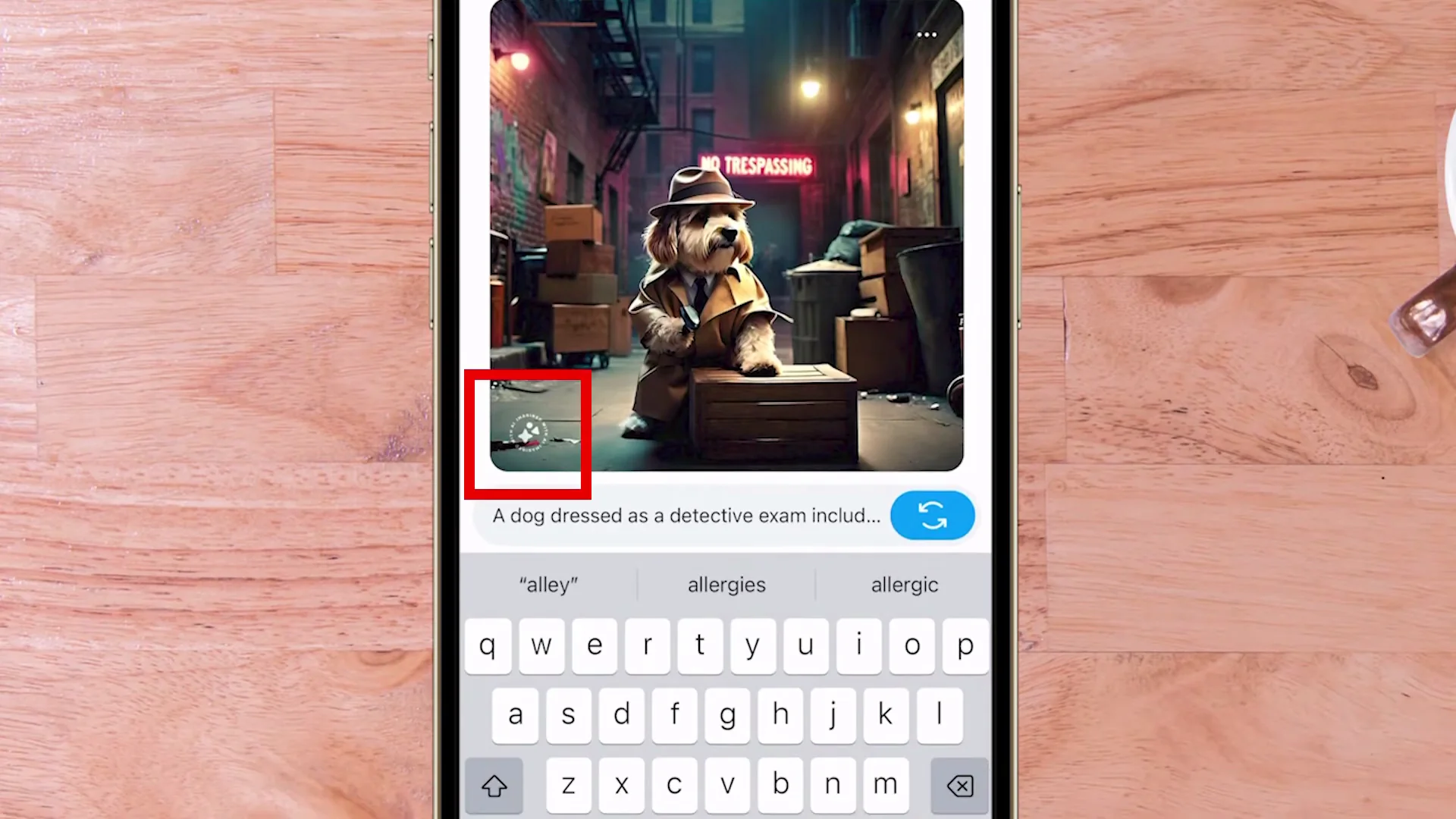
Put in a prompt: a dog dressed as a detective examining clues with a magnifying glass in a dimly lit alley. Hit the generate button and wait. Perfect, exactly what I wanted. There’s a dog, he’s dressed as a detective, he’s got his magnifying glass, and you’ve got the dimly lit alley in the background.
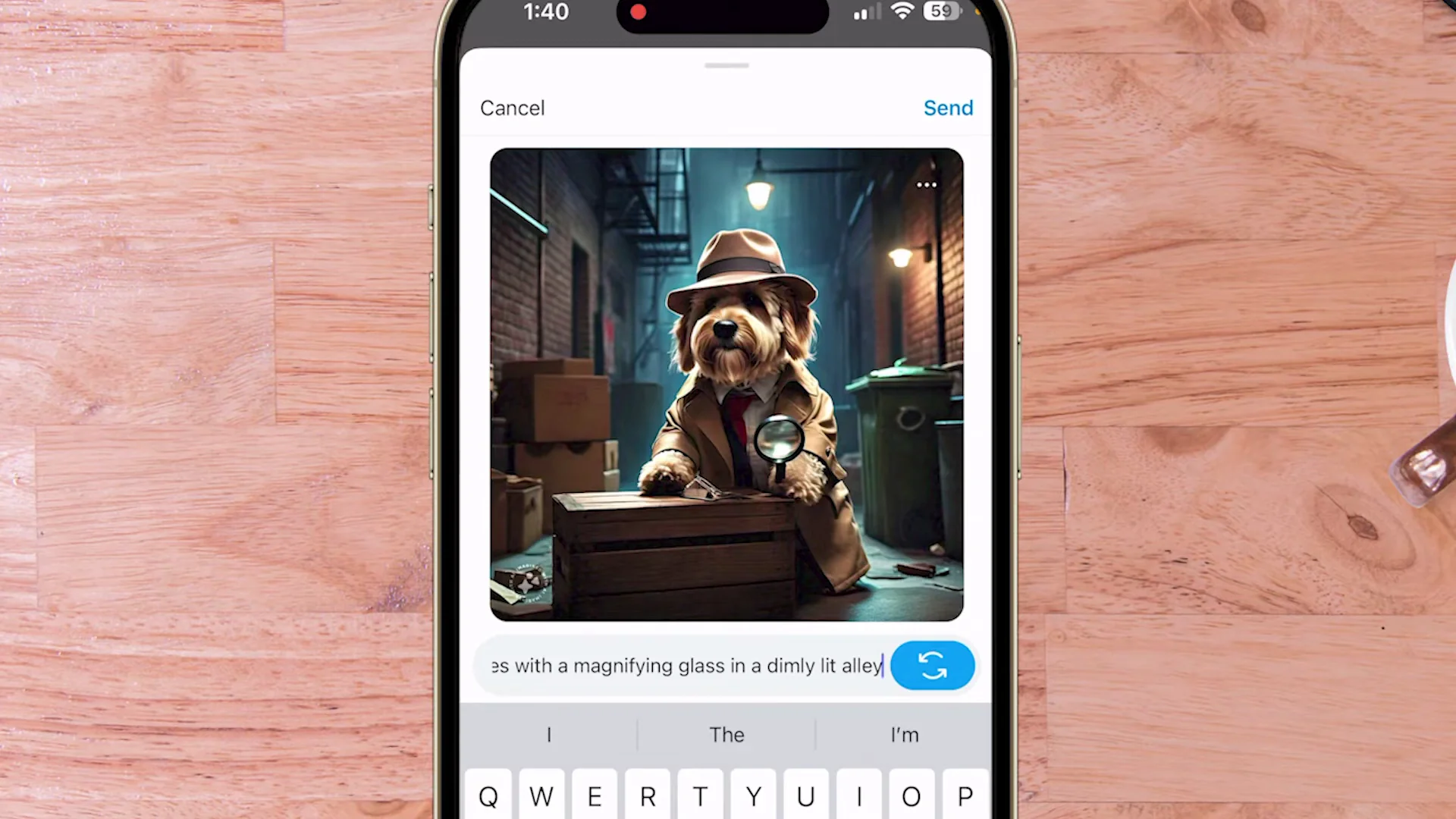
From here I can do a totally different prompt or I can regenerate that one. It only took about 6 to 10 seconds for each image to pop up. In the bottom left you’ll see a symbol saying it has been generated by Meta AI Imagine. If I want to send it to a friend, I can just press Send.
Animate Images with the Instagram AI Image Generator
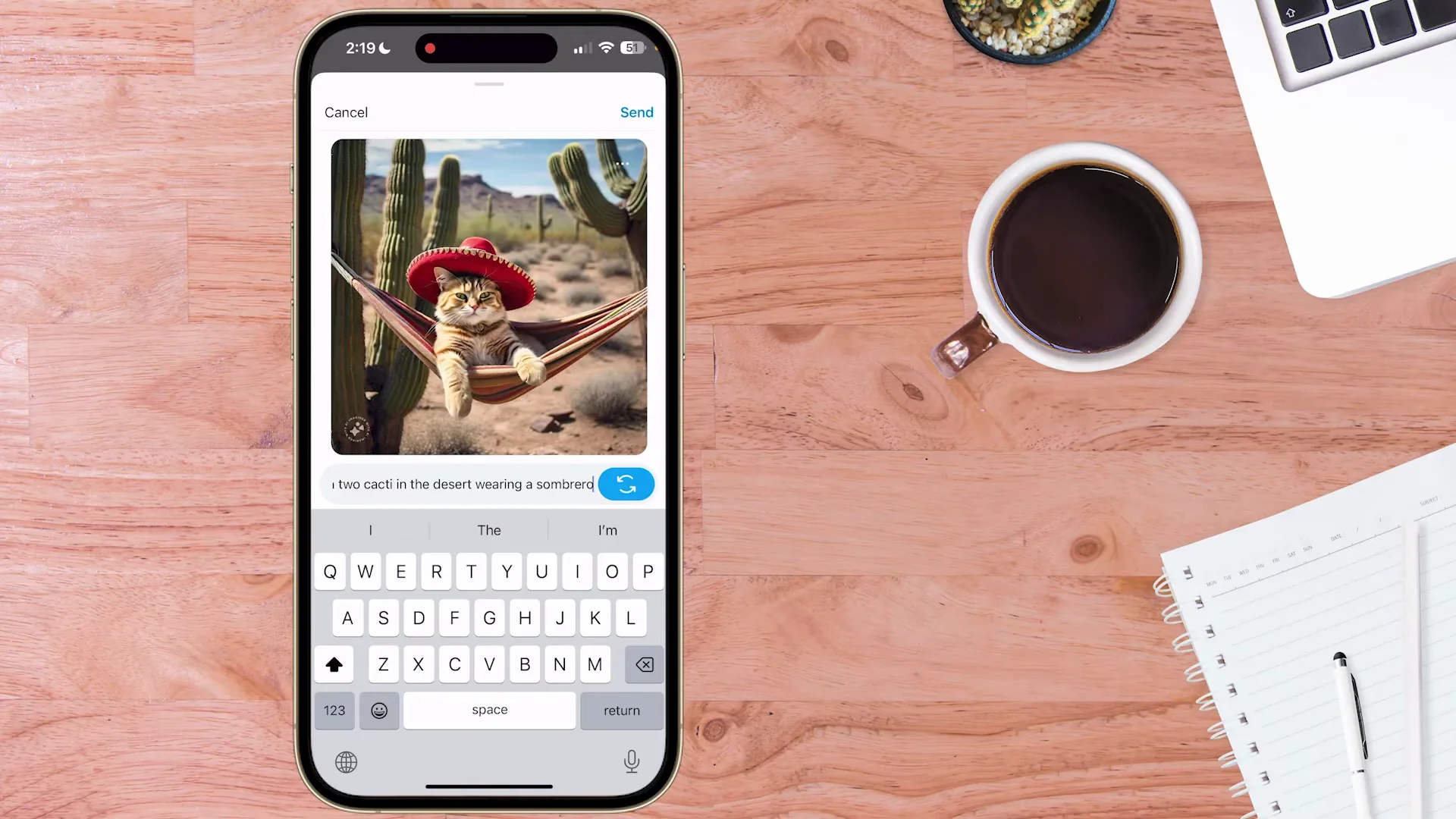
If you want to take your stickers or images to the next level, you can easily animate them right from within Instagram. I’ve got a new prompt and result. To animate, tap the three dots on the top right of the image and press Animate. That’s perfect. The cat is now swinging in its hammock.
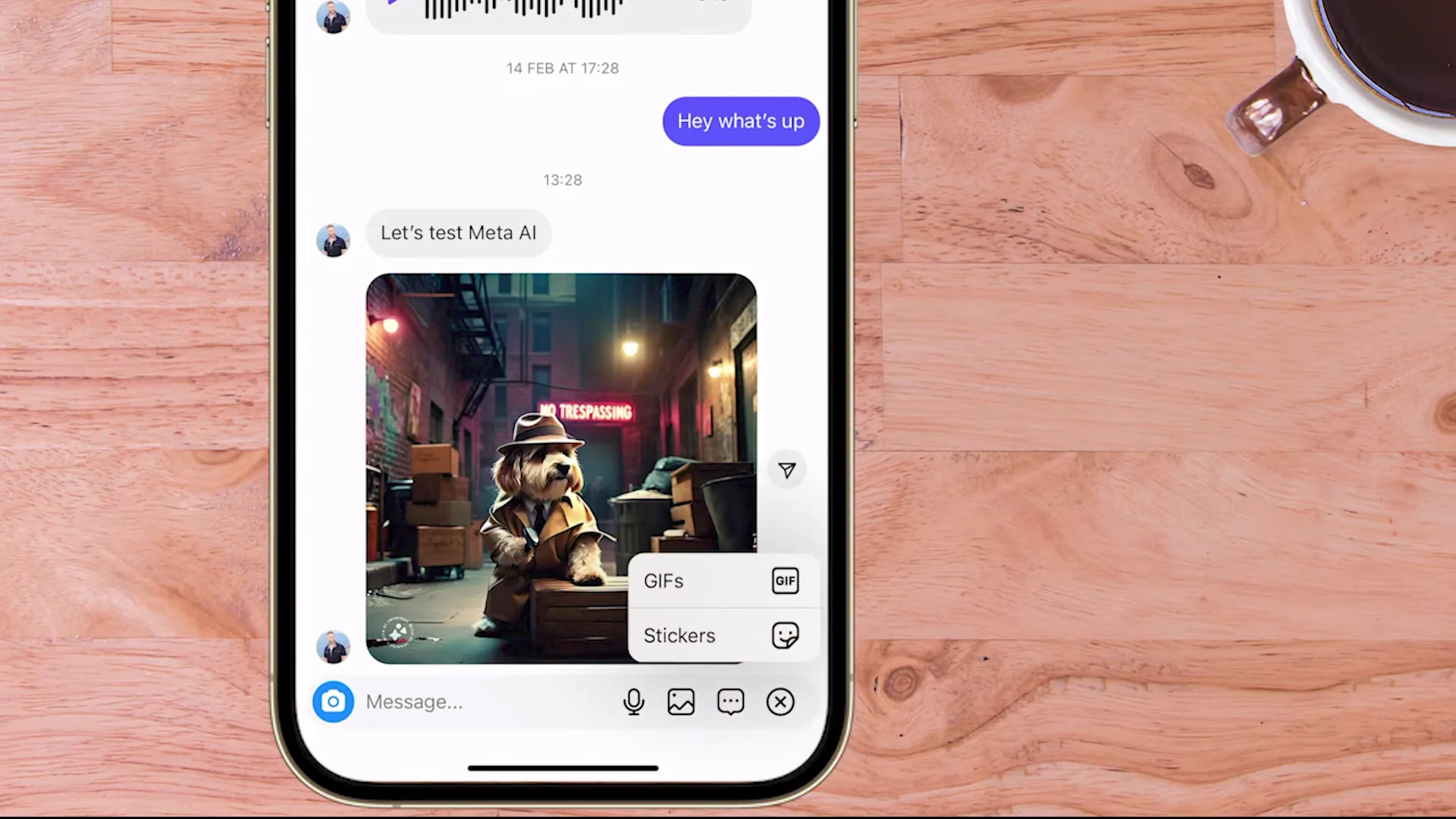
This is an awesome way to make great stickers or GIFs. When I have an idea for a sticker or a GIF that I want to send a friend, I first create the image inside a private chat, either with myself or Meta AI. Once I’ve got the result I want, I tap Send and share it with one of my friends. I generated this inside Instagram using the built-in features.
How to Activate the Instagram AI Image Generator?
Here’s how to activate the symbol in the bottom right if you don’t see Imagine. Go to Messages again and open a chat with yourself. As I mentioned before, when you hit the plus symbol you should see either Gallery or Imagine. If you don’t, it means you haven’t activated Meta AI inside your Instagram yet.
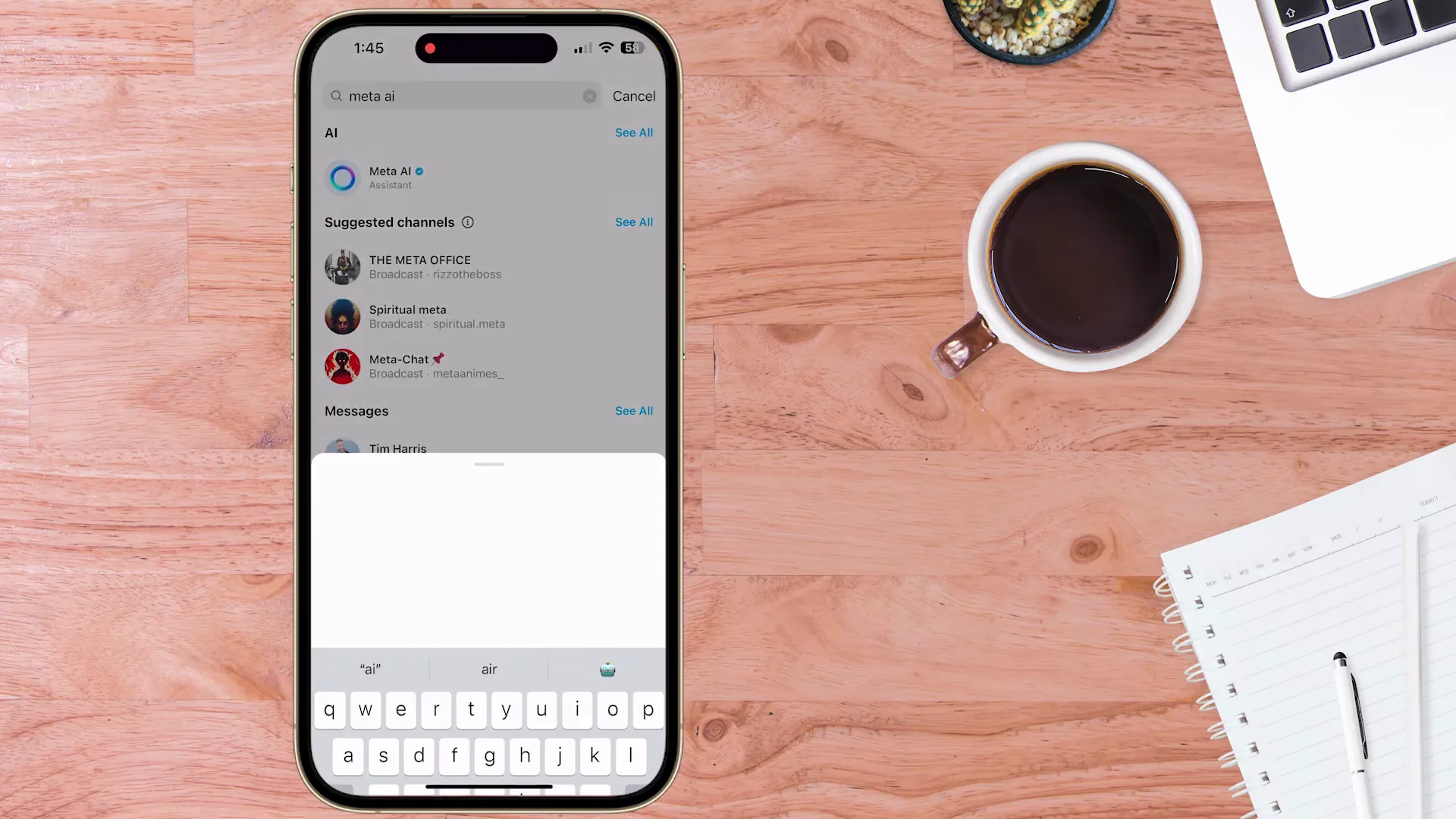
To activate it, come back into your chat and go to the search bar. If Meta AI is not displaying at the top, type in Meta AI. Once you tap that, a screen will come up and this will be your first interaction with Meta AI. Type something like hi. It will come back with an answer.
Now when you go back into a chat, you’ll see the button has changed. If you tap that, it gives you the option for AI Stickers or Imagine, and you can go ahead and do another prompt. If that button still isn’t displaying for you, tap the slash button. Instagram gives you the option to tap Imagine, it pre-fills things, and you can put in your prompt.
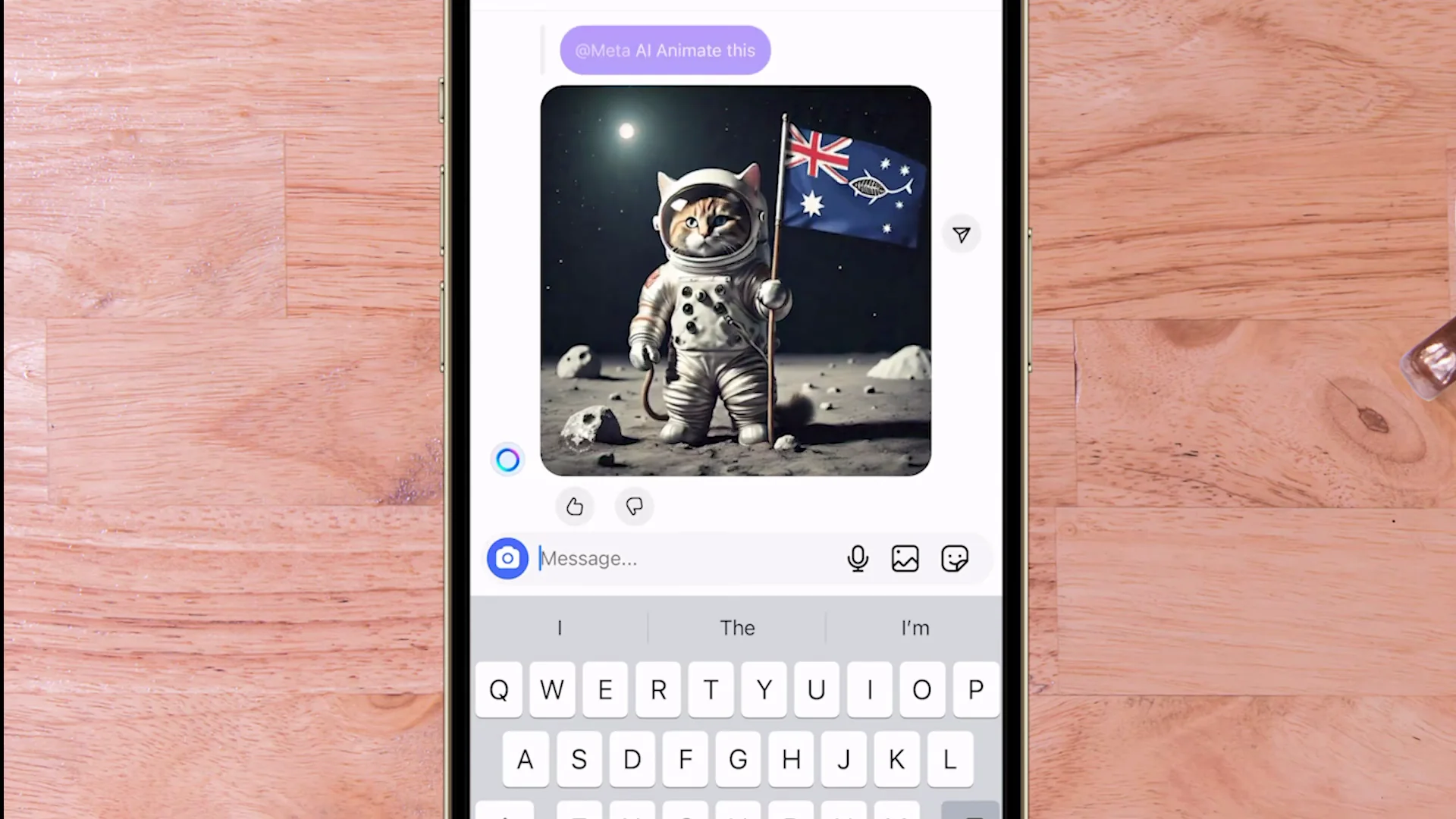
Using this method you get a slightly different on-screen display, but you get the result. There’s the image. That’s fantastic. You can tap Animate, and now the cat is even doing a little bit of a dance.
Final Thoughts
The Instagram AI Image Generator lets you create and animate AI images directly inside your chats. Access it through Meta AI Imagine, generate images in seconds, and turn them into animated stickers or GIFs. If the Imagine button isn’t visible, activate Meta AI through the chat search or the slash command, then start prompting and animating.
Recent Posts

How to use Grok 2.0 Image Generator?
Learn how to access Grok 2.0’s AI image generator (Premium required), write better prompts, and avoid pitfalls like real people and brands. Step-by-step tips.
Leonardo AI 2026 Beginner’s Guide: Create Stunning Images Fast
Learn Leonardo AI step by step—sign up, explore Home, and generate or enhance photos with free, powerful tools. A quick, clear starter for beginners.
ChatGPT vs Flux Kontext 2026: Which is better for you?
Full comparison of AI image generation for architects and interior designers—materiality, lighting, and design intent. We pit ChatGPT against Flux Kontext’s May 2025 update to see which delivers better results in real workflows.