ChatGPT 5 vs MidJourney 7: Side-by-Side in 5 Real-World Tests
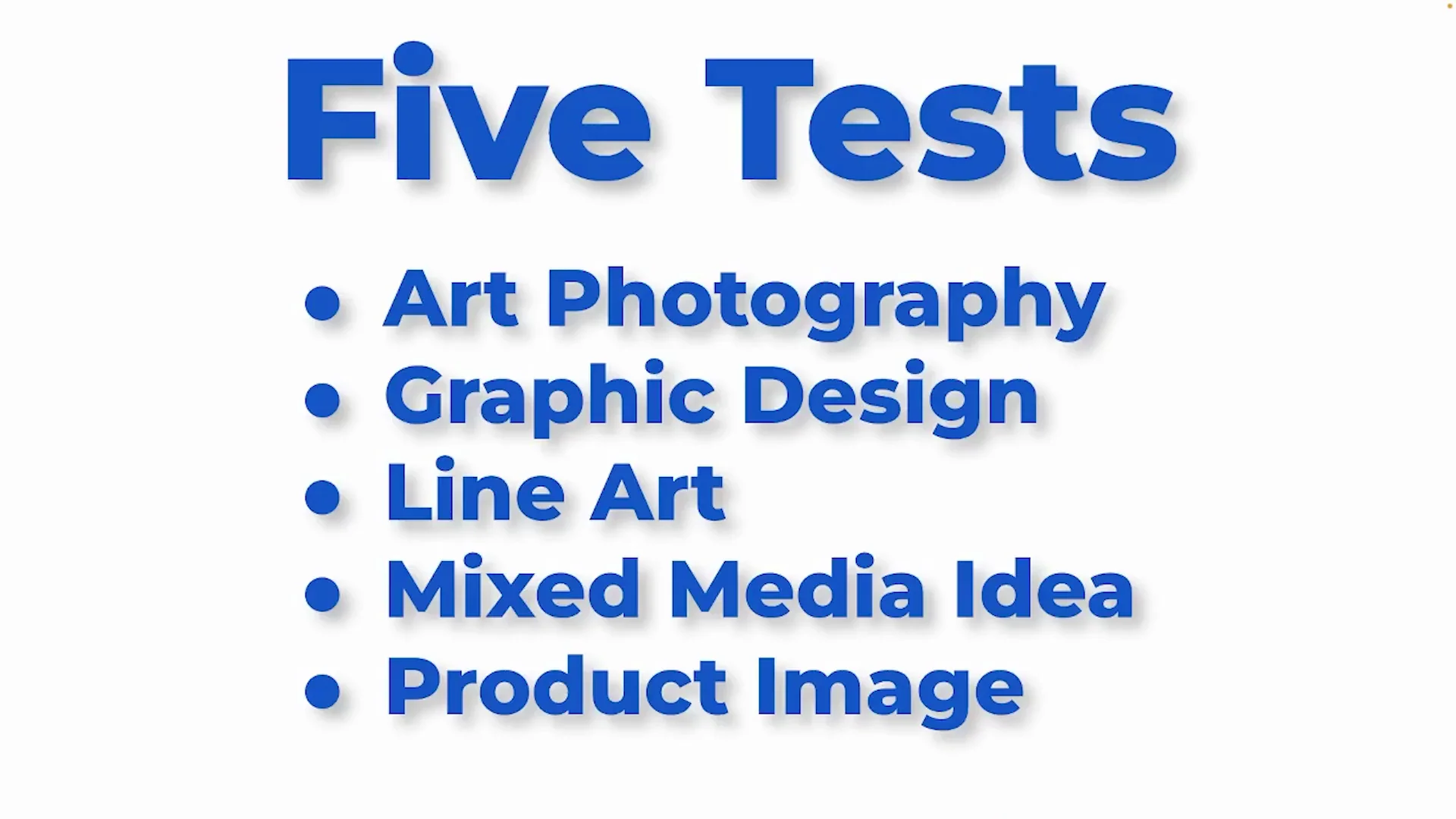
I thought it'd be a lot of fun to compare and contrast Chat GPT version five with MidJourney version 7. Version five just came out and it's really good. I really like it. I do a lot with it. I've been playing with it, but I'm also a big MidJourney fan. I worked through five different tests: art photography, graphic design, some line art, a mixed media idea, and a product image.
I am not getting into text. Midjourney fails at that. I am really focusing on the image because as a professional creative, you're not using AI to design your text anyway because you're a type snob just like me. You've got a million fonts you're going to use and you don't want AI to mess with that. So I concentrated on designing the image with the same prompt in each tool, no editing, no re-rolls, just to see what we get.
| Comparison point | ChatGPT v5 | MidJourney v7 |
|---|---|---|
| Prompt approach | Same prompts used, no edits | Same prompts used, no edits |
| Output count per prompt | One image | Four images per prompt |
| Speed | Slower | Faster - I have the highest version set to turbo |
| Text handling | Not tested here | I am not getting into text - Midjourney fails at that |
| Test 1 - Black-and-white action photo (motorcycle dirt bike racer leaping over a hill, jumping action, dirt grit, monochrome, speed, photo graveyard style, complete tonal range, atmospheric lighting) | Not bad. Exactly what we asked for. Has that vintage look. ChatGPT version 5 did a pretty good job. | Four options. Vintage antique look where that photo graveyard prompt comes in. I think maybe this is the best one. |
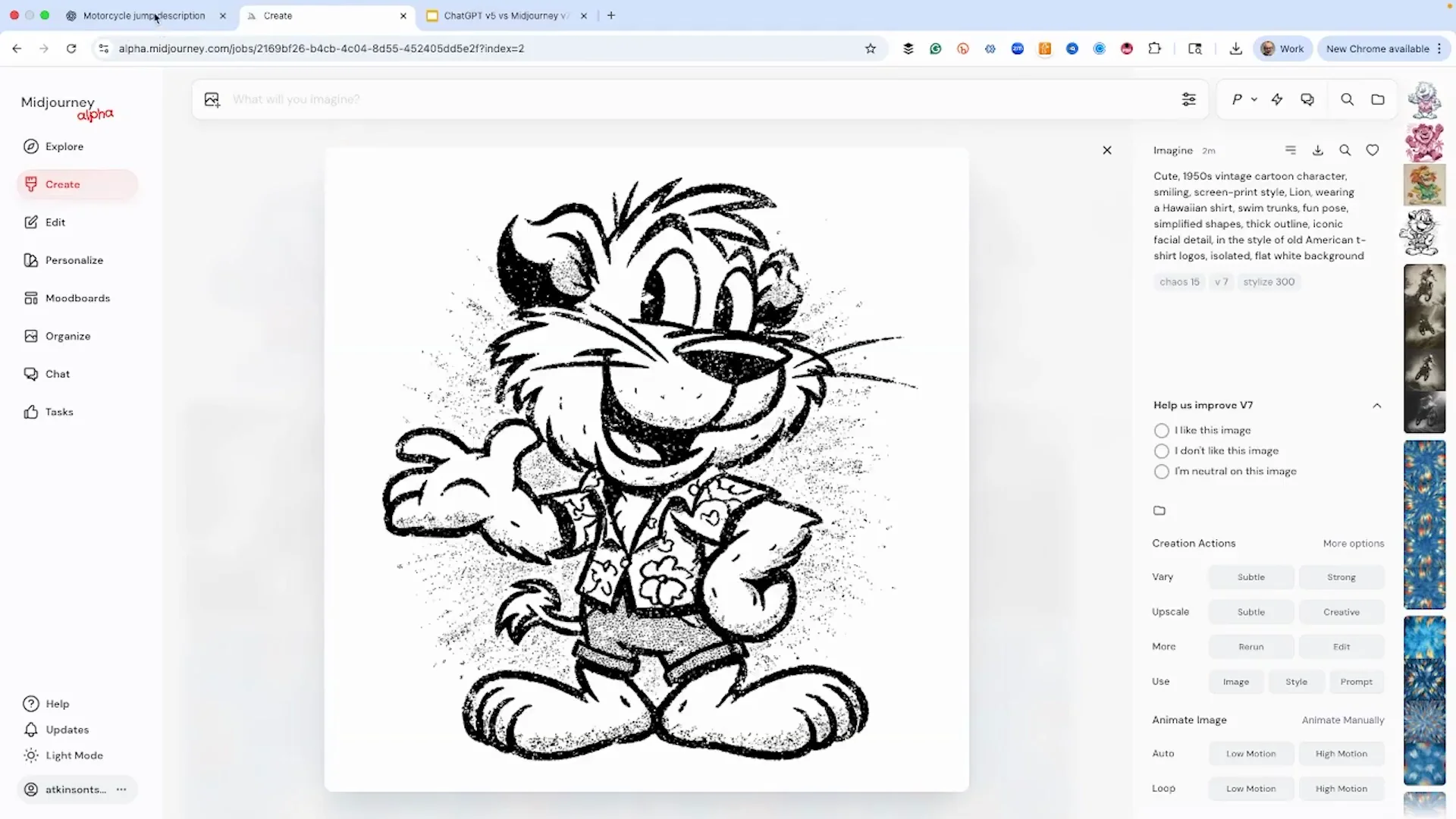
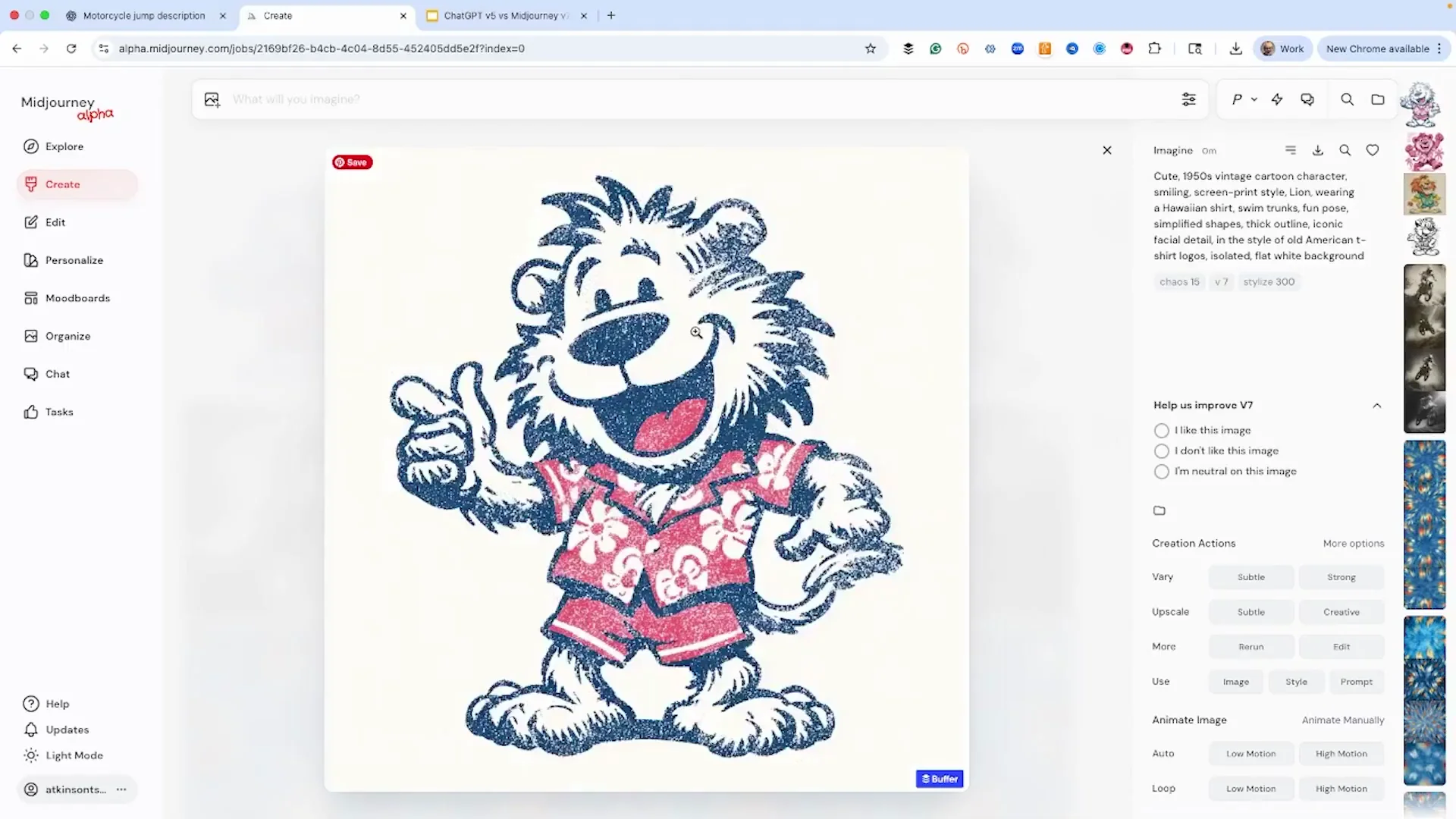
| Test 2 - Graphic design (vintage cartoon lion wearing a Hawaiian shirt in a classic 1950s style) | One image. | Four different images. I like the first one the best. |
| Test 3 - Line art (guitar) | A very simple image. I think the neck is a little thick. Looks more like a ukulele. | The outline looks good. One head-on is more realistic for a guitar, but it gave more shadows. |
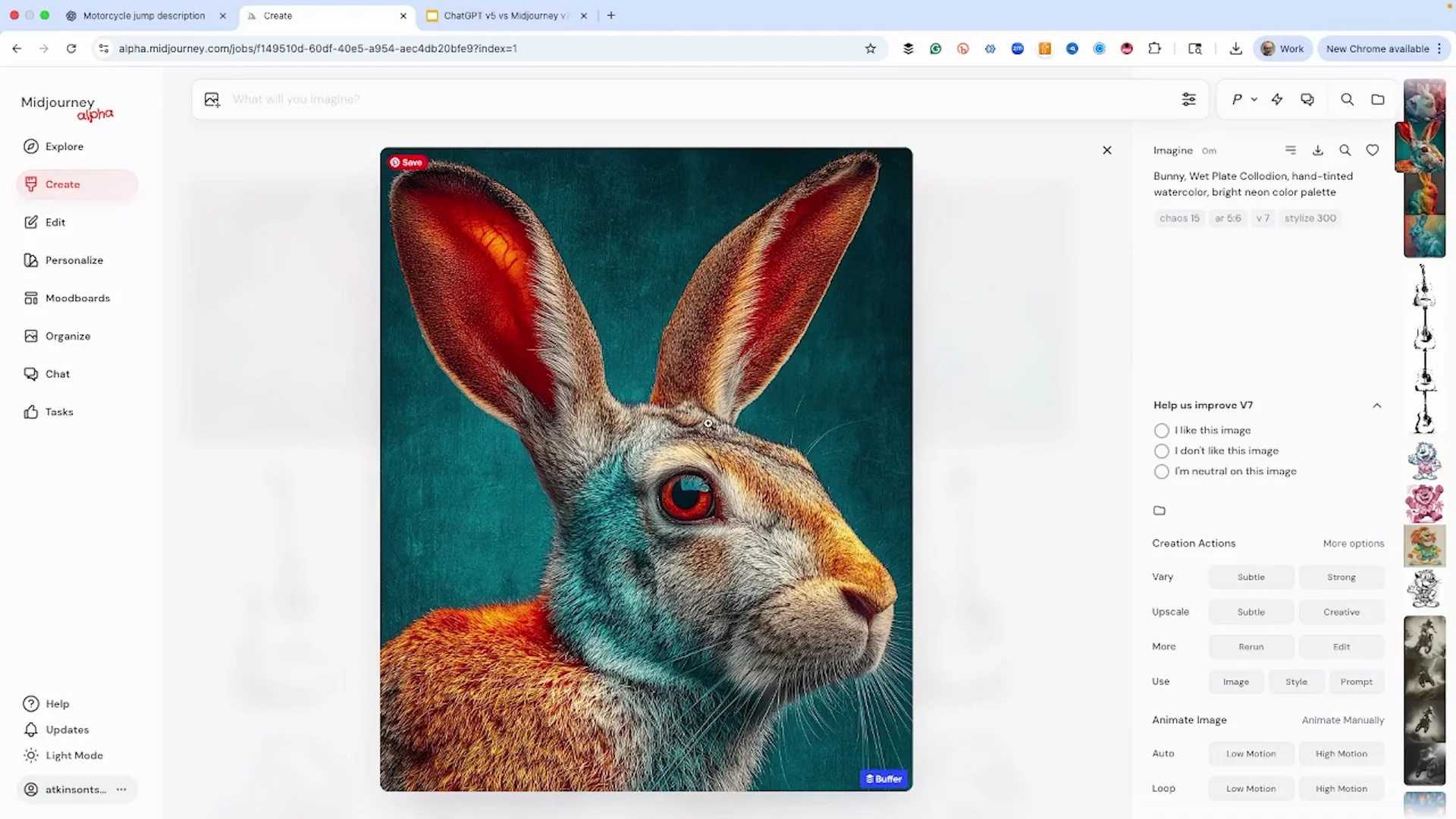
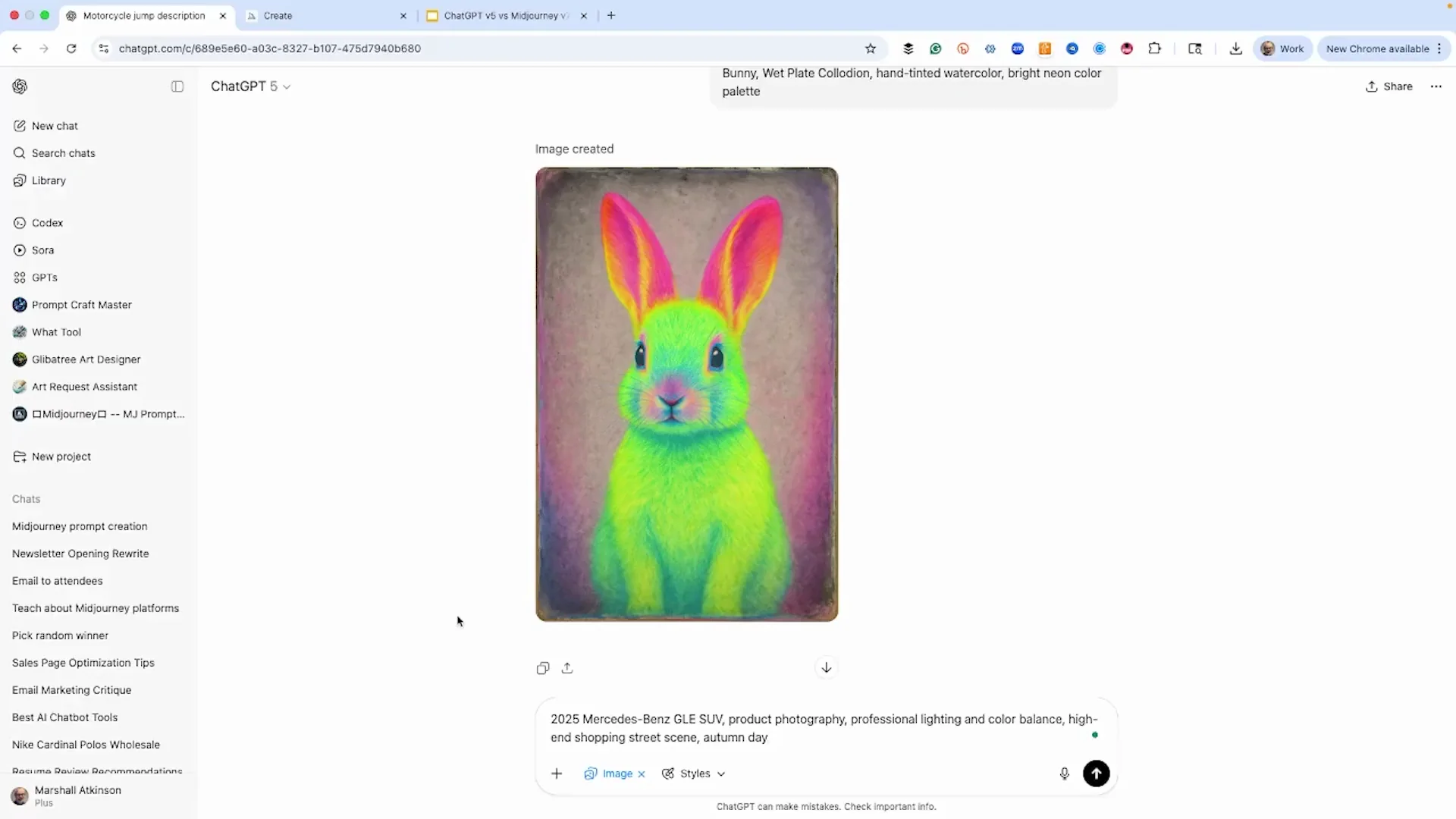
| Test 4 - Mixed media (photograph with a hand tinted watercolor look and neon colors) | We certainly got the neon colors, but really simplistic, not quite as complex looking as the MidJourney version. | More of a hair kind of look. I love the blue in the fur and then the red. That looks really cool. I like that one the best. |
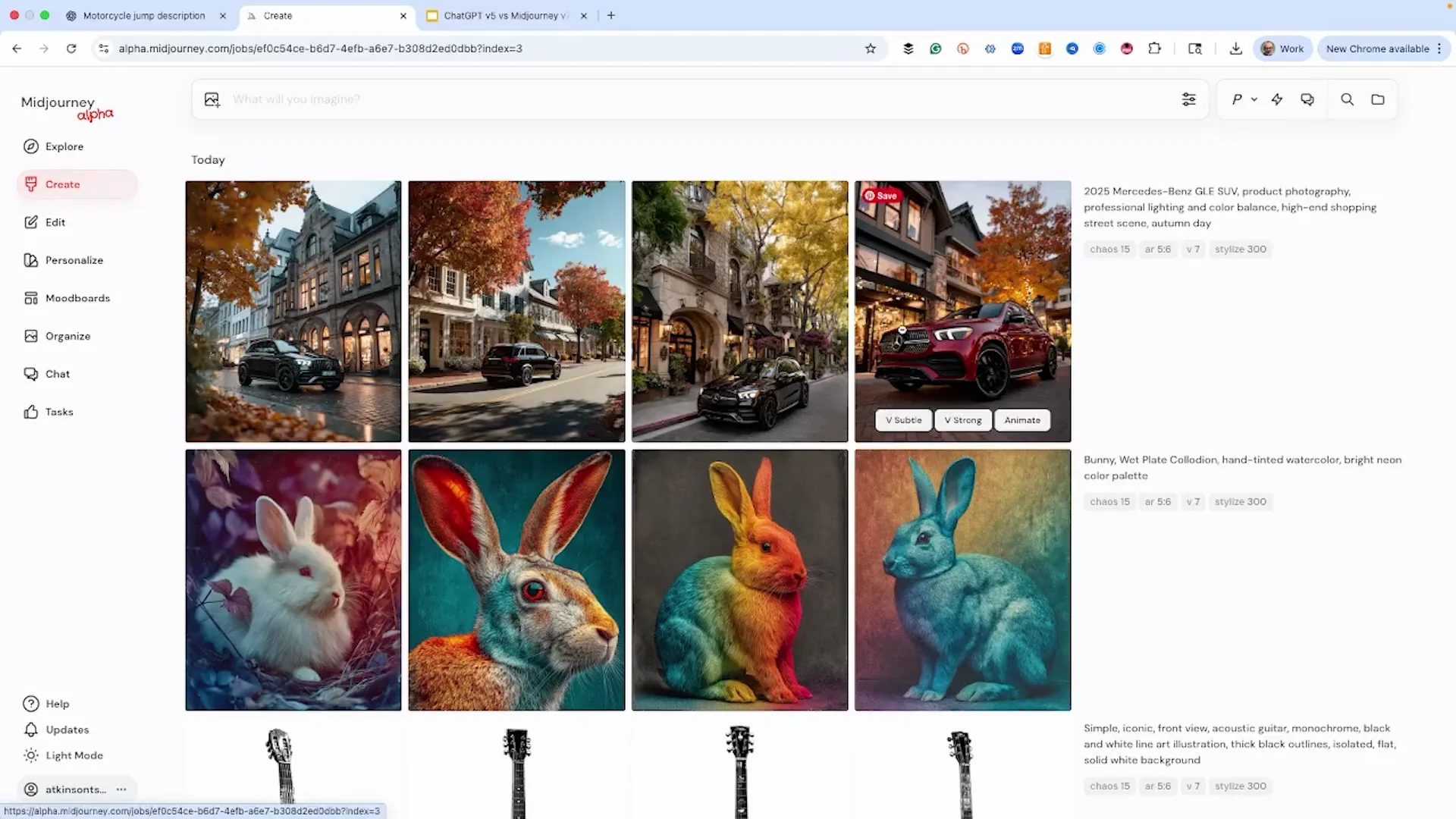
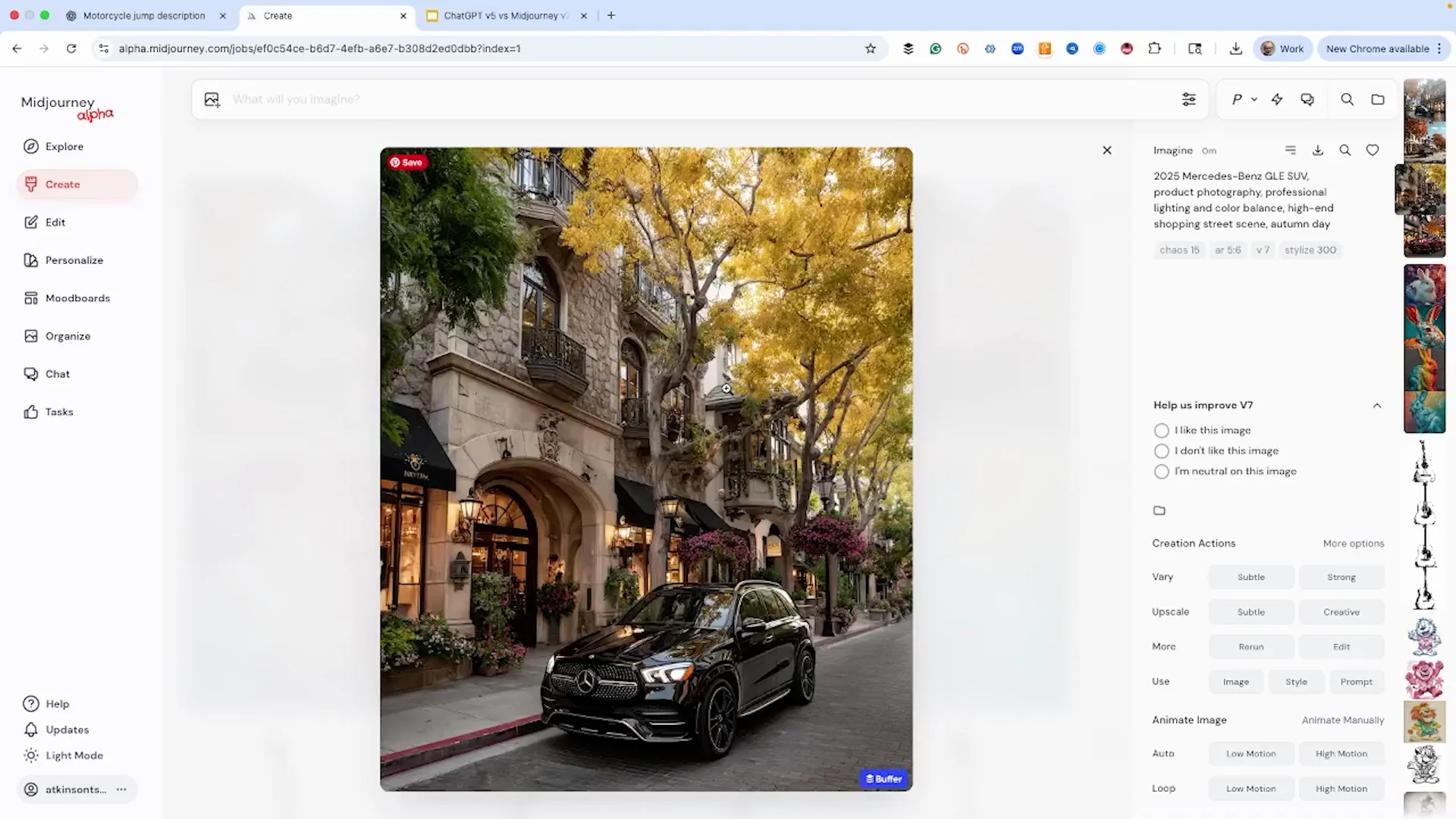
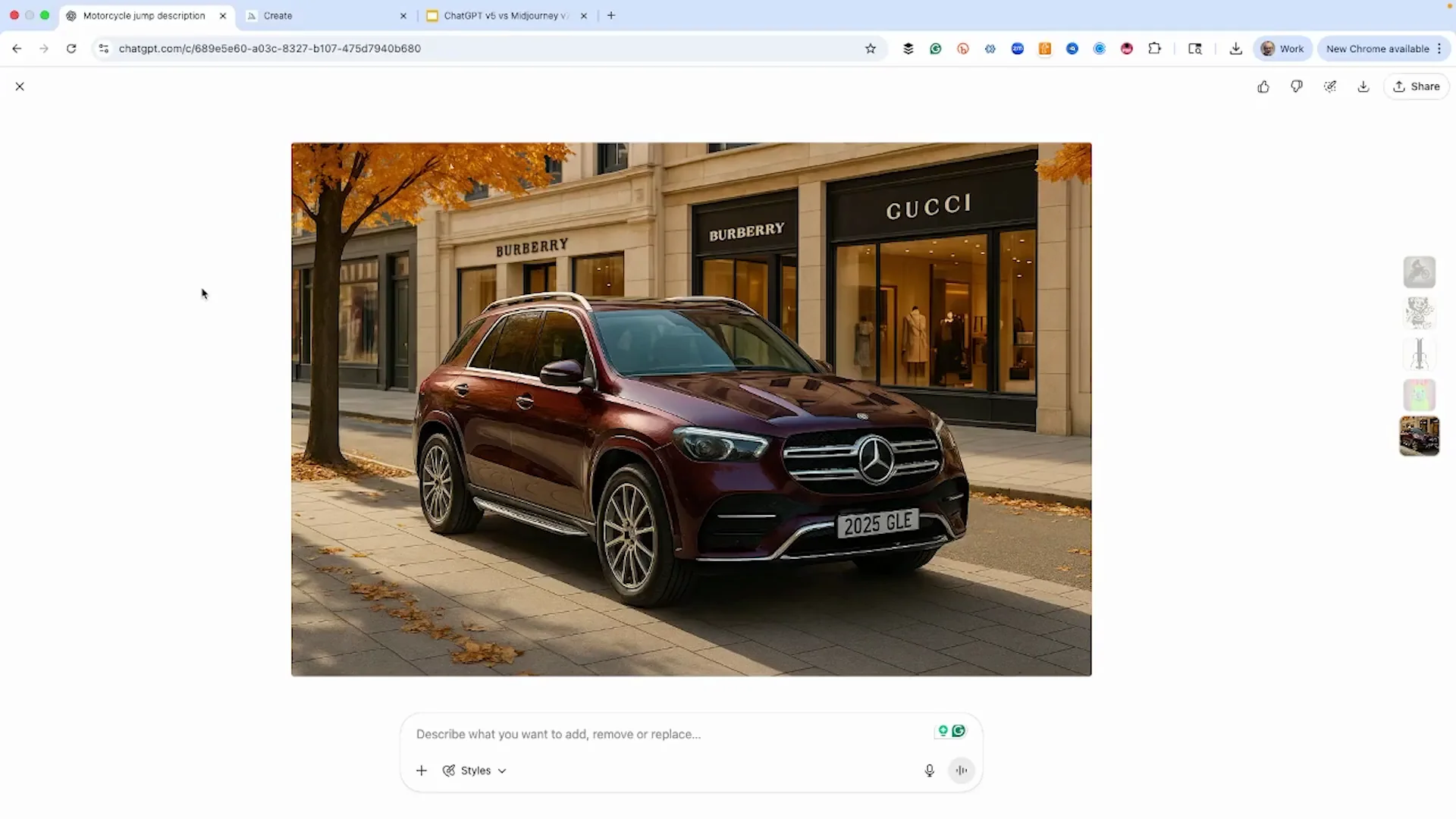
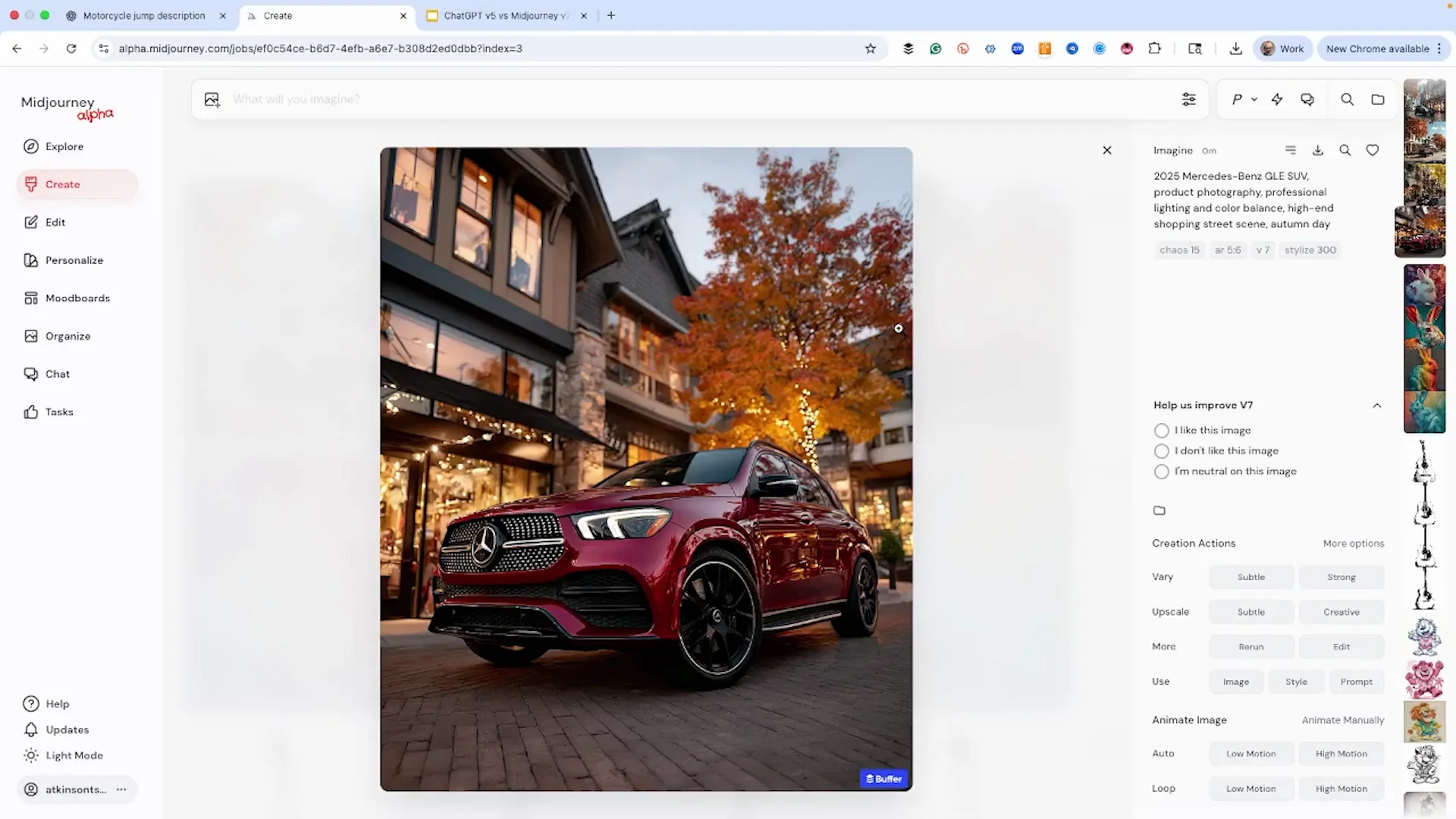
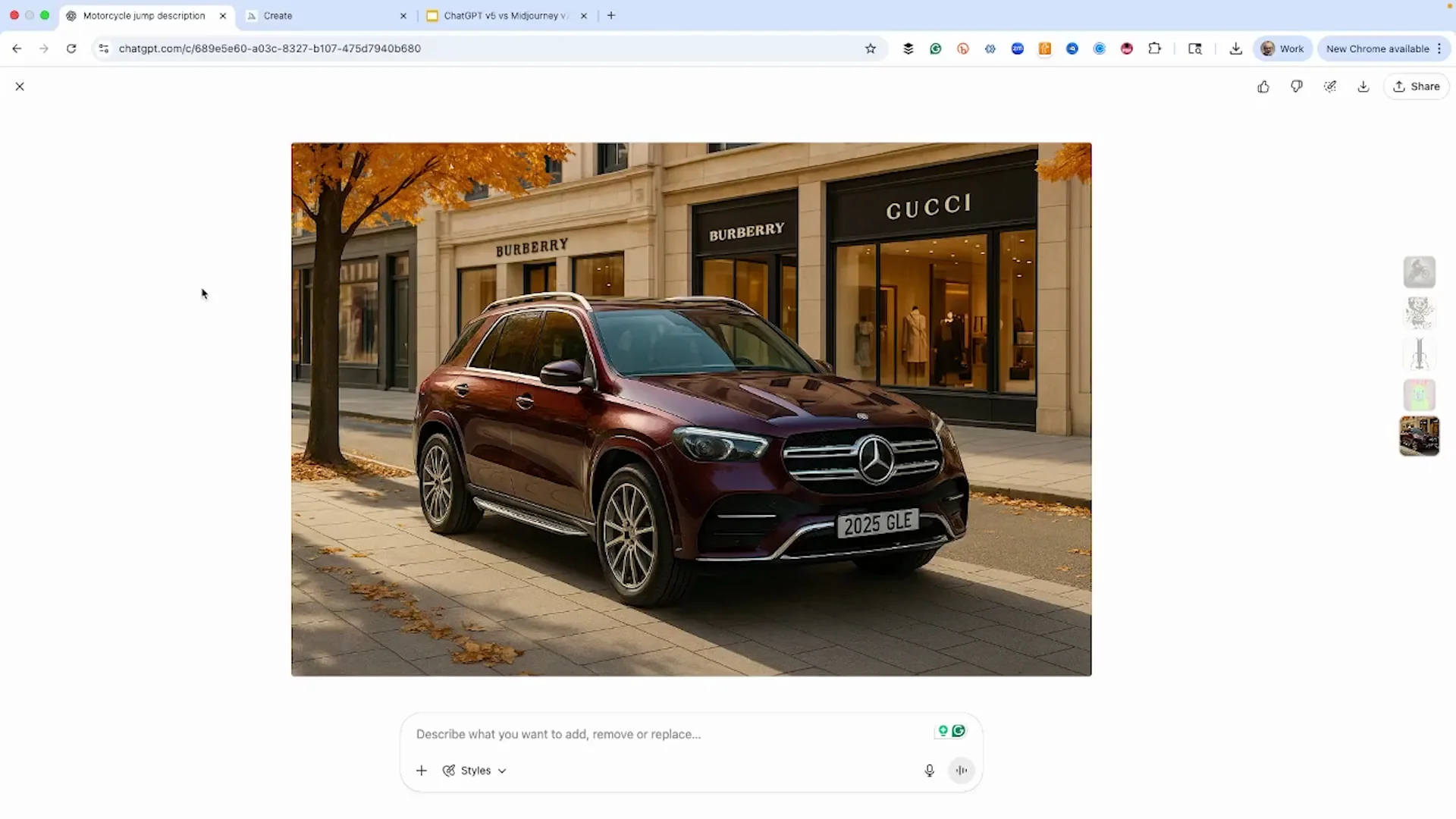
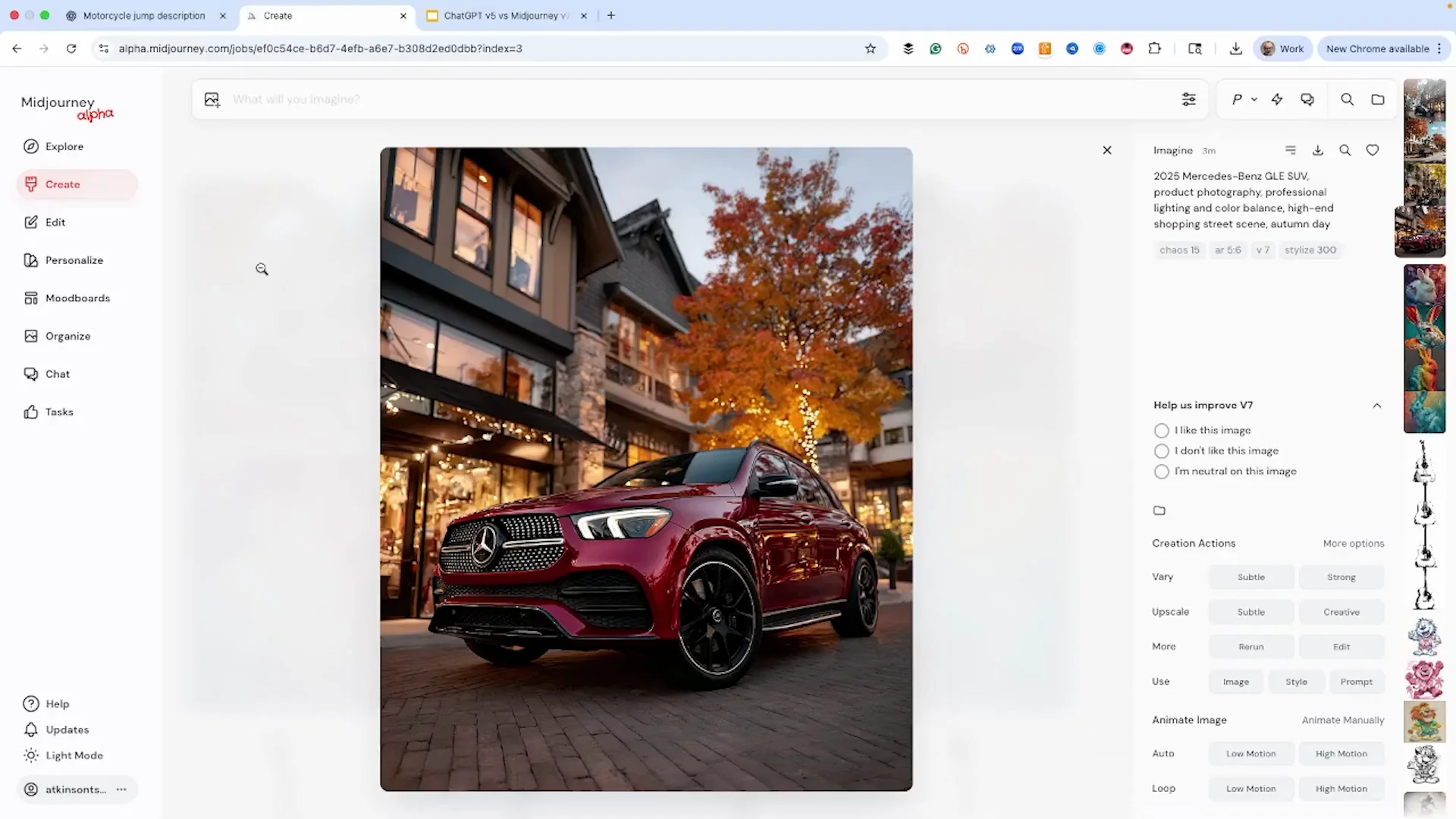
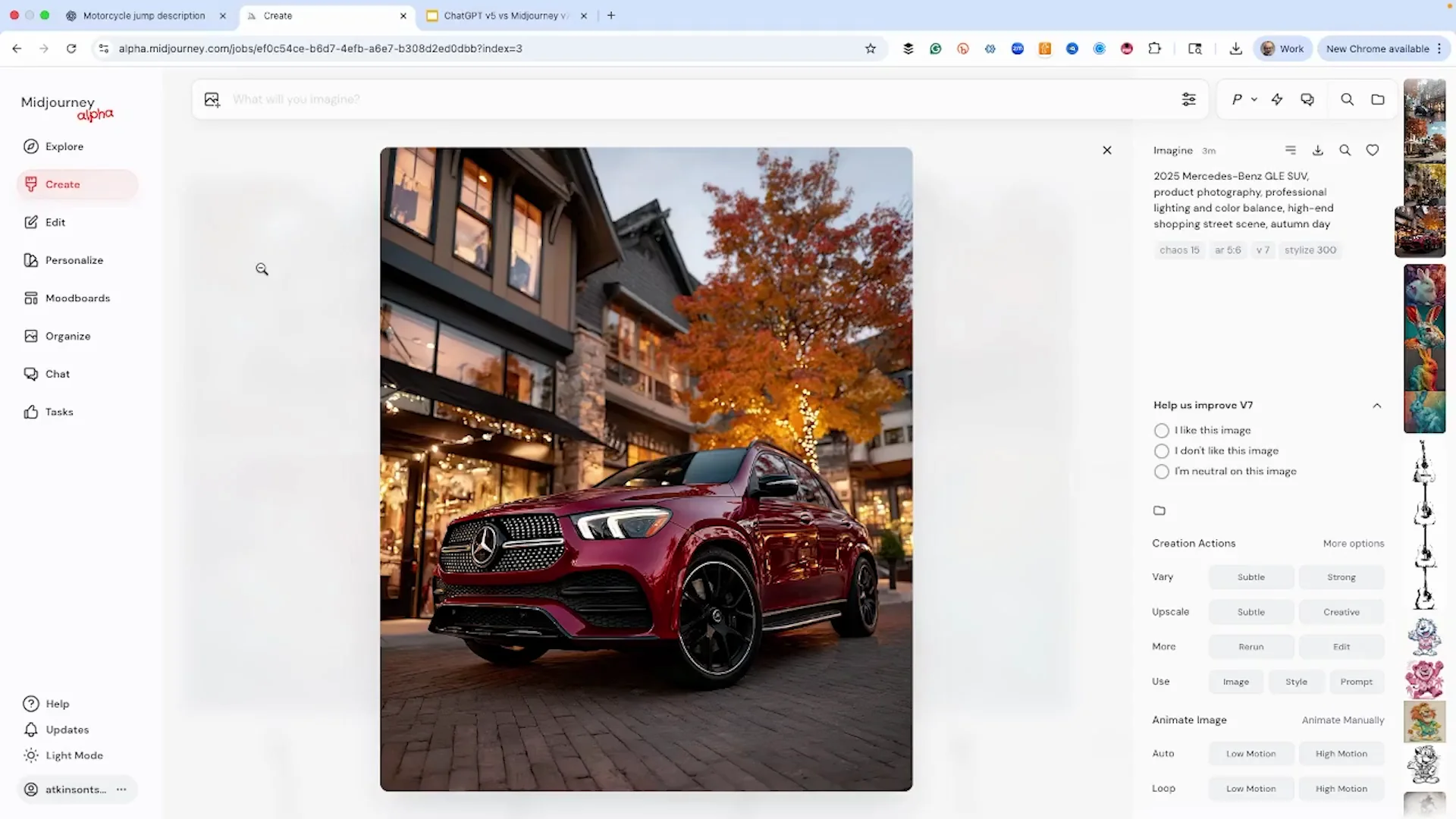
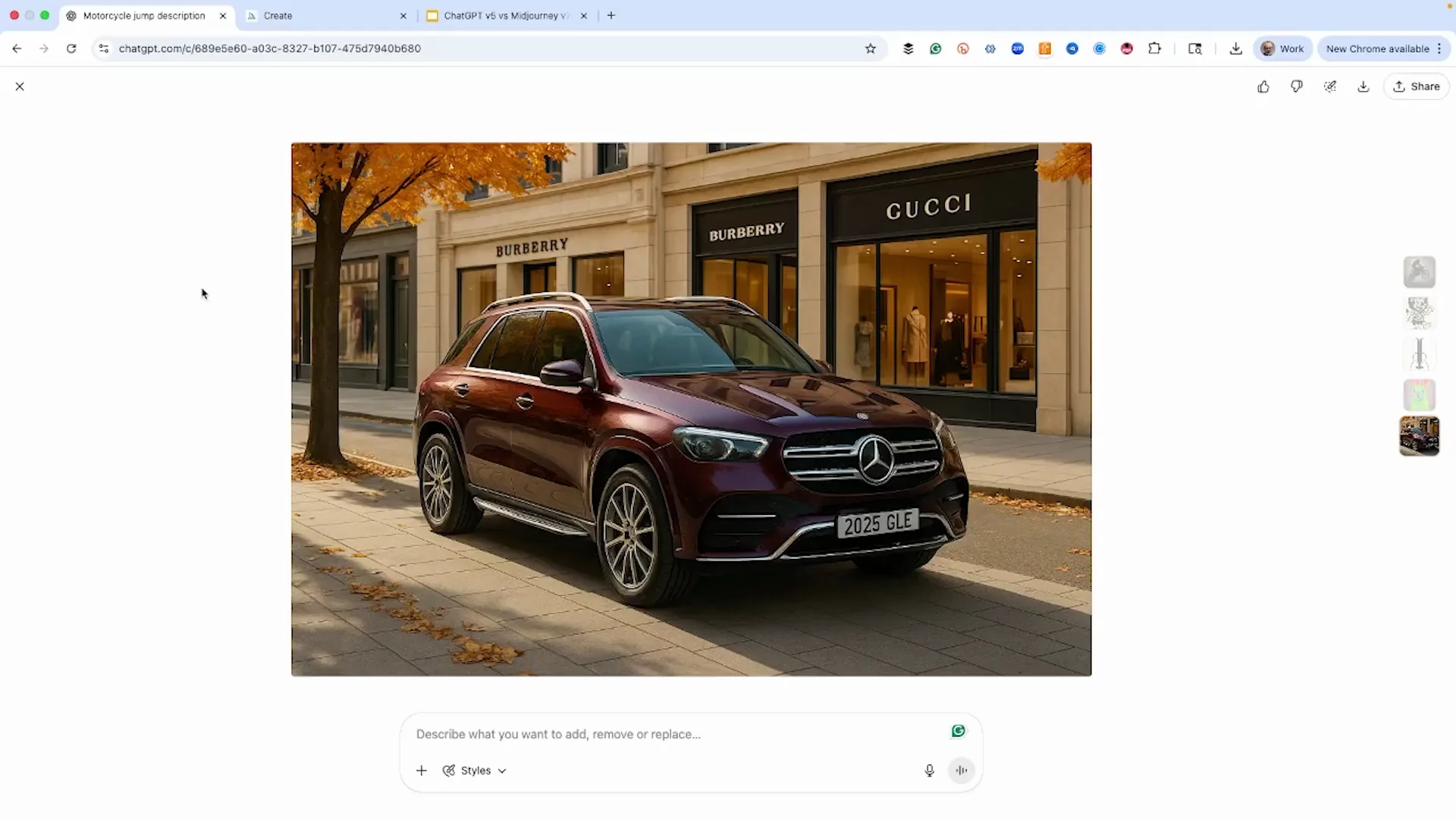
| Test 5 - Product image (2025 Mercedes-Benz GLE SUV, product photography, professional lighting and color balance, high-end shopping street scene on an autumn day) | Understood the assignment. High-end shopping area with Gucci and Burberry. Autumn day. Street scene. Also made it a maroon SUV. It did give us on the license plate that it's a 2025 GLE. Looks a little dull. I like the composition. I think it's fantastic. I love the perspective and how it did the shops. | More dynamic with the low angle and the 3/4 view. I don't think it shows off the car as well, but it's a much better photograph. I think we're going to use the first one with the maroon colored one. |
| Aspect ratio notes | We enlarged a tiny render for viewing. | A more horizontal aspect ratio might have given something better. We left it over from doing the guitar and the bunny. |
Chatgpt V5: Method and setup
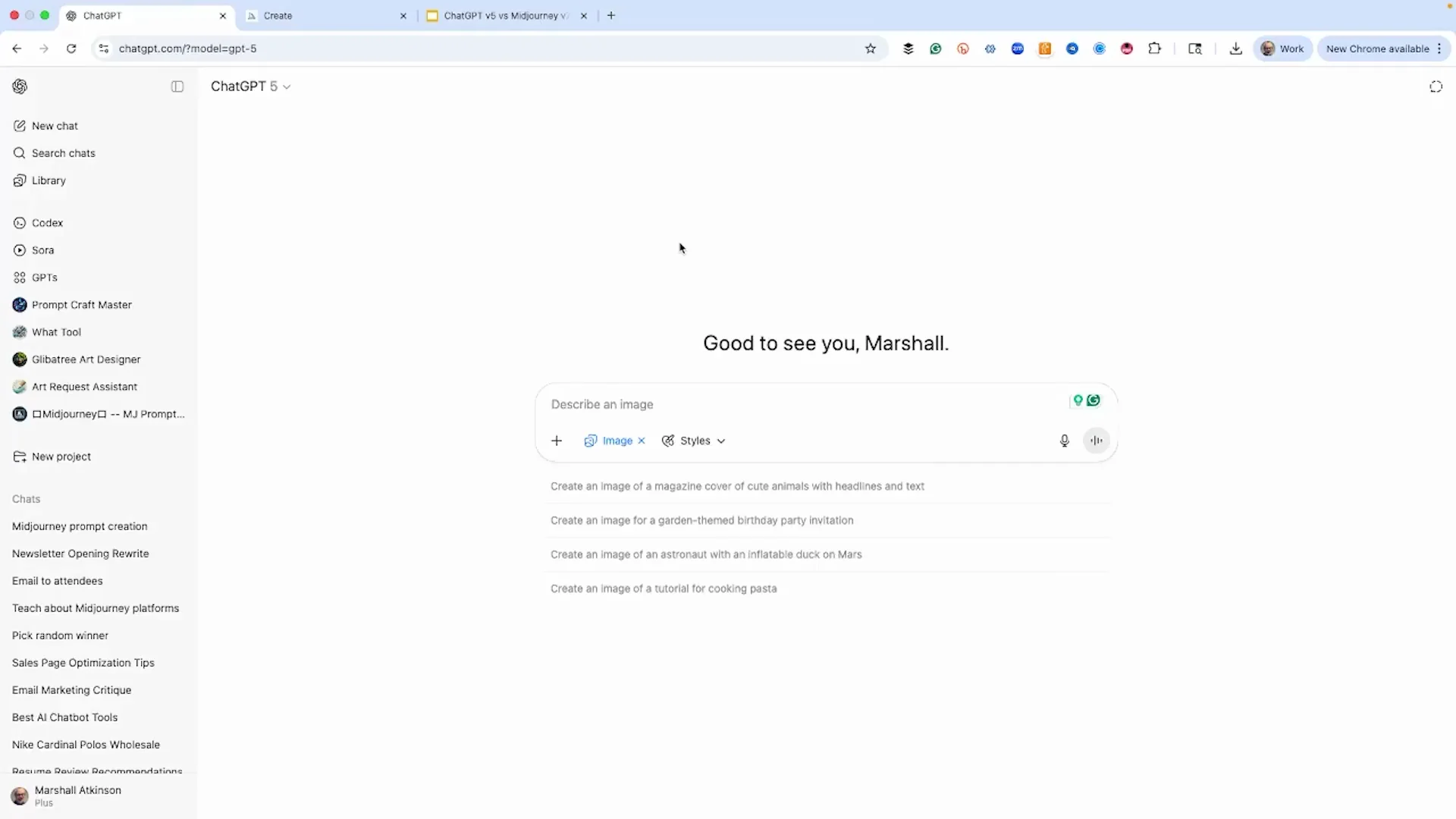
I used the same prompt in each. I was not doing any editing. Normally we would roll and do some things to get a better image. This was just to see what we get, side by side, unedited, showing exactly what we get right off the bat as a comparison.
MidJourney is always faster. To be clear, I have the highest version of MidJourney and have it set to turbo. It's always going to be faster.
Chatgpt V5: Detailed results across five tests
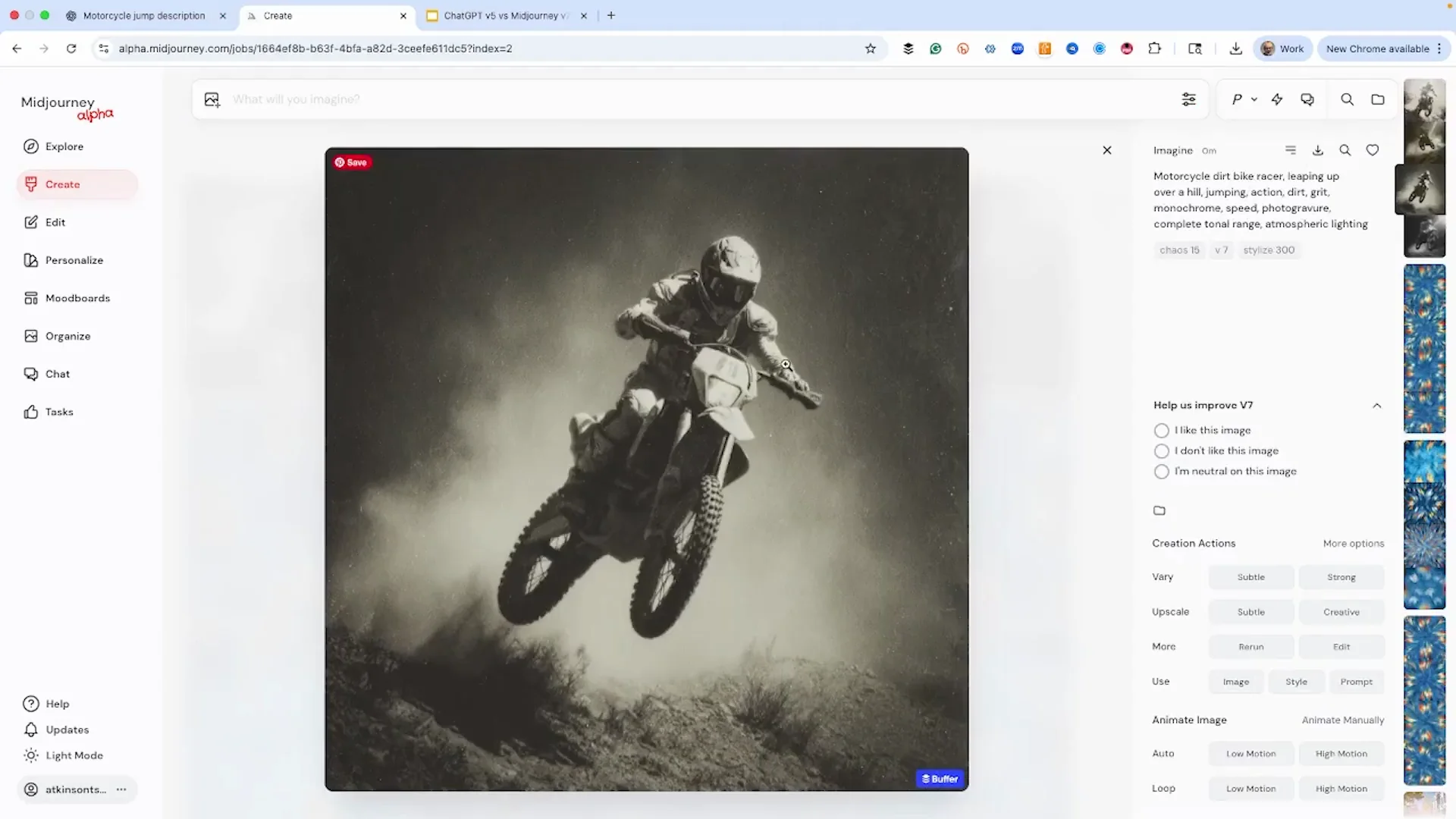
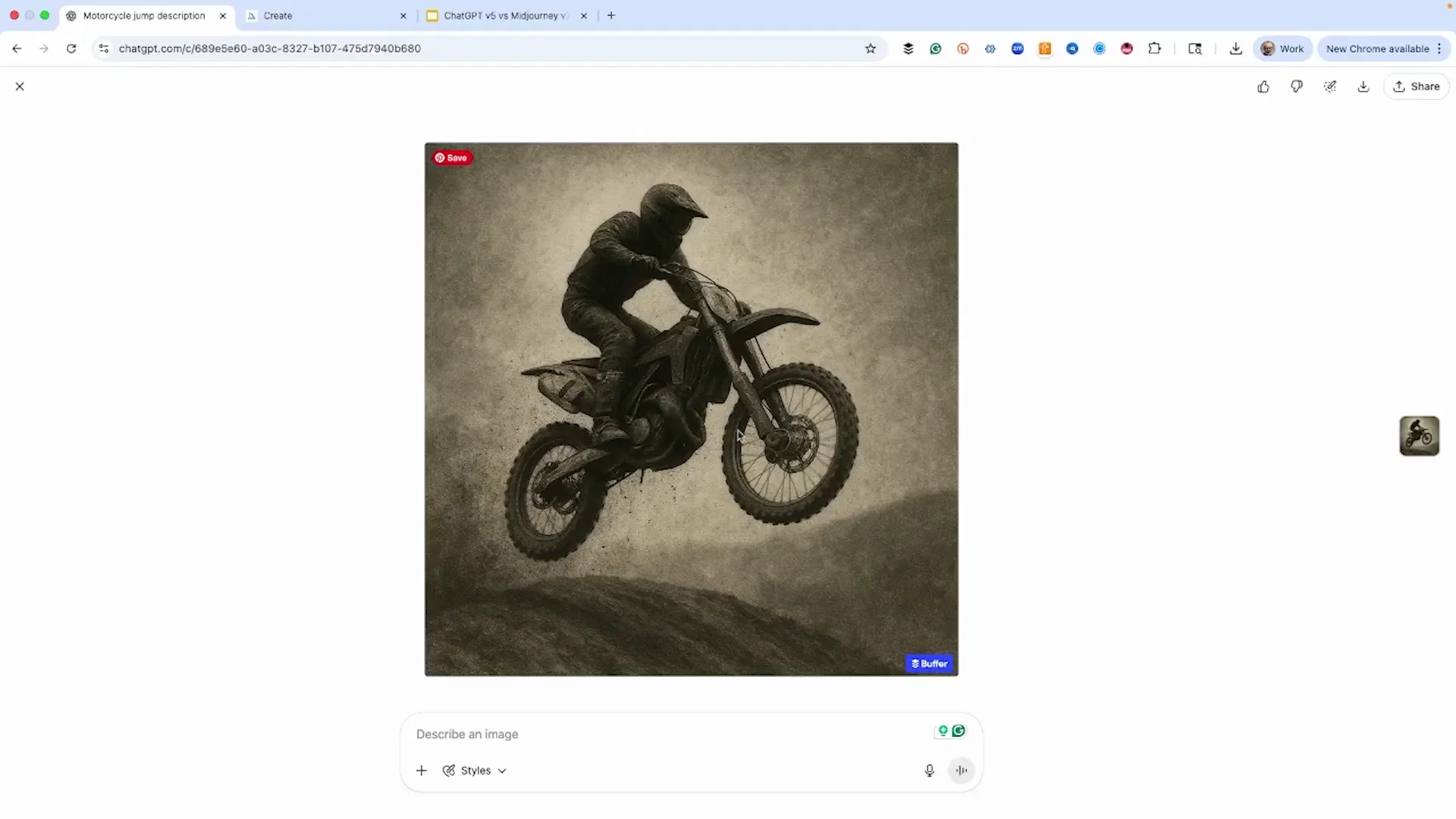
Test 1 - Art photography: black-and-white motocross action
Prompt highlights: a motorcycle dirt bike racer leaping over a hill, jumping action, dirt grit, black and white, monochrome, speed, photo graveyard style, complete tonal range, atmospheric lighting.
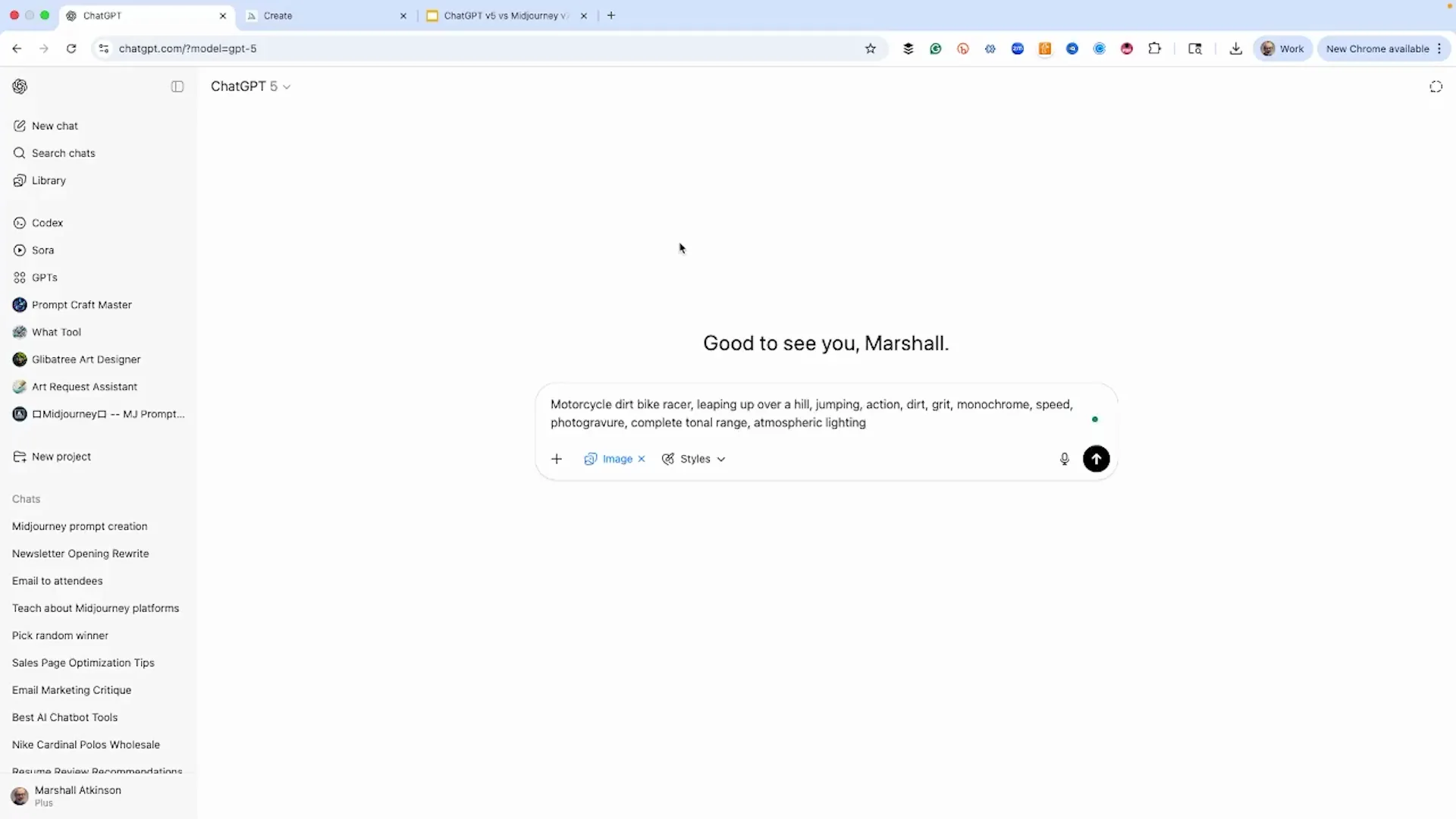
- MidJourney: Four images. This has that vintage antique look. That's where that photo graveyard prompt comes in. I think maybe this is the best one.
- ChatGPT v5: Not bad. I kind of like it. He's jumping over the hill. It's exactly what we asked for. Has that vintage look. ChatGPT version 5 did a pretty good job.
Test 2 - Graphic design: vintage cartoon character
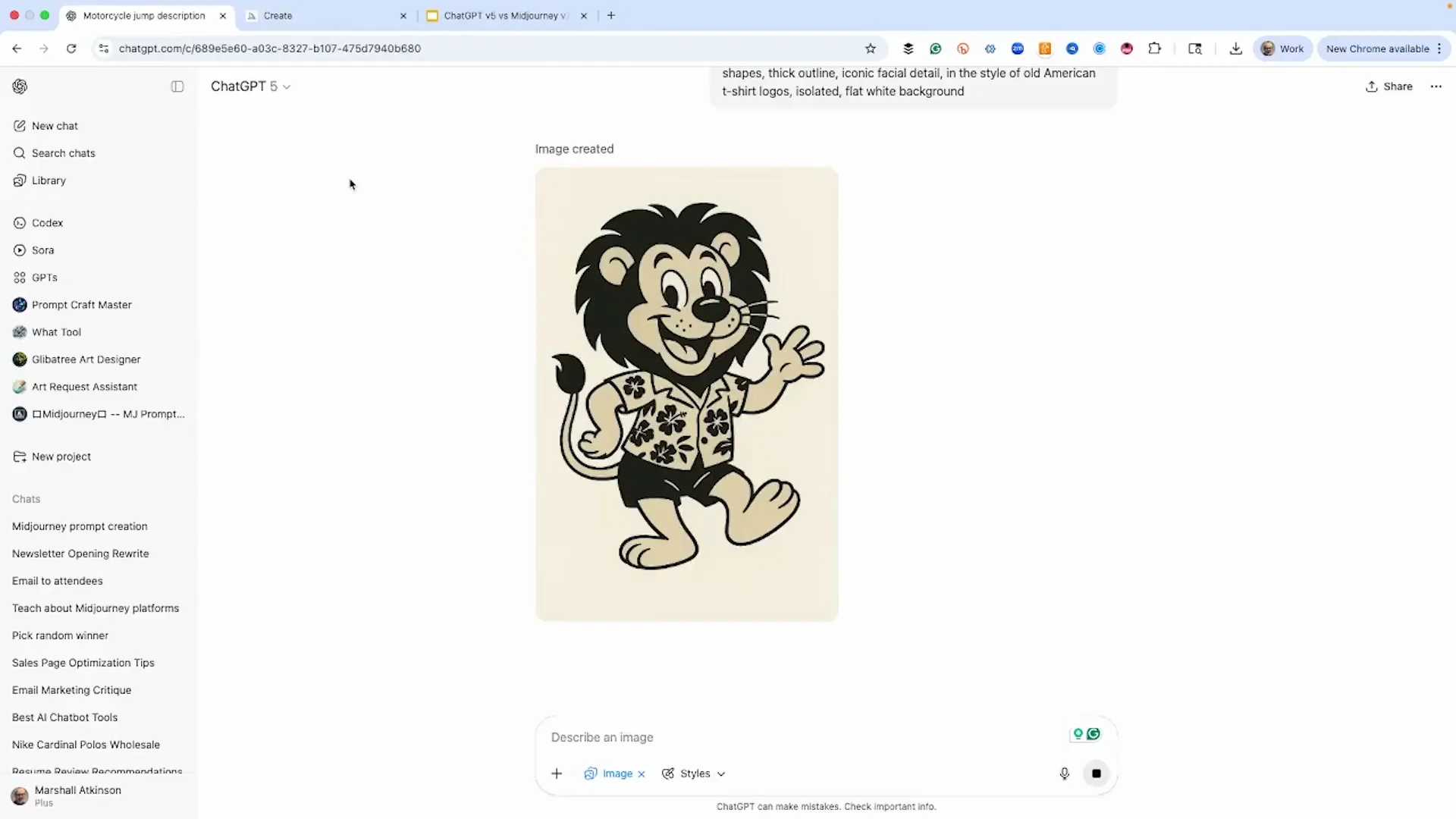
Prompt highlights: a vintage cartoon character that's a lion wearing a Hawaiian shirt, classic 1950s kind of style.
- MidJourney: Four different images. That one looks really nice. I like the first one the best.
- ChatGPT v5: One image. Here is the ChatGPT version five of the lion.
Test 3 - Line art: guitar
Use case: quick line art for a graphic.
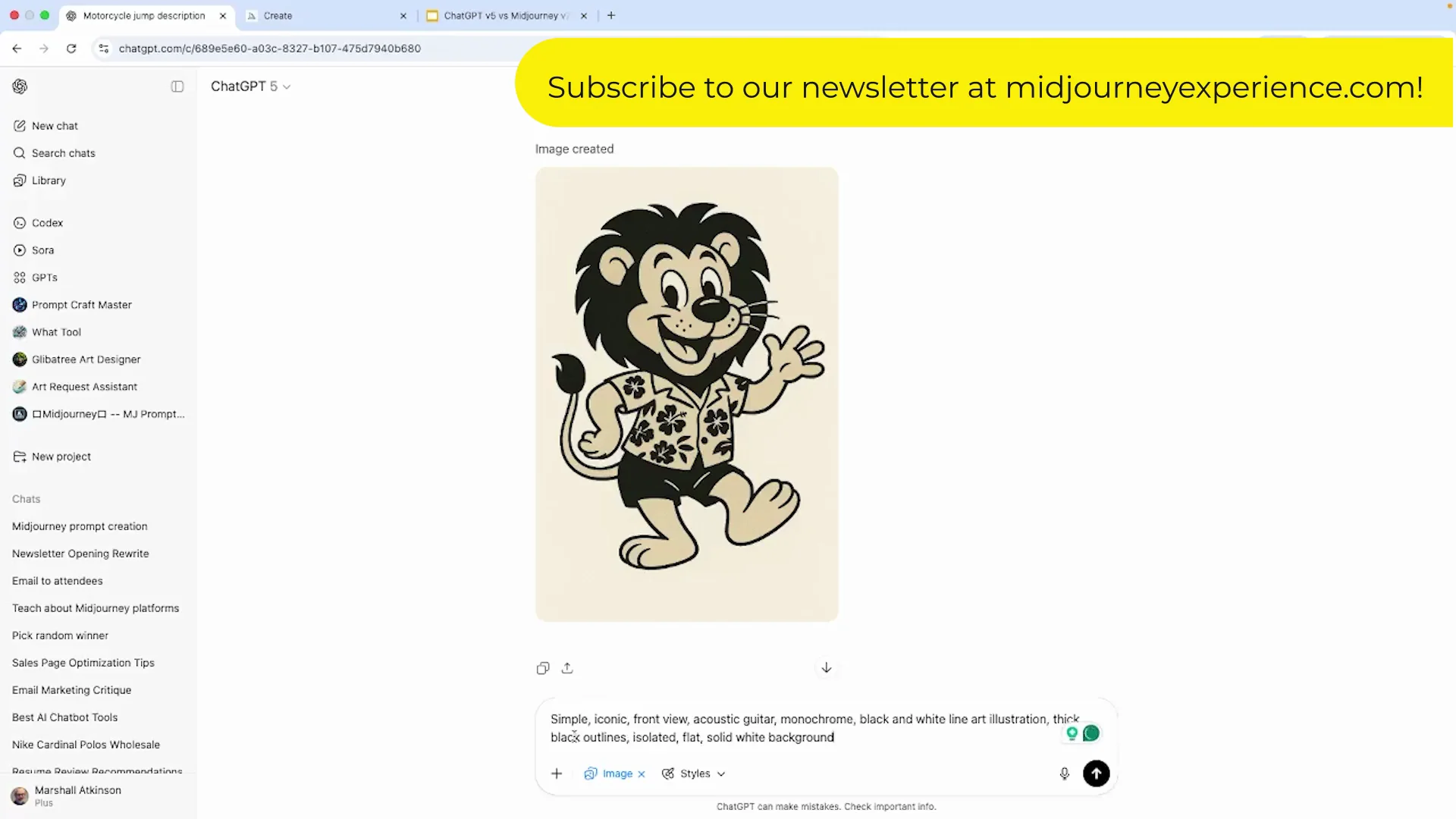
- ChatGPT v5: A very simple image. I think the neck is a little thick. Looks more like a ukulele.
- MidJourney: I like the outline. I really love how it rendered that. One head-on looks more realistic for a guitar, but it gave more shadows.
Test 4 - Mixed media: hand-tinted watercolor look with neon
Prompt highlights: a photograph with a hand tinted watercolor look with neon colors.
- MidJourney: That's more of a hair kind of look. I really like that. I love the blue in the fur and then the red. That looks really cool. This ombre fade is cool. I think I like this one the best.
- ChatGPT v5: We certainly got the neon colors, but really simplistic, not quite as complex looking as the MidJourney version. I think MidJourney wins this one. Art is subjective.
Test 5 - Product image: 2025 Mercedes-Benz GLE SUV
Prompt highlights: product photography, professional lighting and color balance, high-end shopping street scene on an autumn day.
- MidJourney: It's always faster. You're the Mercedes-Benz dealership owner and you want something for your dealership. I think we're going to use this first one with this maroon colored one. It looks really great. It matches what we're trying to do. More dynamic with the low angle and the 3/4 view. I don't think it shows off the car as well, but it's a much better photograph. I bet if we made it a more horizontal aspect ratio, it would have given something better. We didn't change that.
- ChatGPT v5: Understood the assignment. High-end shopping area with Gucci and Burberry. Autumn day. It's parked. It's a street scene. It also made it a maroon SUV. We didn't ask for that. It did give us on the license plate that it's a 2025 GLE. I don't think it's really needed there. Looks a little dull. I like the composition. I think it's fantastic. I love the perspective. I love how it did the shops.
Features breakdown: ChatGPT v5
- Same prompts as MidJourney, no editing or re-rolls.
- One image per prompt.
- Strong at following descriptive prompts. Exactly what we asked for on the motocross shot with a vintage look.
- Produced a readable license plate with specific model text on the car image.
- Can skew simple on complex mixed-media prompts. Really simplistic result on the neon watercolor look.
- Composition can be excellent. The Mercedes scene composition and perspective were fantastic, even if the render felt a little dull.
Features breakdown: MidJourney 7
- Four options per prompt, which is one of the reasons I like MidJourney.
- Very fast with my turbo setting.
- Strong style interpretation. The photo graveyard prompt produced a vintage antique look I liked.
- Delivers rich, stylish takes on mixed media. The neon watercolor look with blue fur and red accents looked really cool.
- Dynamic camera work. The Mercedes render had a low angle and 3/4 view that made a better photograph but did not show the car as clearly for a product page.
- Not focusing on text here. Midjourney fails at that.
Pros and cons: ChatGPT v5
Pros
- Did a pretty good job matching prompts. Exactly what we asked for on the motocross image.
- Composition and perspective can be fantastic on product-style scenes.
- Understood the assignment on the Mercedes scene and set it in a high-end shopping area on an autumn day.
Cons
- Slower.
- Only one image per prompt.
- On the mixed-media neon prompt it was really simplistic compared to MidJourney.
- Inserted extra details like a license plate label that were not requested.
Pros and cons: MidJourney 7
Pros
- Faster with turbo, and delivers four images per prompt.
- Strong vintage and stylistic results. The photo graveyard look and the 1950s cartoon lion came out great.
- Better mixed-media look. The neon watercolor image with blue fur and red accents stood out.
- Dynamic camera choices can make a better photograph.
Cons
- Not touching text here. Midjourney fails at that.
- Dynamic angles do not always show the product as clearly as a flat catalog shot.
- Aspect ratio choices matter. Leaving a square ratio may limit product image options.
Use cases where each option excels
ChatGPT v5
- Single-shot concepts where you want the tool to hit the brief cleanly.
- Product scenes where composition and perspective matter, even if you expect to tune color and pop later.
- Quick art photography prompts where you want a vintage look that matches the description.
MidJourney 7
- Rapid ideation with four variations per prompt.
- Stylized or mixed-media looks that benefit from visual richness and detail.
- Vintage cartoon or character-driven graphics in classic styles.
- Product imagery when you want a more dynamic, photographic feel and you can adjust angle and ratio.
Final Conclusion
I walked through using ChatGPT v5 and MidJourney 7 with exactly the same prompts, side by side, unedited. The five tests covered art photography, graphic design, line art, a mixed media idea, and a product image. MidJourney was faster and produced four options every time. It handled the vintage photo look and the mixed-media neon idea with more richness and delivered a dynamic car shot. ChatGPT v5 did a pretty good job on the motocross image, produced a clean 1950s-style lion, and delivered a Mercedes scene with fantastic composition even if it felt a little dull.
Keep your mind open about these tools. AI image generators are only getting better. If you want speed, variety, and stylish richness, lean MidJourney 7. If you want clean prompt-following with strong composition in a single render, give ChatGPT v5 a shot. The purpose here was to show a comparison so you can make a decision about the platform that might be good for whatever you're doing.
Recent Posts
How to use Grok 2.0 Image Generator?
Learn how to access Grok 2.0’s AI image generator (Premium required), write better prompts, and avoid pitfalls like real people and brands. Step-by-step tips.
How to use Instagram AI Image Generator?
Use Meta AI in Instagram DMs to turn text into images—and even animate them. It’s free, fast, and built in. No external apps needed; create art right in chat.
Leonardo AI 2026 Beginner’s Guide: Create Stunning Images Fast
Learn Leonardo AI step by step—sign up, explore Home, and generate or enhance photos with free, powerful tools. A quick, clear starter for beginners.