ChatGPT’s New Image Tool vs Gemini Nano Pro
ChatGPT recently came up with its new dedicated image tool, and I compared it directly with Google Gemini Banana Nano Pro using exactly the same prompts across a series of tests. I focused on color, speed, watermark behavior, text accuracy, repeatability, style, and incremental edits. The results surprised me in more than one place.
I used the pro version of Gemini with the nano banana pro model and matched prompts side by side. I will leave it up to you to decide which one looks more accurate in each case, but you will see consistent differences in tone, realism, and output behavior.
| Category | ChatGPT image | Gemini Banana Nano Pro |
|---|---|---|
| Color tone | Slightly warm color tones | Greenish, cooler looking color, often more vibrant |
| Image generation speed | Approximately twice the time to generate | Generates more instantly |
| Watermark | No watermark | Always leaves its watermark |
| Realism in photo style | Often closer to photo realistic rendering | Can look more cartoonish or poster-like |
| Object replacement | Replaced deer with tiger while keeping environment consistent | Replaced animal cleanly and kept environment consistent |
| Orientation control | Handled horizontal and portrait changes flawlessly | Handled orientation changes as expected |
| Text rendering in posters | Accurate spelling and a more traditional or original poster look | Accurate spelling and added a thin line like you pulled a card |
| Infographic labels | Clear winner with correct spelling and crisp labels | Spelling mistakes occurred in labels |
| Incremental edits | Handled glowing window, smoke from chimney, adding a wooden house | Handled the same edits reliably |
| Repeatability | Minimal unintended changes when editing prompts | Comparable in environment consistency |
| Preference for direct use | Preferred due to clarity, colors, realism, and no watermark | Requires cropping or watermark removal before use |
ChatGPT image vs Google Gemini Banana Nano Pro - detailed comparison
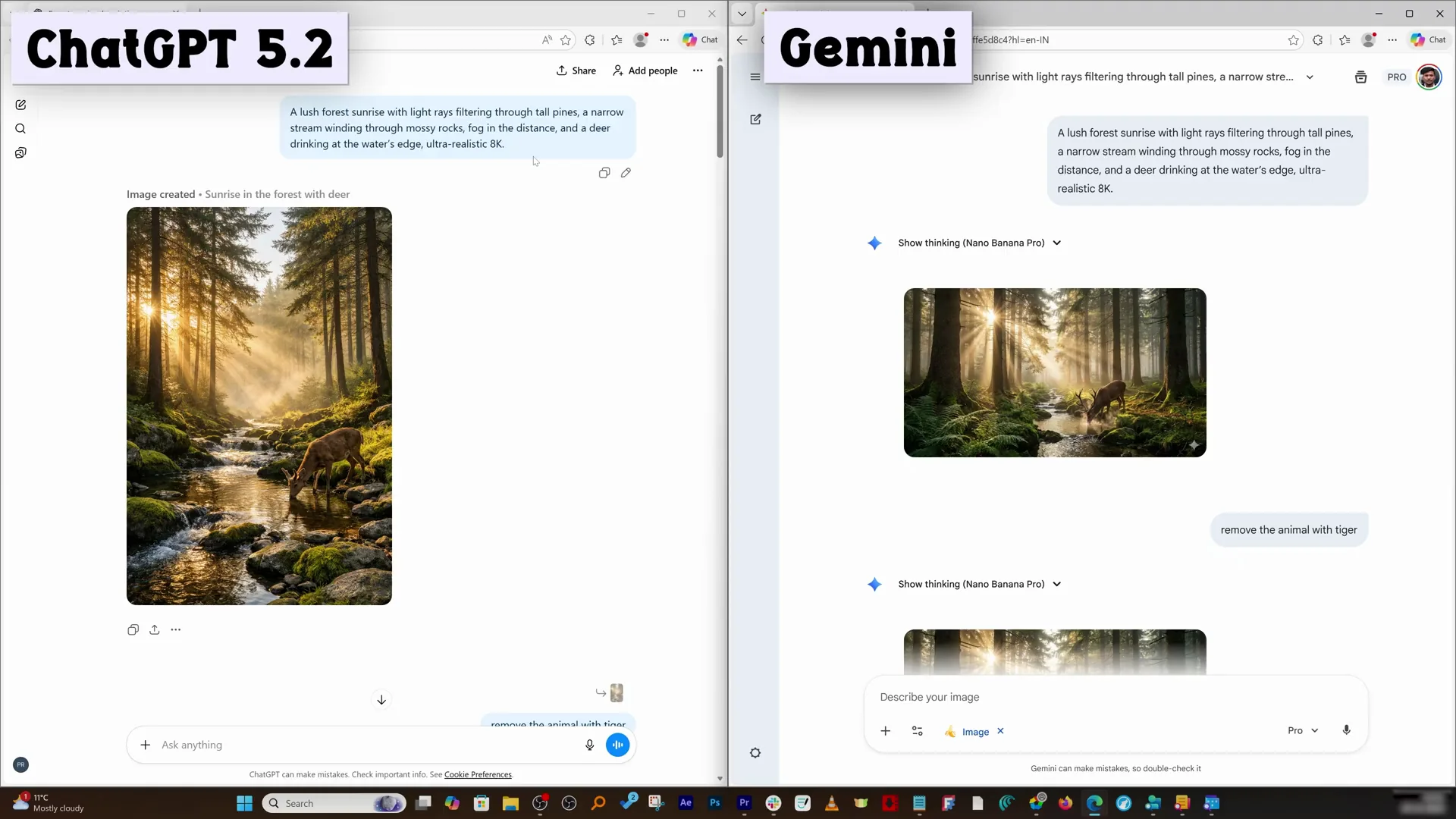
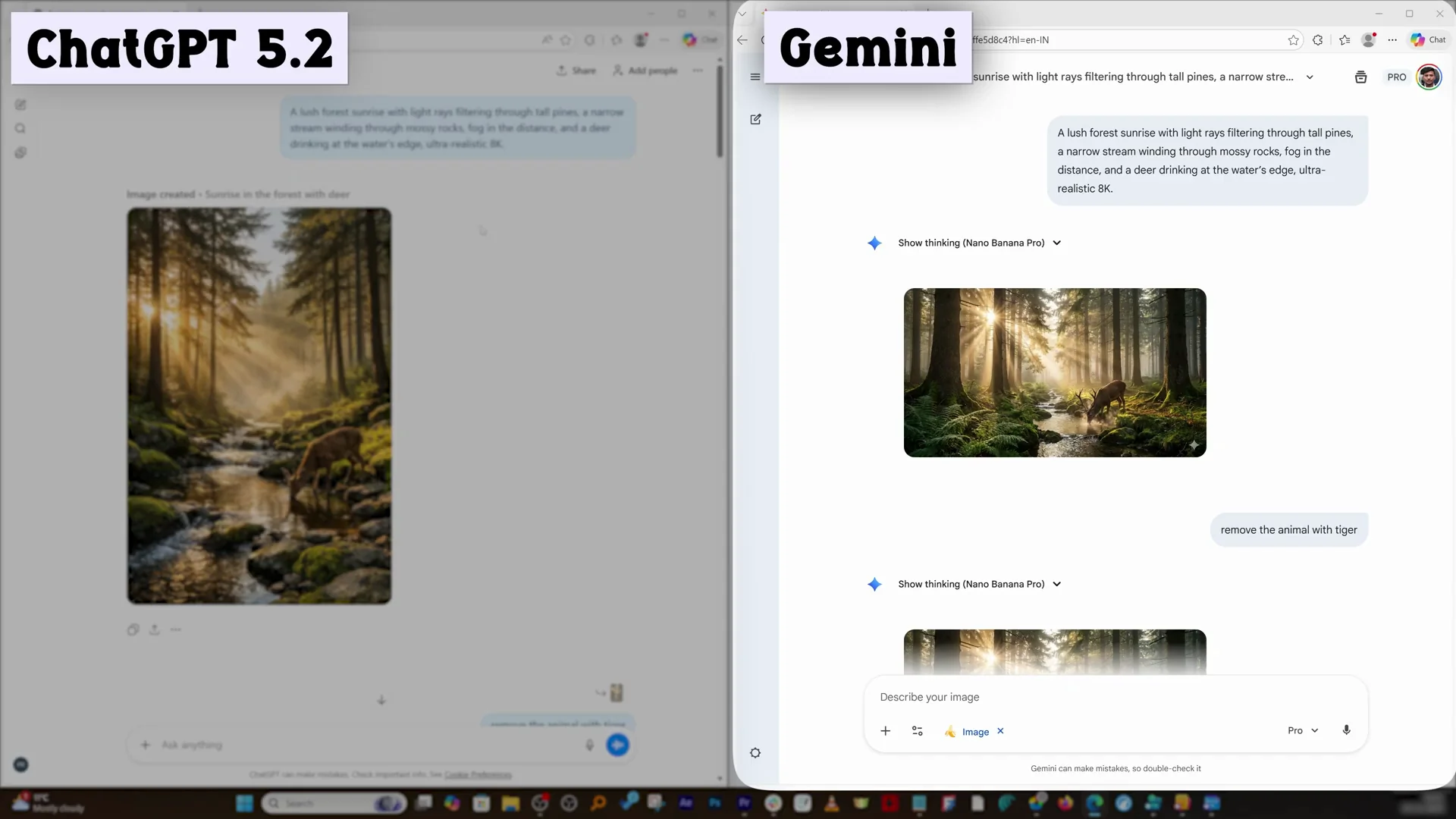
Photo realistic scene - tone and realism
On the same photo realistic scene prompt, there is a clear difference in the way both models interpret color. ChatGPT generally comes up with slightly warm color, while Gemini focuses more on greenish, colder looking color. The Gemini picture is a little more vibrant, less realistic compared to what I am seeing on the other side. I prefer the warmth and realism from ChatGPT in this scenario.
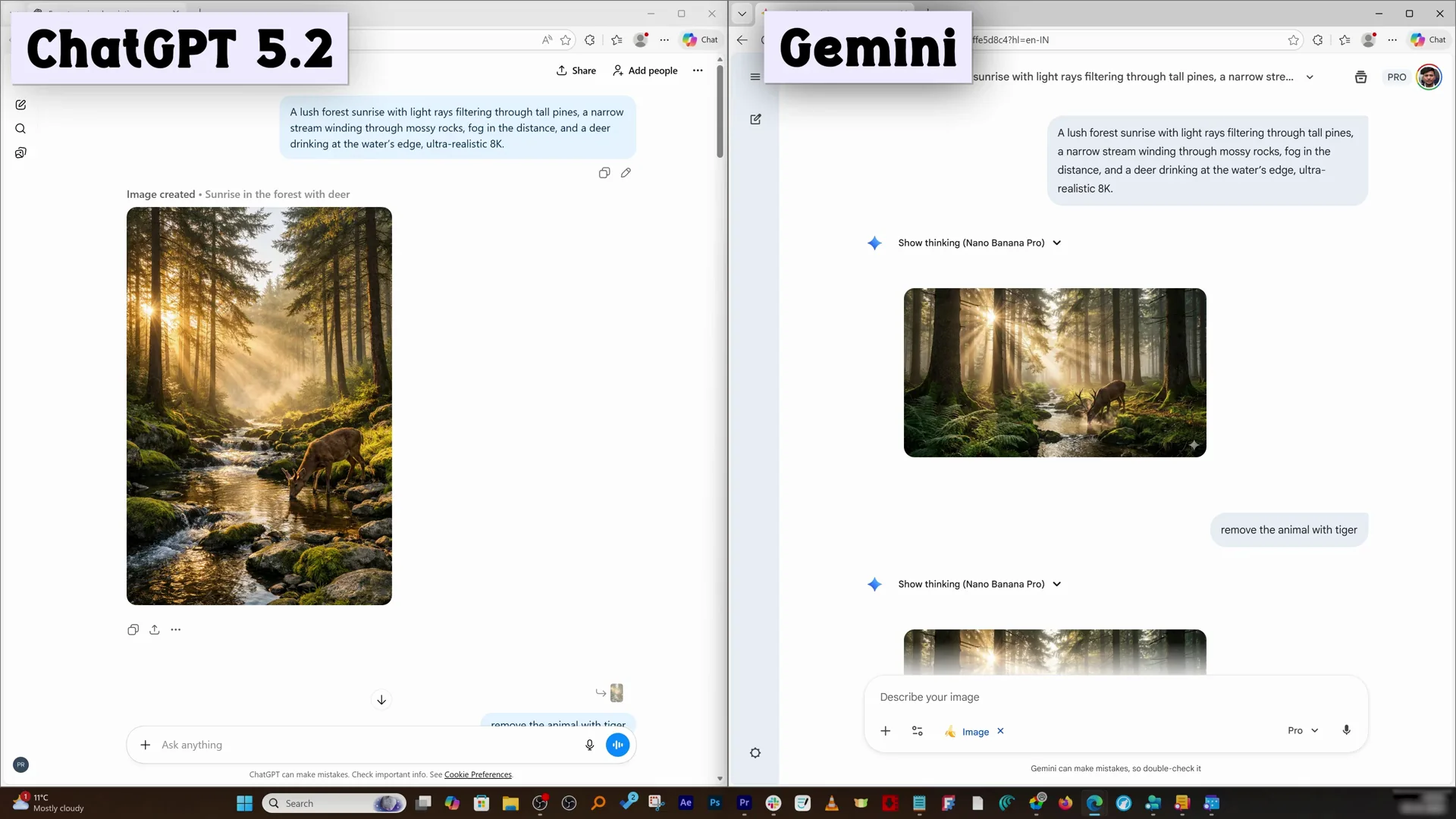
Speed and watermark behavior
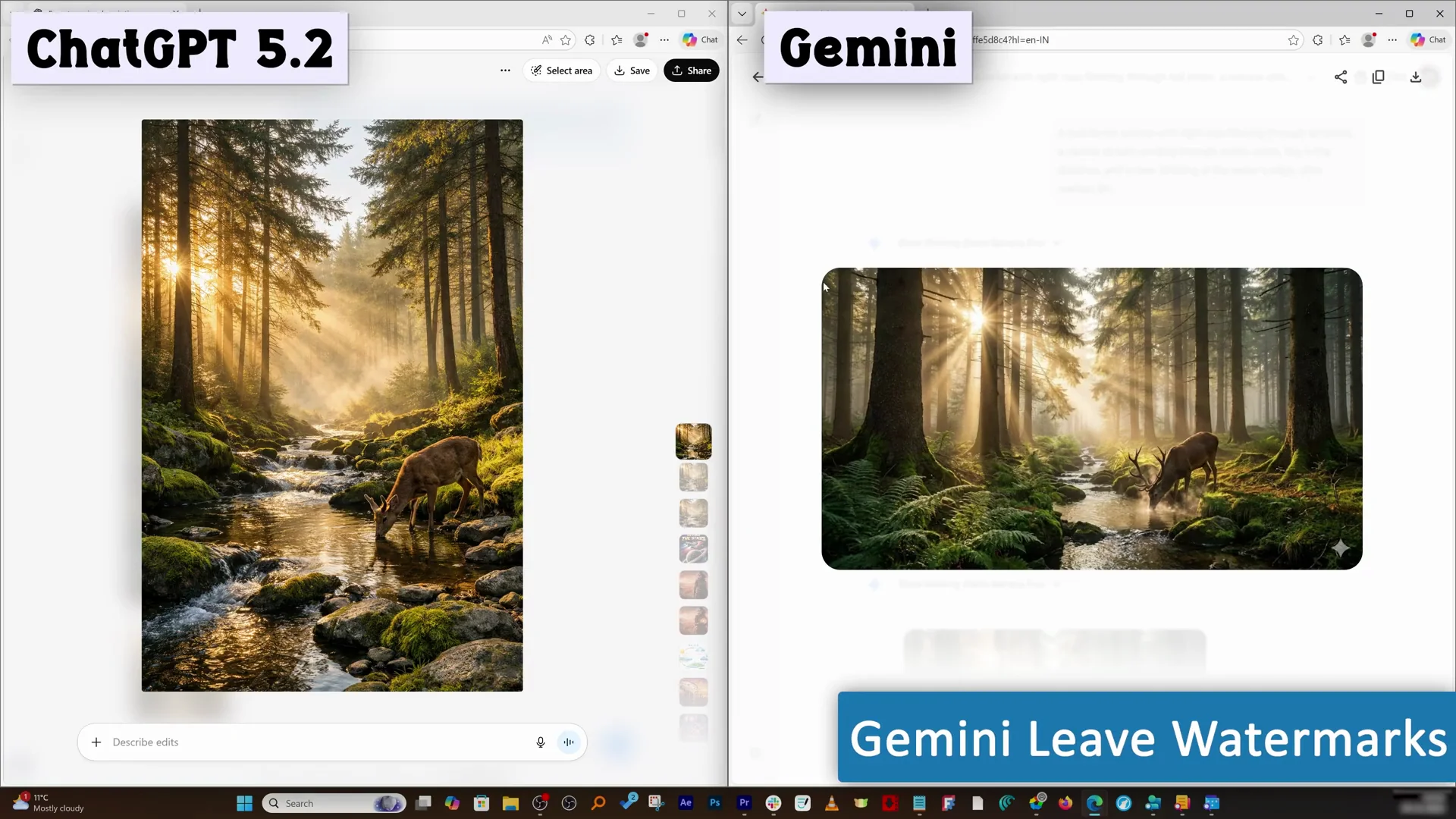
ChatGPT generally takes approximately twice the time to generate an image when compared to Gemini. Gemini generates images more instantly. Gemini always leaves its watermark. In ChatGPT there is no watermark. If I really want to use a photo just out of the model, ChatGPT is the way to go, because with Gemini I either crop the watermark or remove it later.
Object replacement - deer to tiger
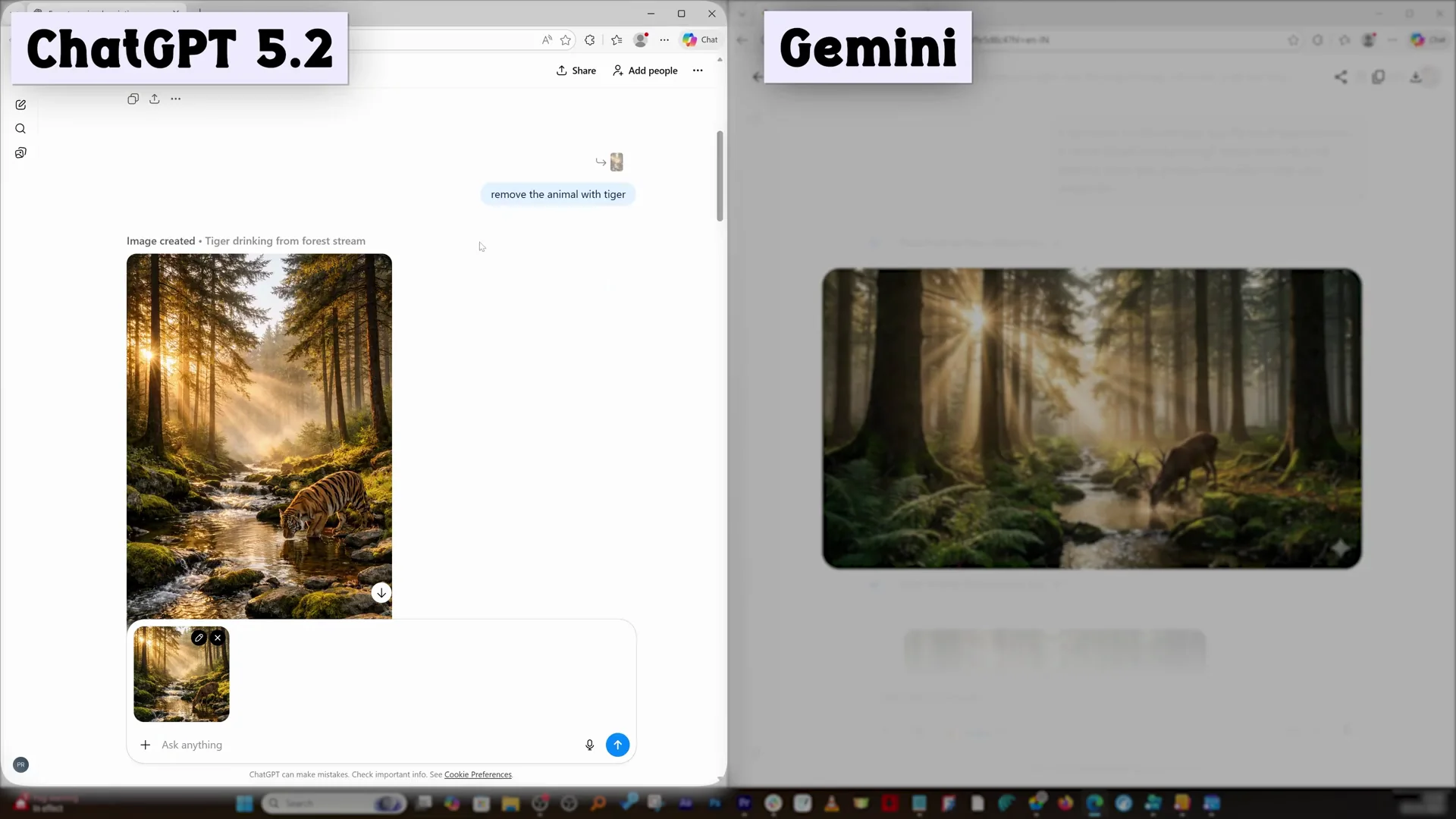
I asked both to replace the animal with a tiger. Gemini can easily do that, and ChatGPT also did a commendable job in replacing the deer with a tiger. The tiger one looked slightly more pale compared to the deer one, but apart from lighting and the animal, nothing got changed. That repeatability in ChatGPT is great to see.
Orientation control - horizontal and portrait
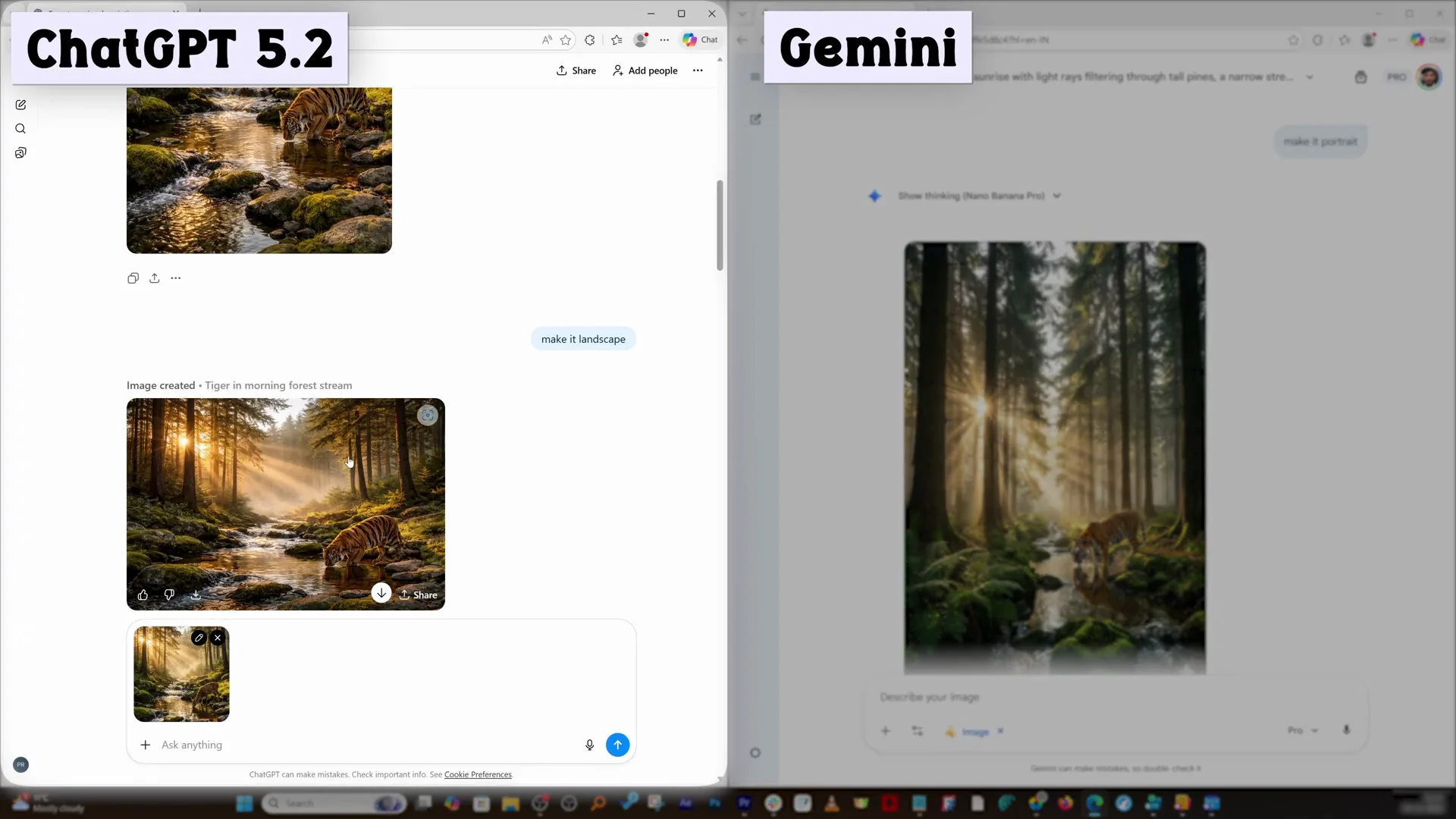
I asked both to change orientation. I asked ChatGPT to make it horizontal and asked Gemini to make it portrait. You can simply ask the AI to make necessary changes. ChatGPT implemented and did it flawlessly, and this is expected from Gemini as well.
Text on posters - “Journey Beyond the Stars”
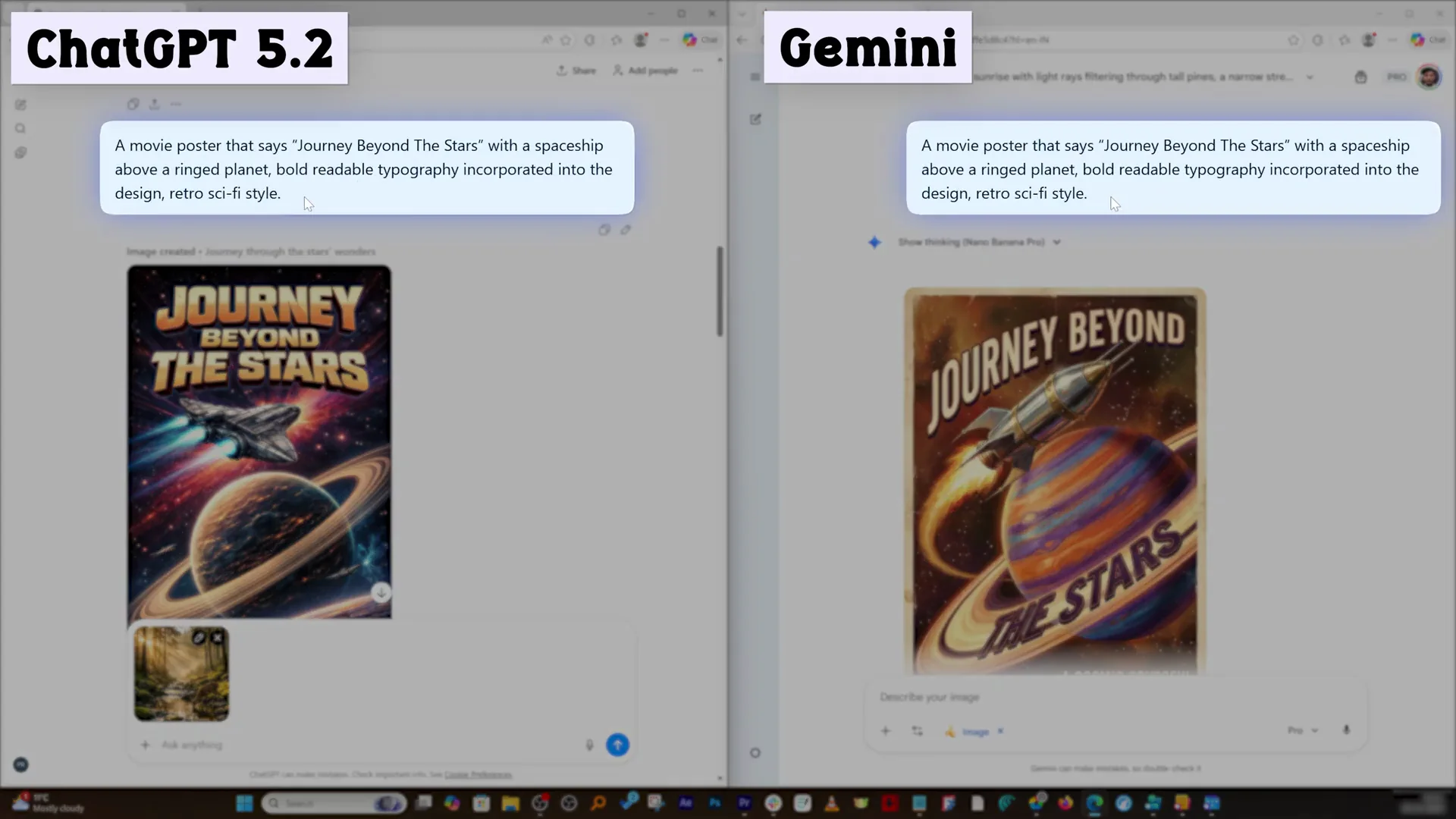
I asked both to generate a movie poster that says Journey Beyond the Stars. Creating these posters with very accurate spelling is a milestone both have accomplished. The ChatGPT poster looks much more traditional or original compared to the Gemini result in this regard. Gemini added a thin line that looks like you pulled a card, which adds a bit of believability.
Futuristic explorer - keeping and adding a glowing orb
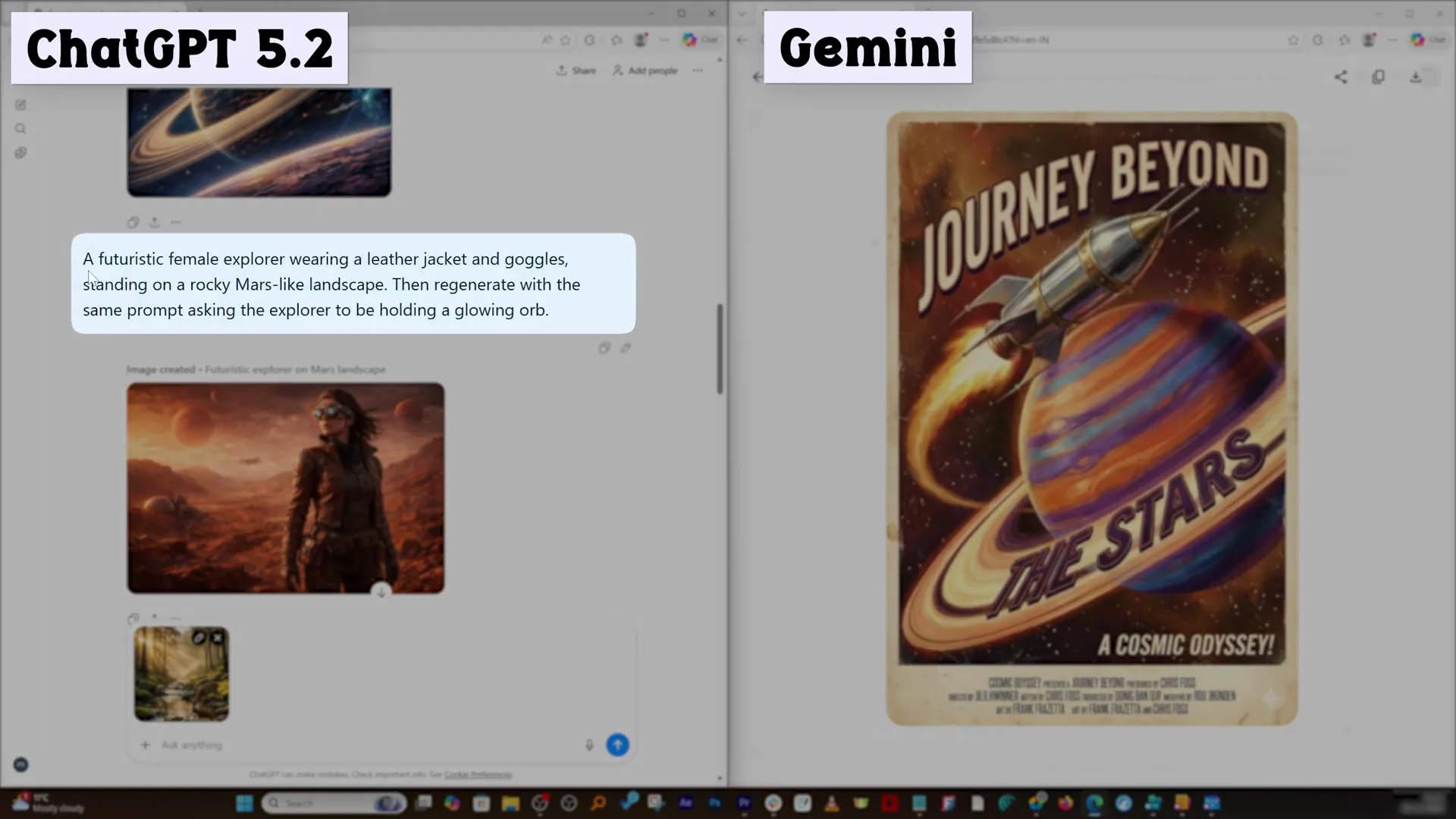
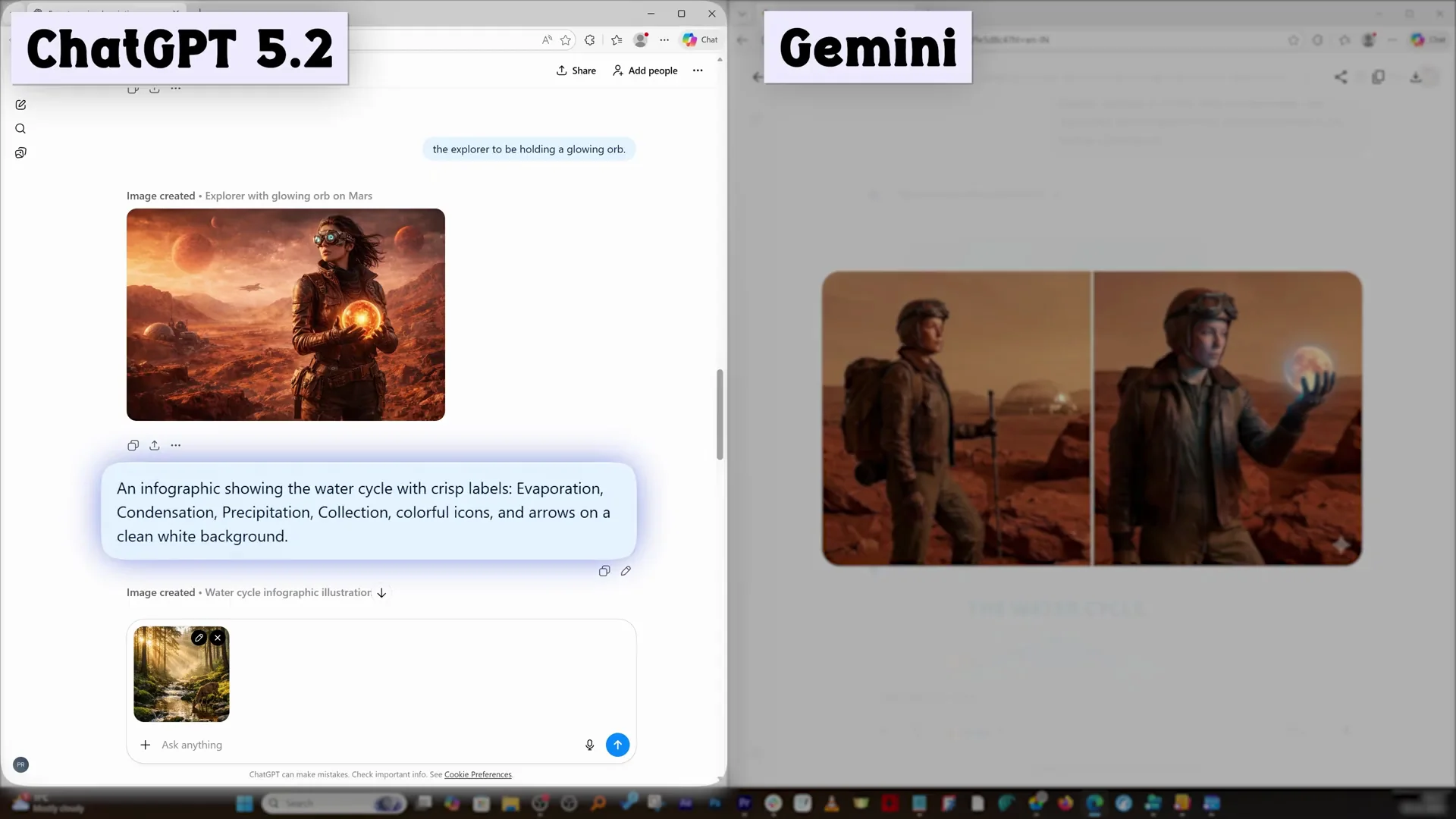
Prompt: a futuristic female explorer wearing a leather jacket and goggles, standing on a rocky Mars-like terrain. ChatGPT generated what I asked, but I also added a second point about an object I defined as a glowing orb, which led to two different results. Since ChatGPT did not follow both instructions together at first, I reiterated to show the explorer holding a glowing orb. Comparing both versions side by side, you can decide which looks more realistic and better. For me personally, I prefer the ChatGPT-generated images, but it could be different for you.
Infographics - water cycle with labels
Prompt: showcase the water cycle with crisp labels like evaporation, condensation, precipitation, collection, colorful icons and arrows on a clean white background. There is a difference in approach and design. I give full points to ChatGPT here. I am using the latest and greatest banana nano, and there are still mistakes where the spellings are not correct. The clear winner is ChatGPT. I did not anticipate that ChatGPT would destroy Gemini Banana Pro in this regard.
Surreal scene - melting clock over a city at sunset
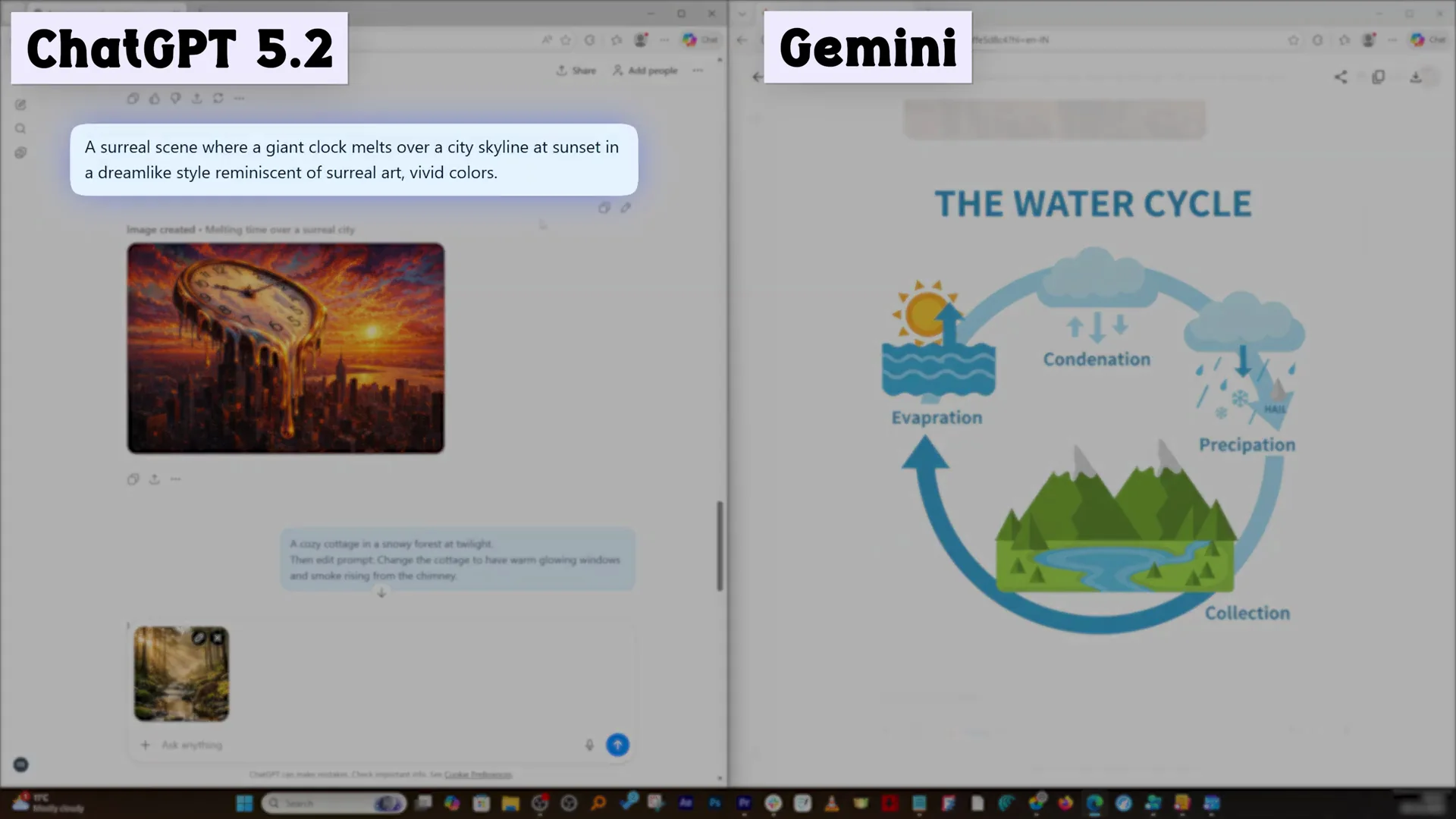
Prompt: a surreal scene where a giant clock melts over a city skyline at sunset in dreamlike style, with vivid color. ChatGPT’s result is very close to photo realistic rendering. Gemini looks more cartoonish in comparison. Both did a great job producing images, but one image has slight warmth, which is ChatGPT. Gemini still needs to work on colors, which I see handled better in ChatGPT. It is possible the style was not defined, and it chose a poster look, but by default I put my money on ChatGPT here.
Incremental edits - cottage and floating island
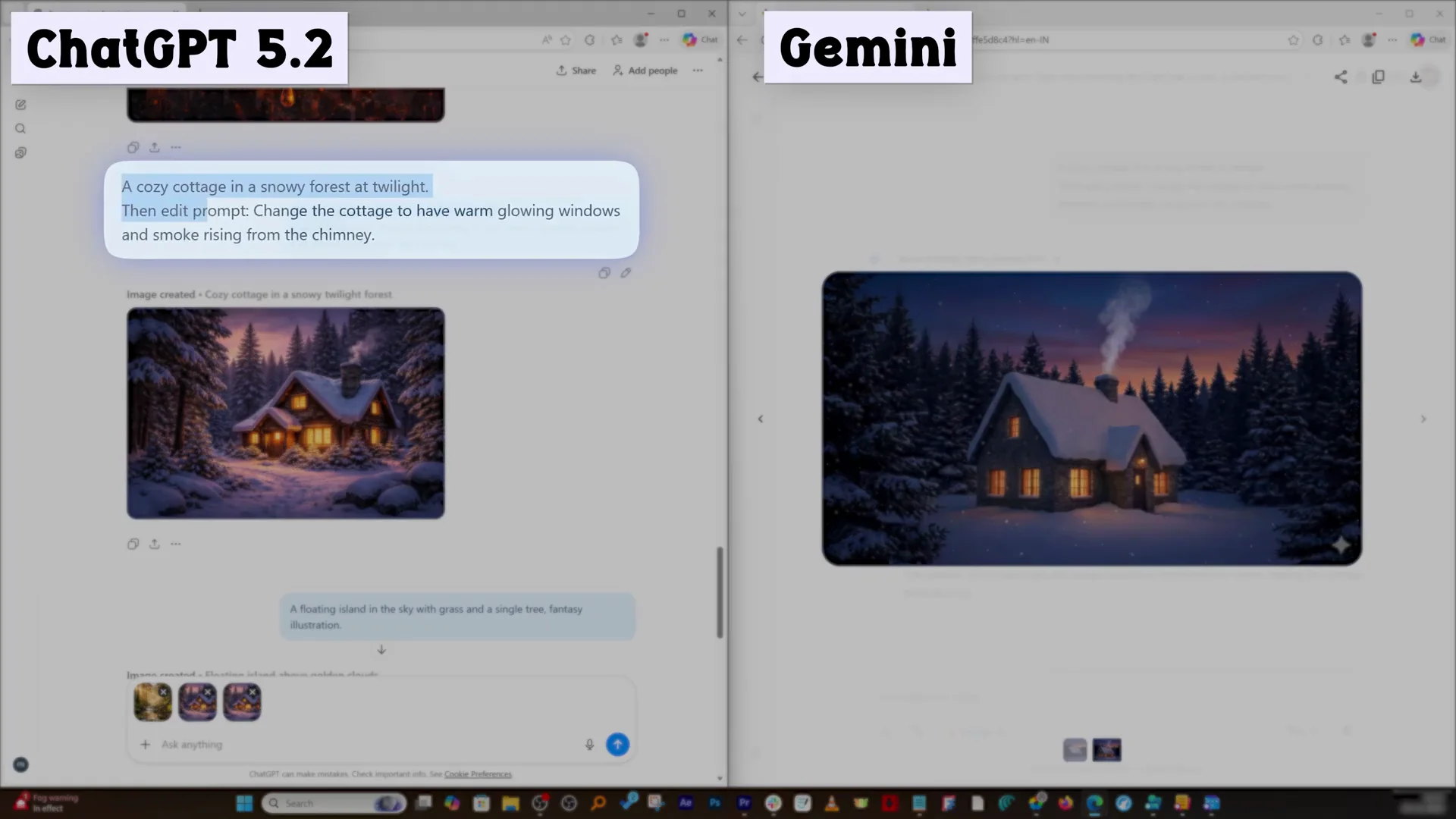
Prompt sequence 1: a cozy cottage in a snowy forest at twilight. Then change the cottage to have a warm glowing window and smoke rising from the chimney. Both did exactly that and did a great job. If you ask me which is my favorite picture, I will go with ChatGPT.
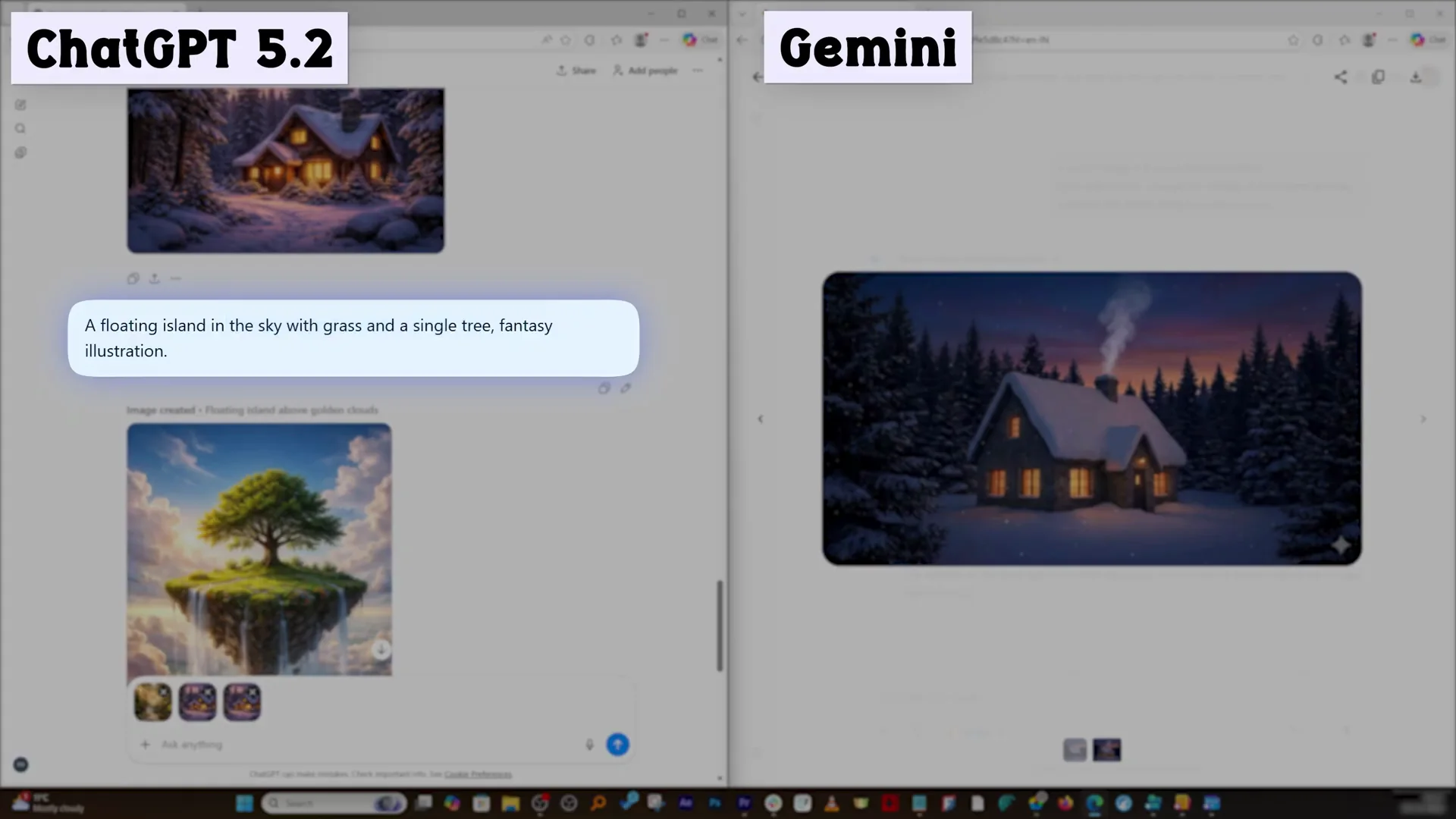
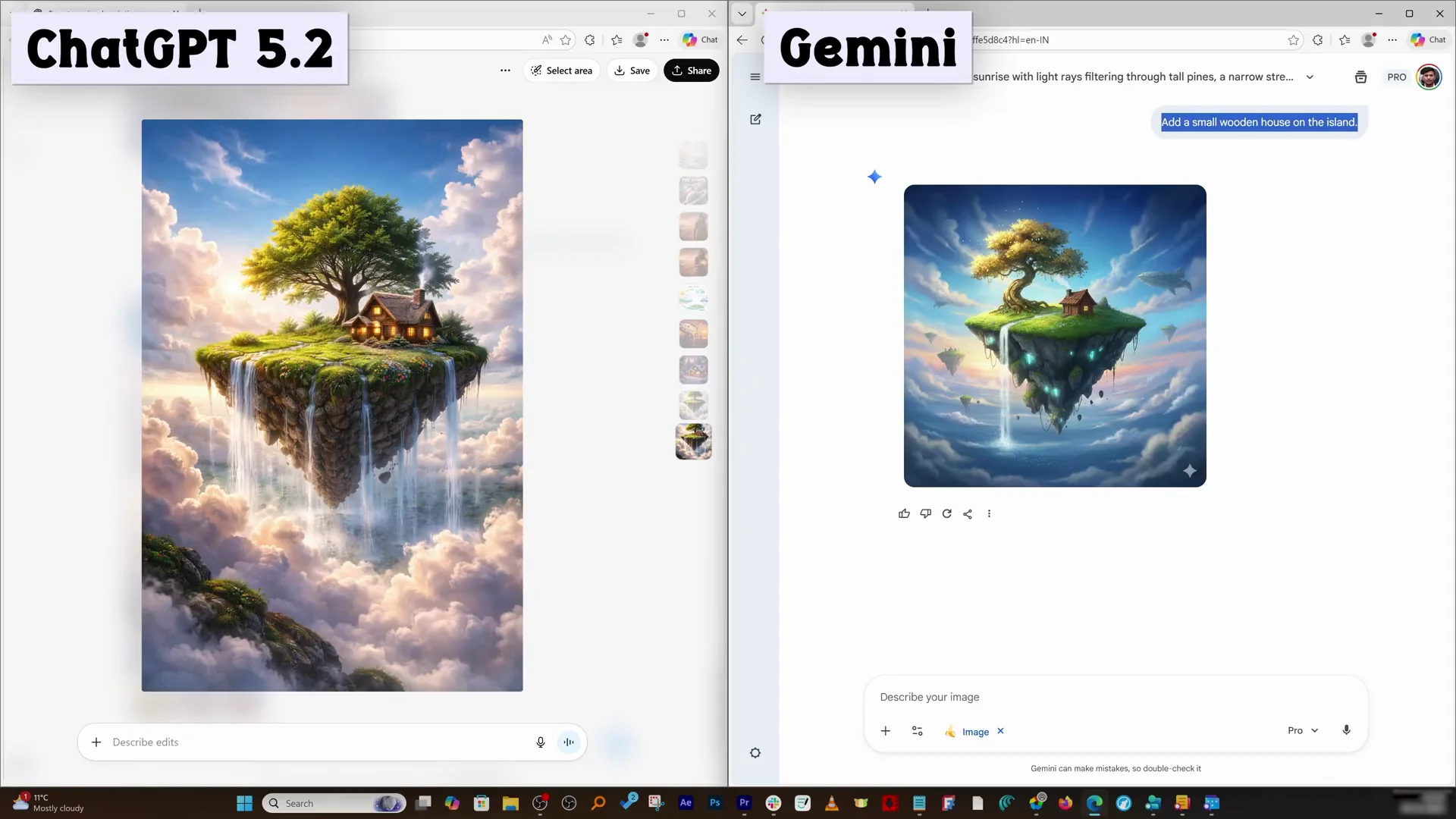
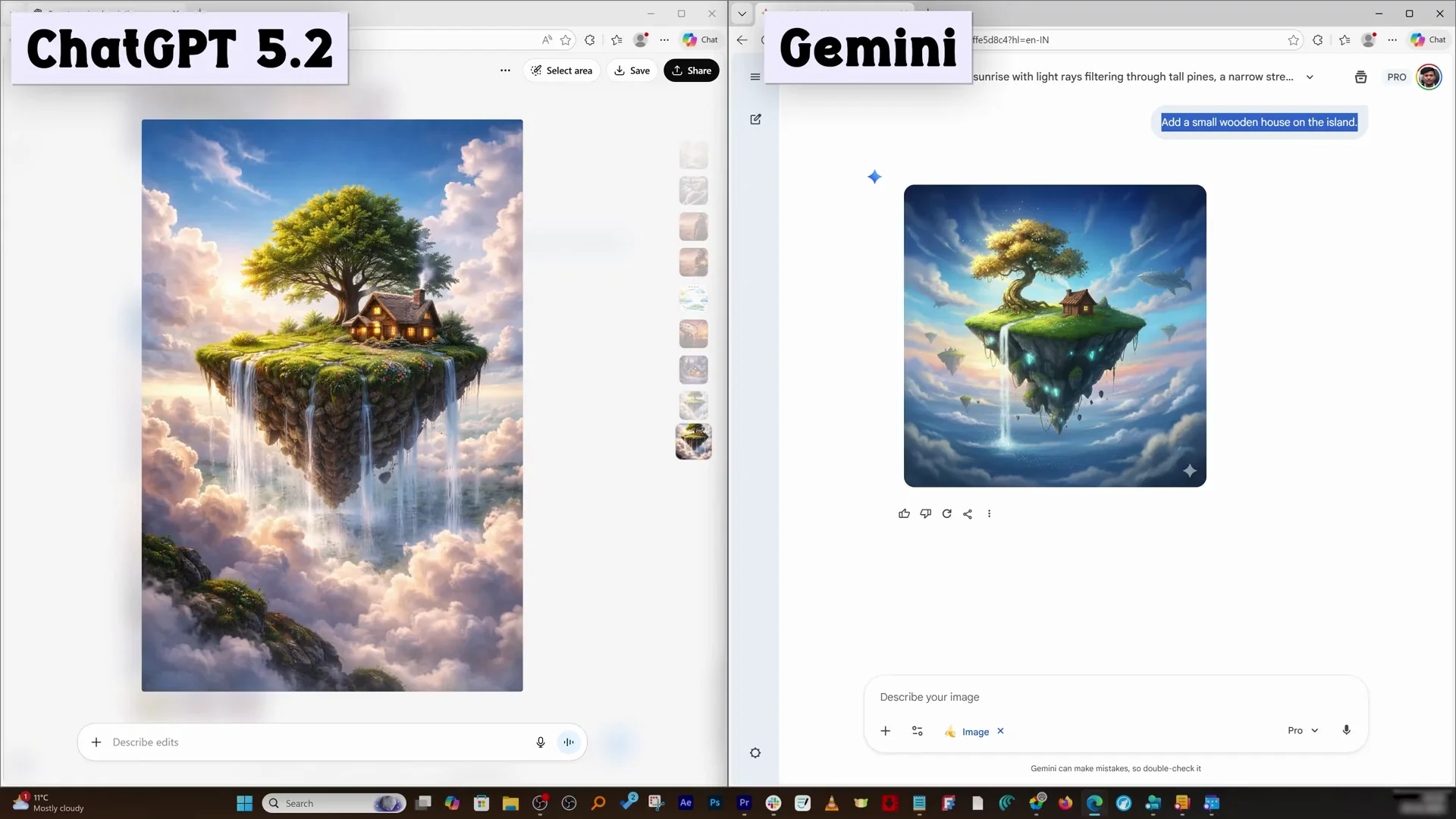
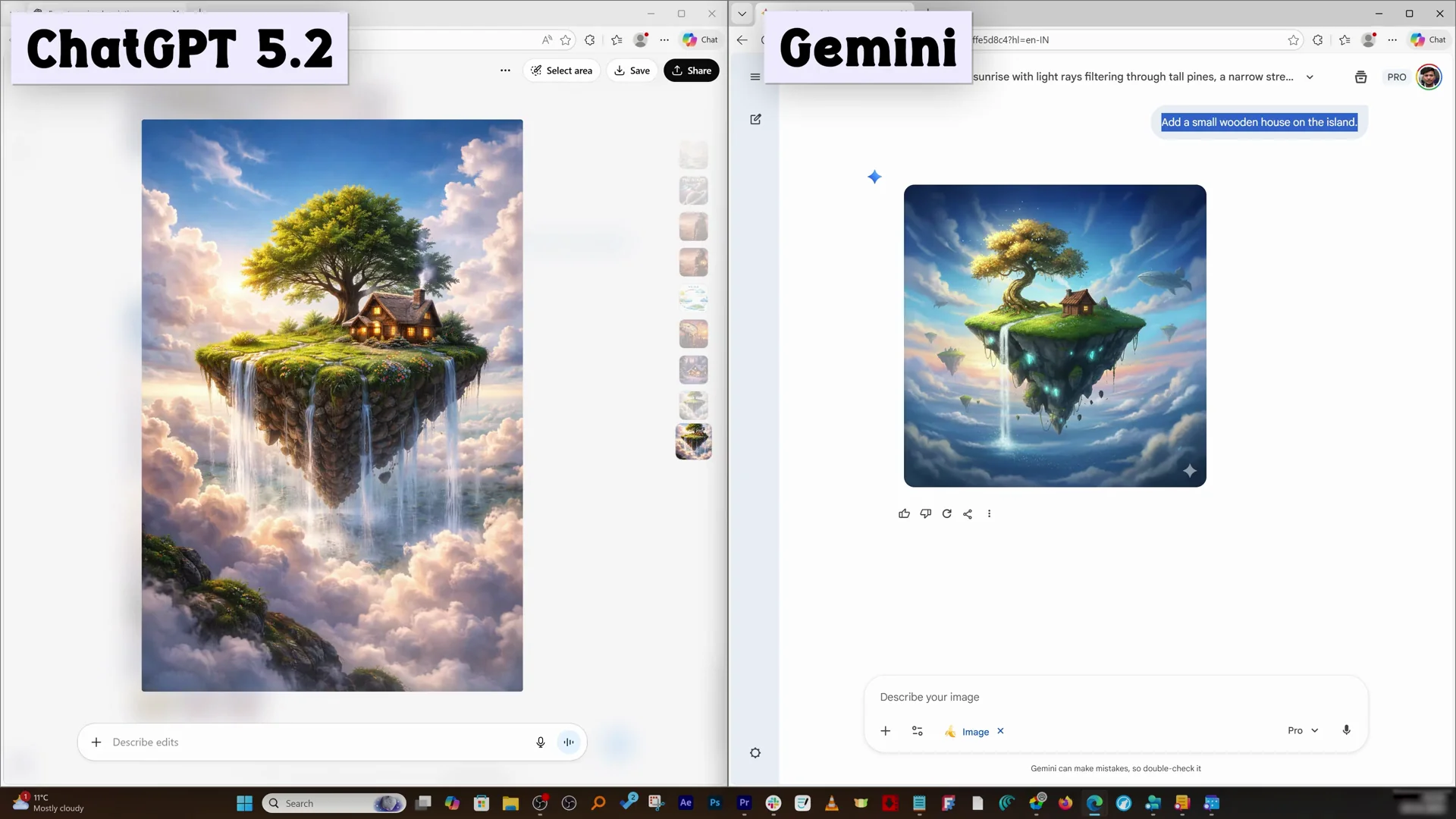
Prompt sequence 2: a floating island in the sky with grass and a single tree. This is more of a fantasy illustration. Both look really good. In terms of realism, ChatGPT clearly beats Gemini with the kind of detail it comes up with. After generating both images, I asked to add a small wooden house on the island. Both added the house. The house from ChatGPT is slightly bigger than the house from Gemini. I do not know why this happened, but this is the case.
In the end, ChatGPT has made significant improvement in its image generation engine. It is watermark free, and it comes up with the color I really like, which is a slightly warm tone. You may prefer the right-hand images from Gemini, but that is up to you.
Features breakdown - ChatGPT image
ChatGPT image - key features
- Warm color tone that often reads more realistic to my eye
- No watermark on outputs
- Handles object replacement and incremental edits with minimal unintended changes
- Accurate spelling in posters and infographics
- Can be slower, approximately twice the time compared to Gemini
- Orientation changes handled cleanly
Gemini Banana Nano Pro - key features
- Very fast generation that feels instant
- Watermark is always present on outputs
- Cooler, greenish tone that can appear vibrant but less realistic
- Competent object replacement and incremental edits
- Poster text accurate and sometimes adds small design touches like a thin line
- Infographics had spelling mistakes in my test
Pros and Cons - ChatGPT image
ChatGPT image - pros
- Watermark free images ready for direct use
- Realistic warmth in color and tone
- Strong repeatability when making edits
- Excellent text accuracy in posters and infographics
ChatGPT image - cons
- Slower generation time compared to Gemini
- Occasionally small tonal shifts like a pale subject on replacement
Gemini Banana Nano Pro - pros
- Very fast at generating images
- Competent at subject replacement and iterative edits
- Adds stylistic touches some may like
- Vibrant output that pops
Gemini Banana Nano Pro - cons
- Watermark on every image
- Cooler, greenish tone can feel less realistic
- Spelling mistakes in infographic labels in my test
- Tendency toward a more cartoonish or poster look
Use cases - ChatGPT image
When I would choose ChatGPT image
- I need watermark free images that I can use directly
- I want warmer tones and photo realistic results
- I care about accurate text in posters and infographics
- I need consistent edits without altering the environment
When I would choose Gemini Banana Nano Pro
- I need images generated as fast as possible
- I am fine with removing or cropping out a watermark afterward
- I prefer a cooler, more vibrant look or a poster style
- I want quick iterations and small stylistic touches
Final Conclusion
Both were competent across fundamental tasks like subject replacement, orientation changes, and incremental edits. ChatGPT consistently gave me warmer, more realistic images, watermark free outputs, and better text accuracy in posters and infographics. Gemini was faster and sometimes added interesting stylistic touches, but the watermark and cooler tone held it back for my use.
If you prioritize realism, accurate text, and direct usability, go with ChatGPT image. If speed is your top priority and you are comfortable with post-processing the watermark, Gemini Banana Nano Pro will serve you well. I will move toward ChatGPT because of the clarity, colors, and realism I see in its images.
Recent Posts

How to use Grok 2.0 Image Generator?
Learn how to access Grok 2.0’s AI image generator (Premium required), write better prompts, and avoid pitfalls like real people and brands. Step-by-step tips.
How to use Instagram AI Image Generator?
Use Meta AI in Instagram DMs to turn text into images—and even animate them. It’s free, fast, and built in. No external apps needed; create art right in chat.
Leonardo AI 2026 Beginner’s Guide: Create Stunning Images Fast
Learn Leonardo AI step by step—sign up, explore Home, and generate or enhance photos with free, powerful tools. A quick, clear starter for beginners.