ChatGPT Image 1.5 vs Nano Banana Pro: Which AI Image Generator Wins?
The big debate right now is Nano Banana Pro versus ChatGPT 1.5 Image. These are currently the two biggest AI heavyweights out there. I broke this down with a side by side comparison inside Higsfield AI so I could run the exact same prompts on both models and see the results against each other.
I looked at five specific key areas and compared them one versus another to see which one comes out on top: realism, text and typography, prompt following and reasoning, editing and inpainting, and character consistency.
| Category | Prompt or Test | ChatGPT Image 1.5 | Nano Banana Pro | Verdict |
|---|---|---|---|---|
| Realism | Candid photo of a dinner party with flash photography | Impressive look, perfect lighting, cinematic composition, like a high-end Instagram post or stock photo | A little more raw and natural, looks like a real camera photo, adds extra realism, better overall quality | Nano Banana Pro slightly ahead |
| Text and typography - Sign | "Open late" sign with sticky note "back in 5 minutes" | Nailed it, correct spelling, sticky note correct, neon sign look added | Nailed it, perfectly rendered text on both sign and sticky note, more realistic design | Both did a very good job - no clear winner |
| Text and typography - Brochure cover | Title text "futurep proof", font Poppins bold, subheading "your guide to AI", paragraph "don't get left behind learn AI today", paragraph bottom left | Spot on text, spelling, correct font, but showed me looking at a cover rather than the cover itself | Nailed it, created the cover only, correct text and layout | Legibility is neck and neck - Nano Banana Pro followed the brief more literally |
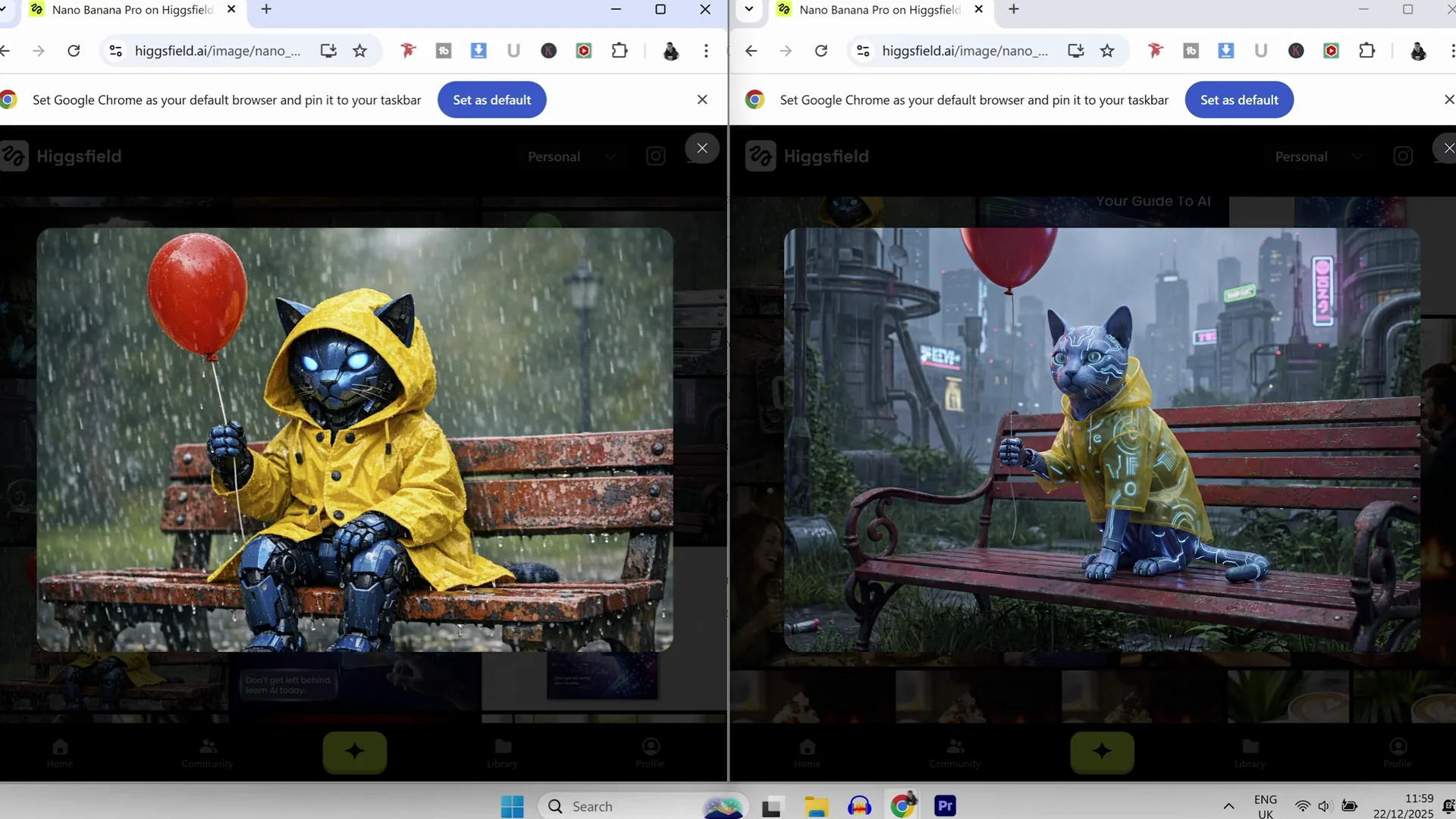
| Prompt following and reasoning | Futuristic blue cybernetic cat on a rusty red park bench, yellow raincoat, red balloon in left paw | Hit every single point, added a hood not requested | Hit every point and followed the prompt exactly, better visual quality | Both excellent - Nano Banana Pro may edge it for exactness and quality |
| Editing and inpainting | Change balloon to green, coat to red, bench to shiny chrome | Inpainting almost surgical, correct changes, chrome bench with natural reflection | Spot on, correct colors, chrome bench with reflection looks awesome | Neck and neck |
| Character consistency | Dragon with a horn on top of its head used as reference across scenes | Absolutely brilliant, character and scene consistency spot on across generations | Same dragon across images, character consistency great, scene style changes between images | Both strong - ChatGPT keeps scene style consistent, Nano Banana Pro has higher output quality |
| Output quality | Overall visual quality | Good, but not as strong as Nano Banana Pro in some tests | Feels higher quality overall | Nano Banana Pro |
| Scene retention | Consistency of scene style from a reference | Keeps the exact same scene style across images | Scene style changes slightly across images | ChatGPT Image 1.5 |
| Design style tendency | Aesthetic of outputs | Tends toward more surreal or stylized in some cases | Tends toward realism and natural feel | Depends on taste and task |
Nano Banana Pro vs ChatGPT Image 1.5: Detailed Comparison
Realism test
Prompt: "a candid photo of a dinner party with a flash photography."
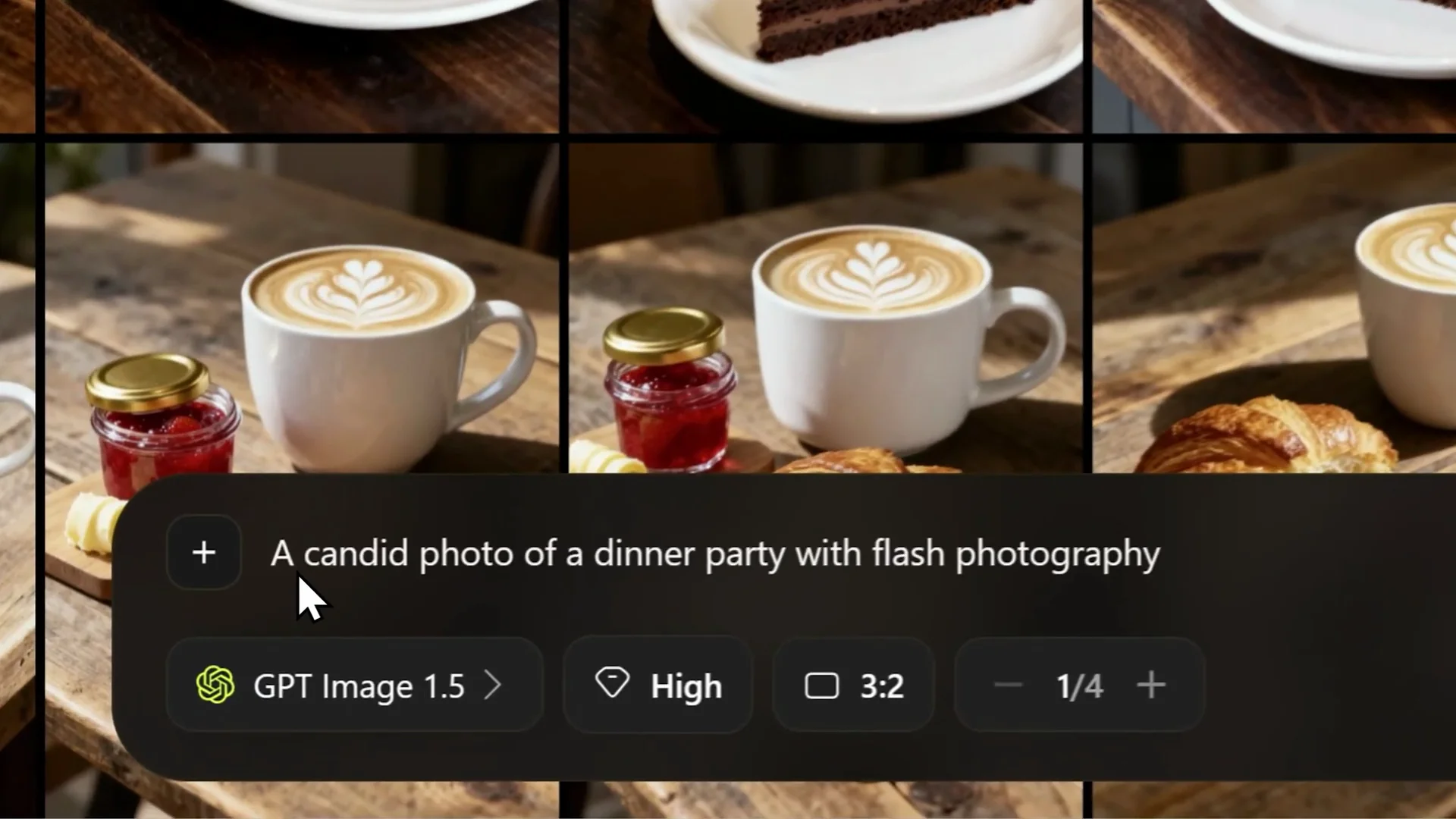
- ChatGPT Image 1.5: It looks very impressive. The lighting is perfect, the composition is cinematic, and it kind of looks like a high-end Instagram post or a stock photo.
- Nano Banana Pro: The image looks a little bit more raw, which makes it look more natural. It looks like the photo has been taken by a real person with a camera. You'd actually never look at this image and go, "That's AI." It adds that extra realism and the quality of the output is better overall.
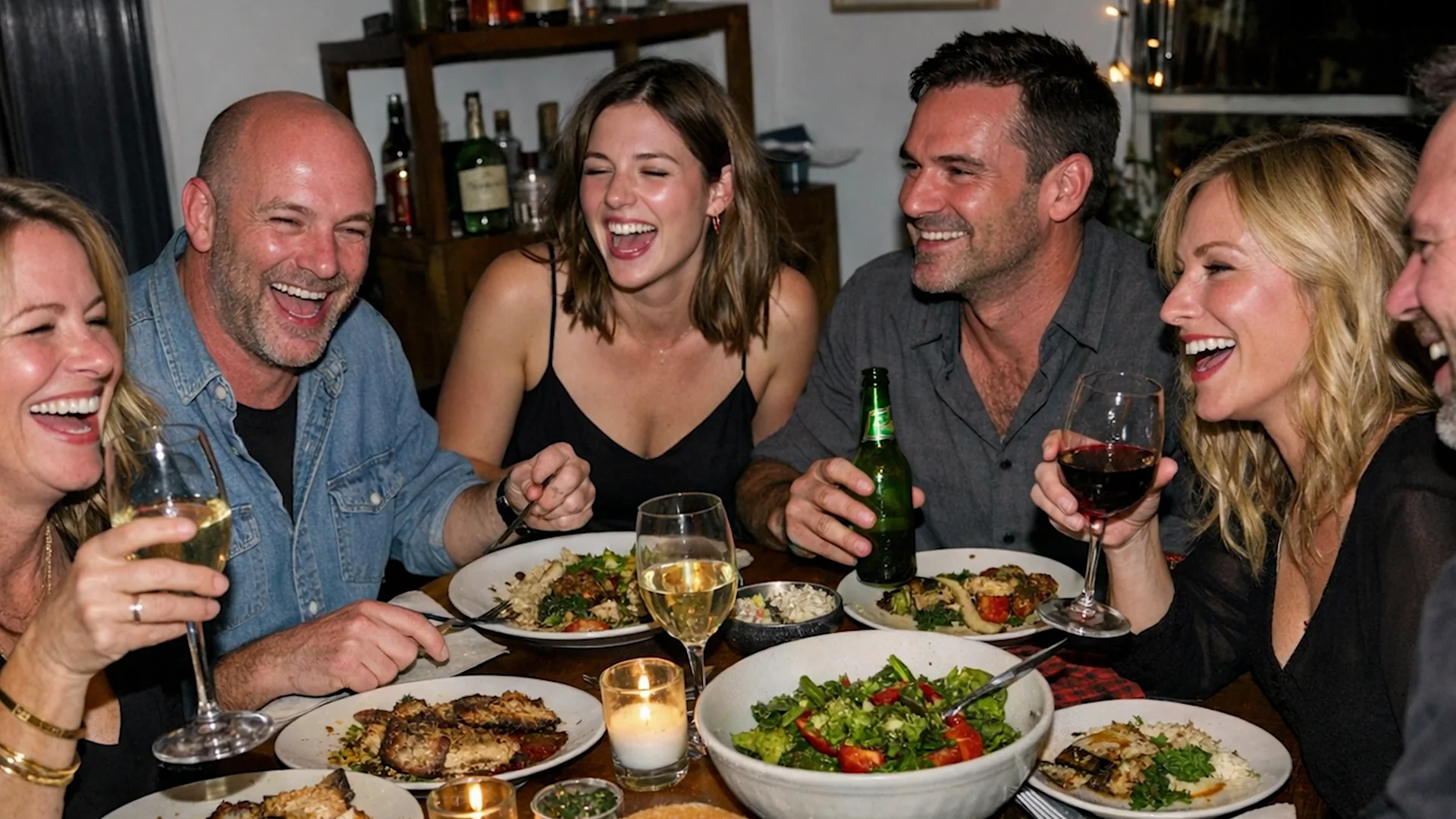
Verdict: For realism, Nano Banana Pro is just a little bit ahead.
Text and typography
Sign test
Prompt: Create a sign that says "open late" with a sticky note below that says "back in 5 minutes."
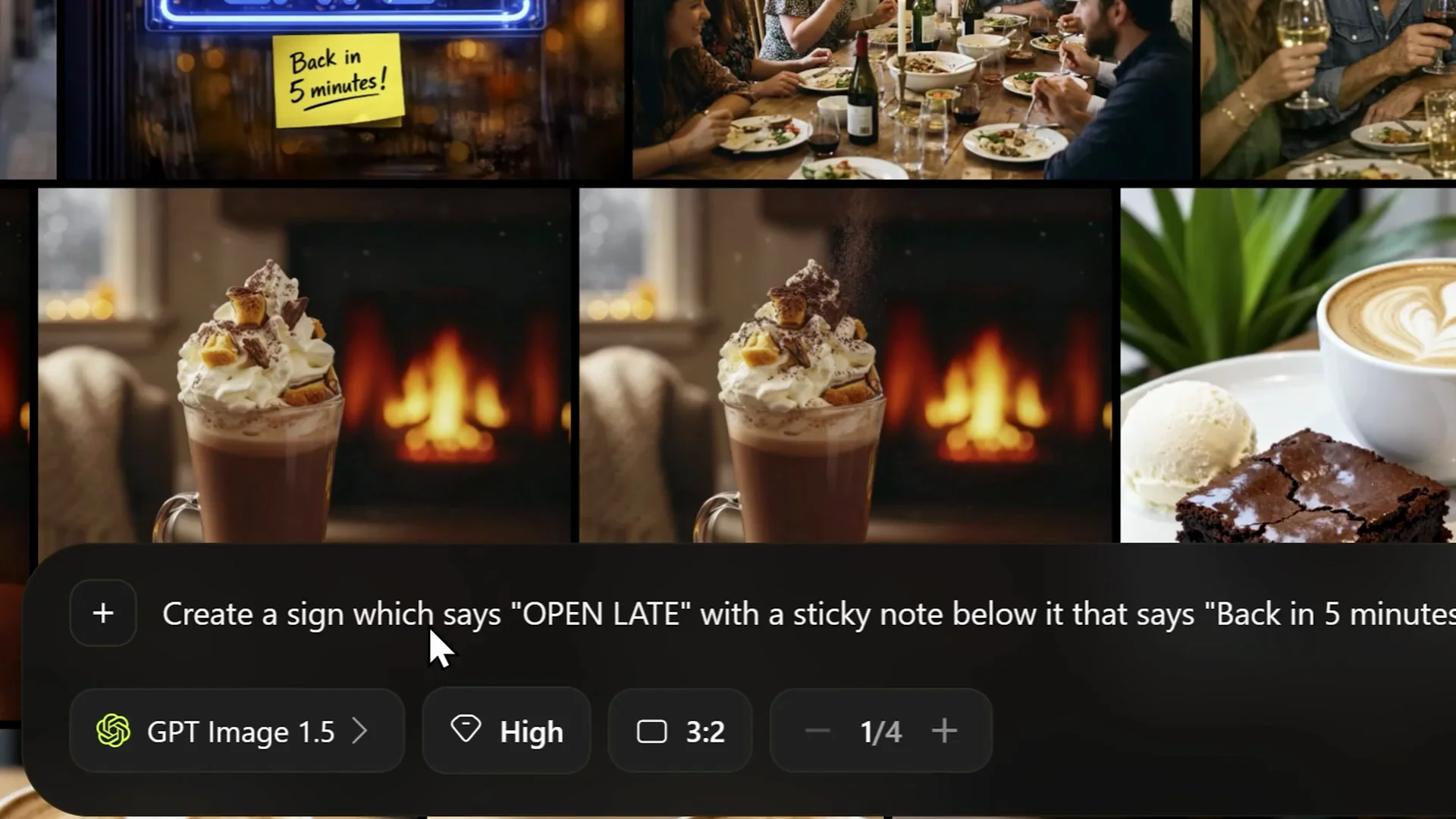
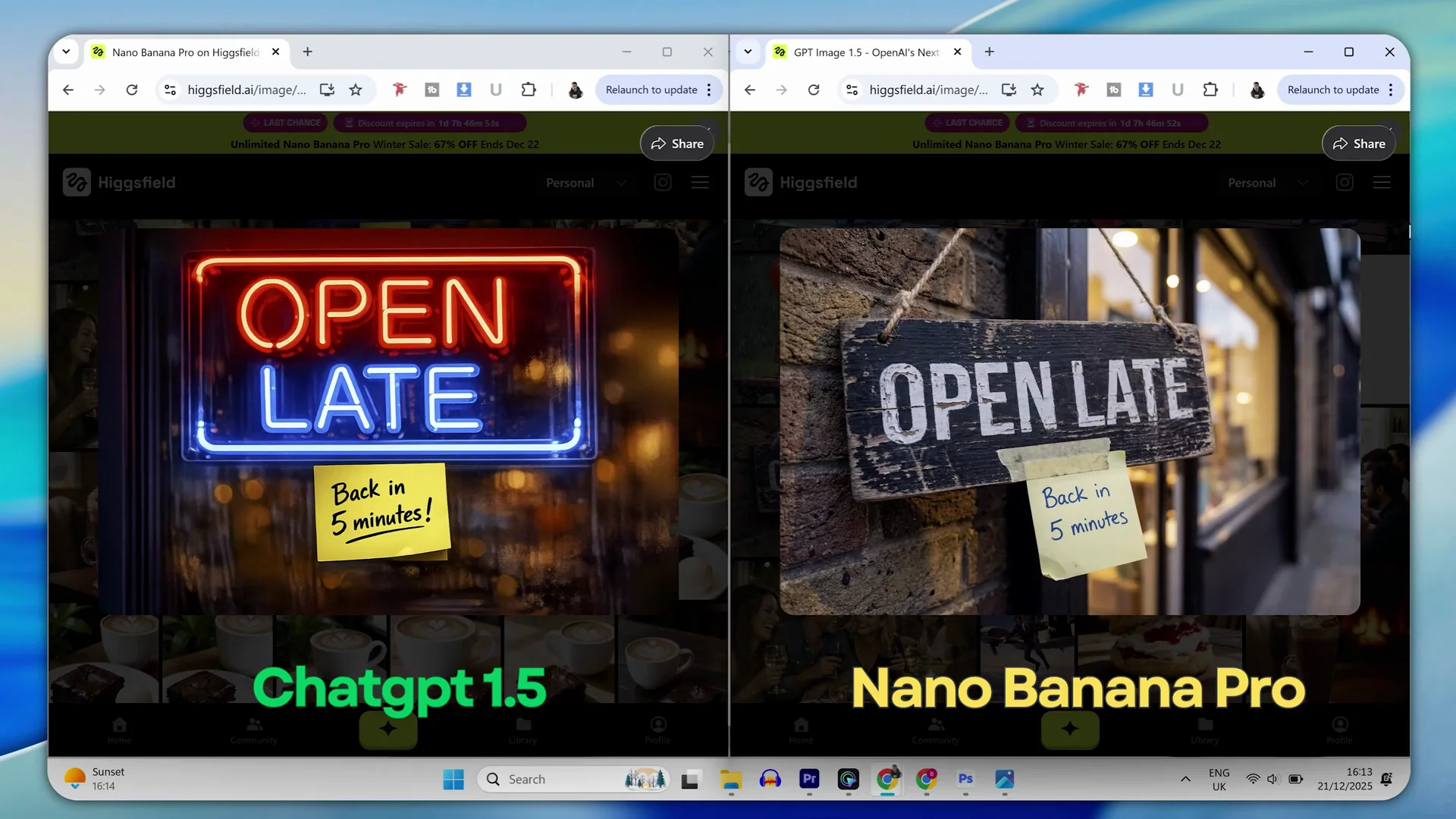
- ChatGPT Image 1.5: It has clearly gotten way better at this. It nailed it. The text is correct, it's spelled right, and the sticky note is correct too. It even went for a neon sign look which I didn't ask for but it looks pretty good.
- Nano Banana Pro: This model is famous for its reasoning capabilities. It nailed the sign and perfectly rendered the text on both the sign and the sticky note.
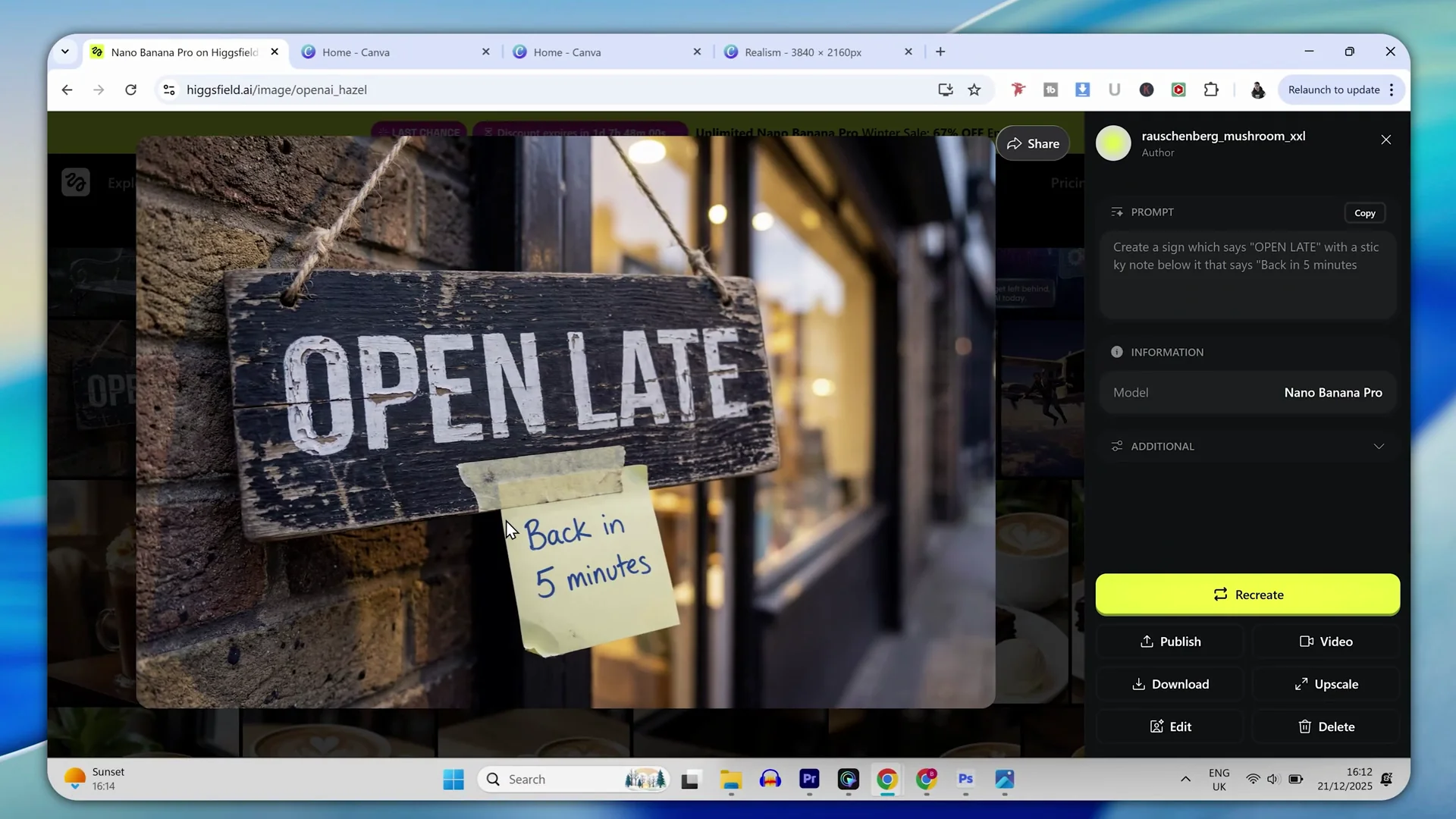
Design choices: ChatGPT produced a more surreal kind of image with a neon shop sign. Nano Banana Pro produced more realism again. Even though the sign looks a little bit naff, both models did a very good job. It would not be fair to separate either in this case.
Brochure cover test
Prompt: Create a brochure front cover. Title text "futurep proof" in Poppins bold. Subheading "your guide to AI". Paragraph "don't get left behind learn AI today" positioned bottom left.
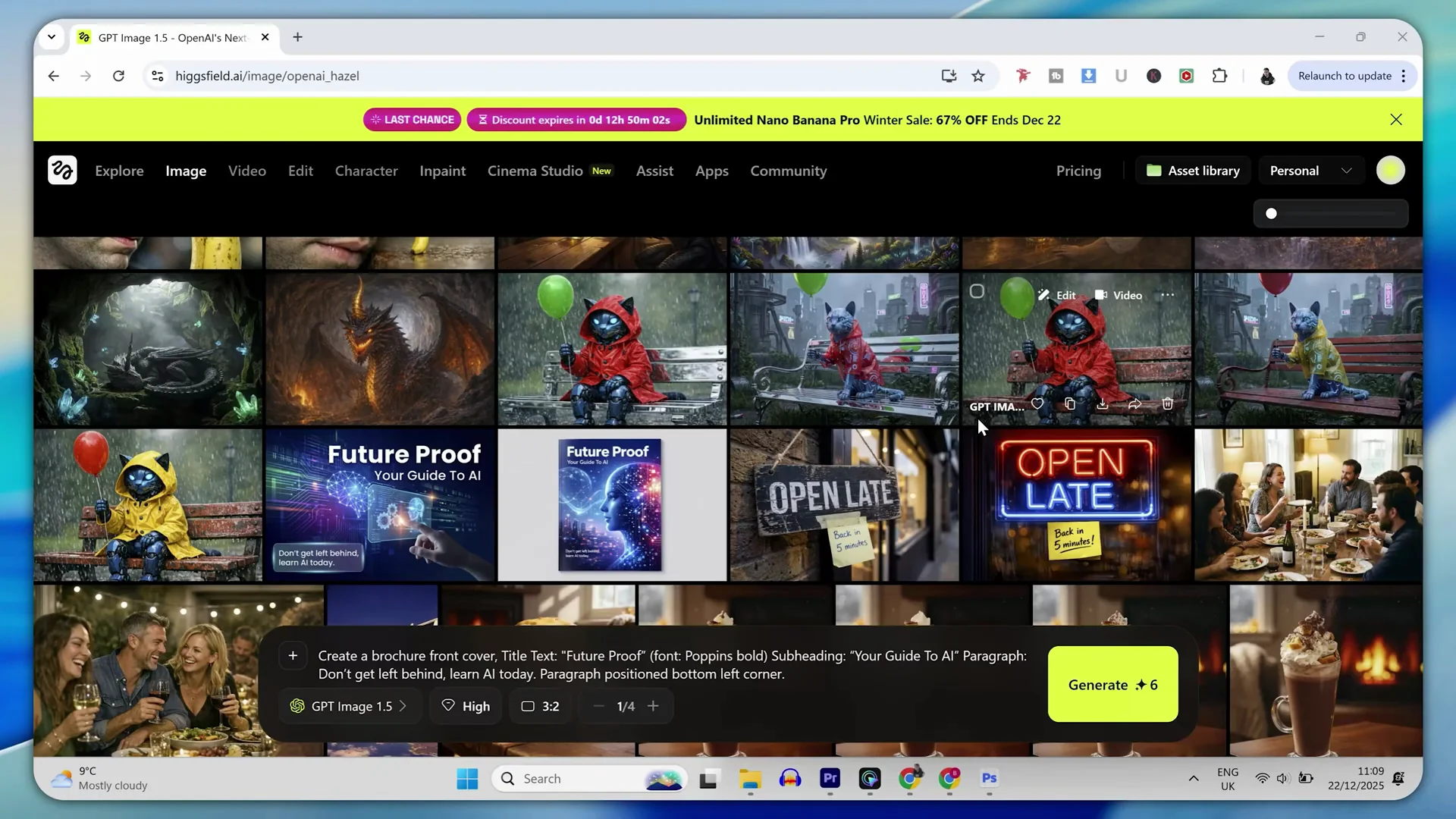
- ChatGPT Image 1.5: Spot on. Perfect text, spelling, and it applied the correct font, which is really good. It never would have done that in the last model. The only thing is that the poster cover is me looking at the cover. It is not actually the cover itself.
- Nano Banana Pro: Nailed it as expected. Everything is right and it did create the cover only. The text is correct and we have a cover, which is what I meant in the prompt.
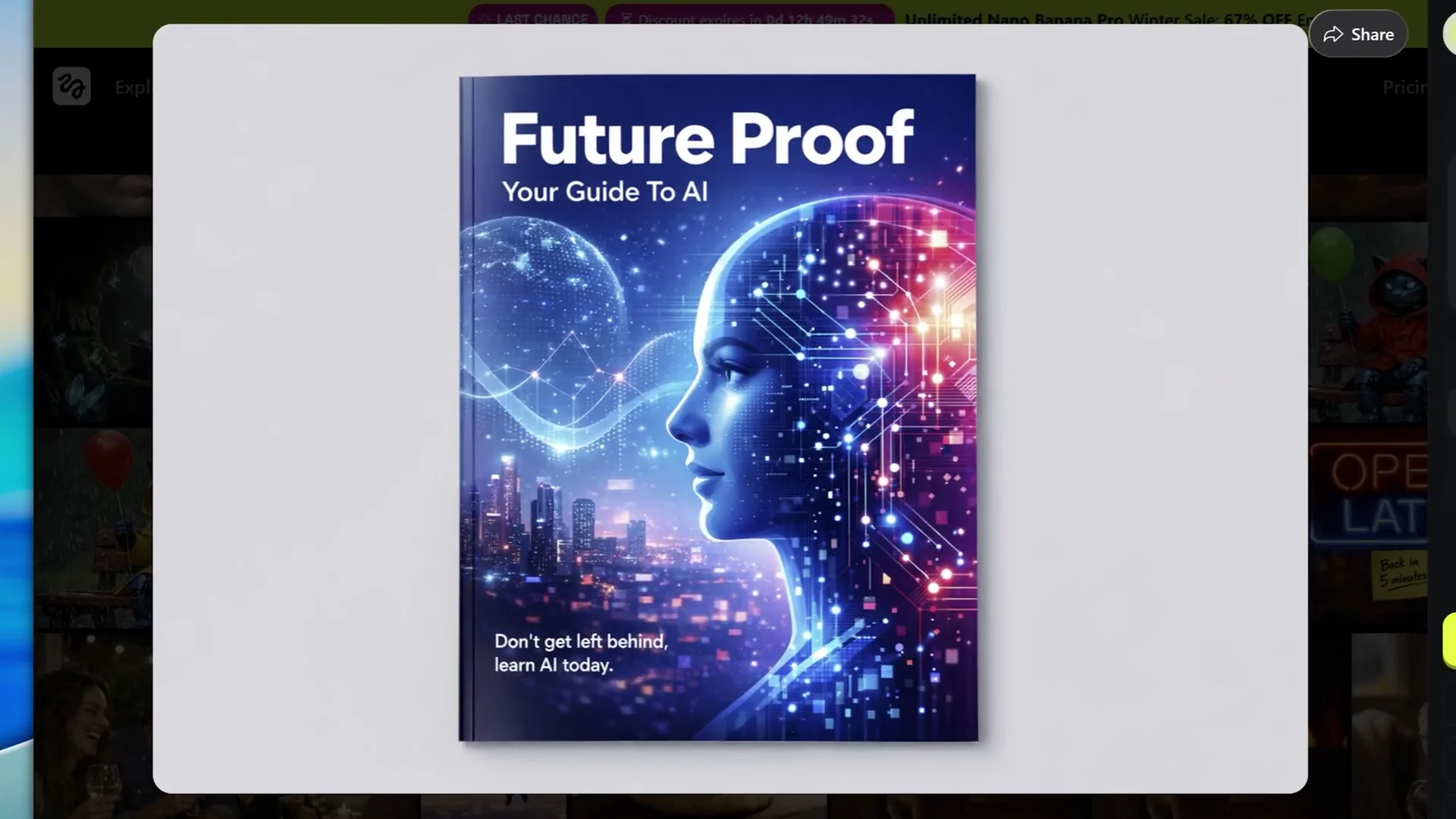
Verdict: For logos, posters, or anything with words in text, they are neck and neck. The only real difference is that ChatGPT decided to show a poster cover being viewed rather than an actual cover file. Legibility of the text is neck and neck on both.
Prompt following and reasoning
Prompt: "A futuristic blue cybernetic cat sitting on a rusty red park bench wearing a yellow raincoat holding a red balloon in its left paw."
- ChatGPT Image 1.5: An incredible listener. It hit every single point.
- Nano Banana Pro: It nailed it and everything is correct.
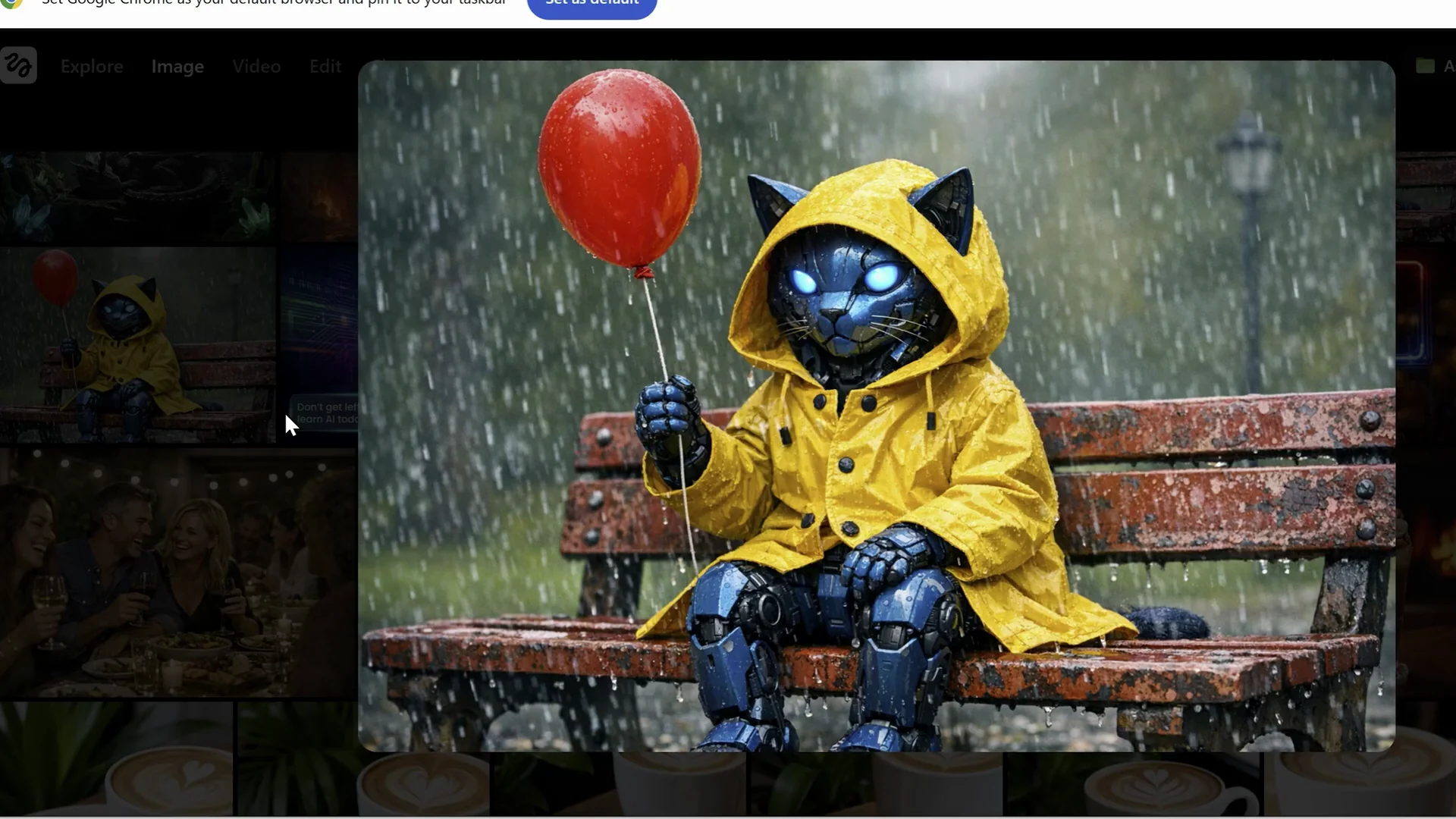
Notable differences: ChatGPT added a hood to the coat on the cat, which I did not mention. Nano Banana Pro did not add a hood, so it followed the prompt more exactly. Side by side, you can tell Nano Banana Pro just looks better.
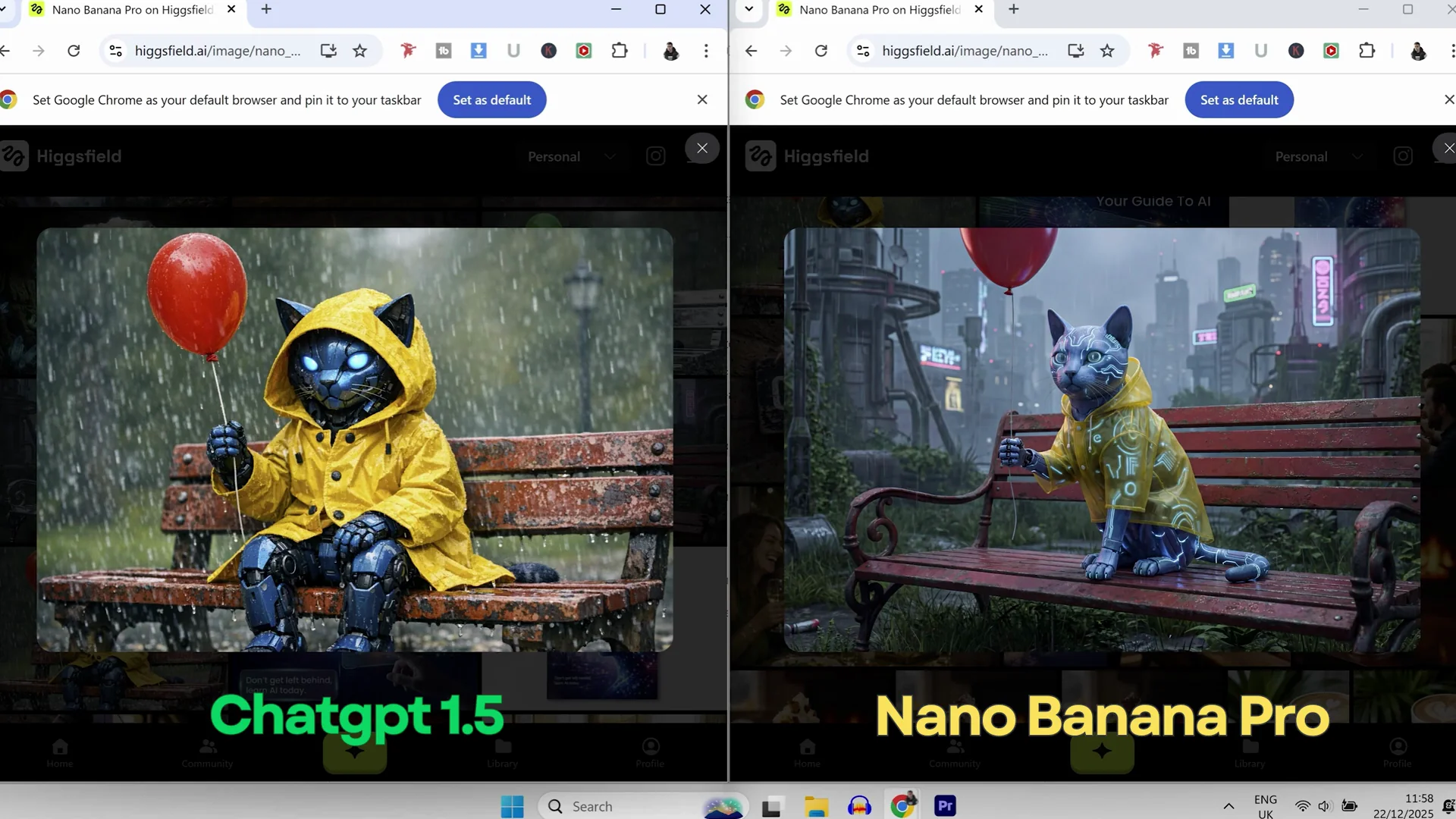
Verdict: Very difficult to separate. Nano Banana Pro may edge it due to exact following of the prompt and overall quality, but both performed extremely well.
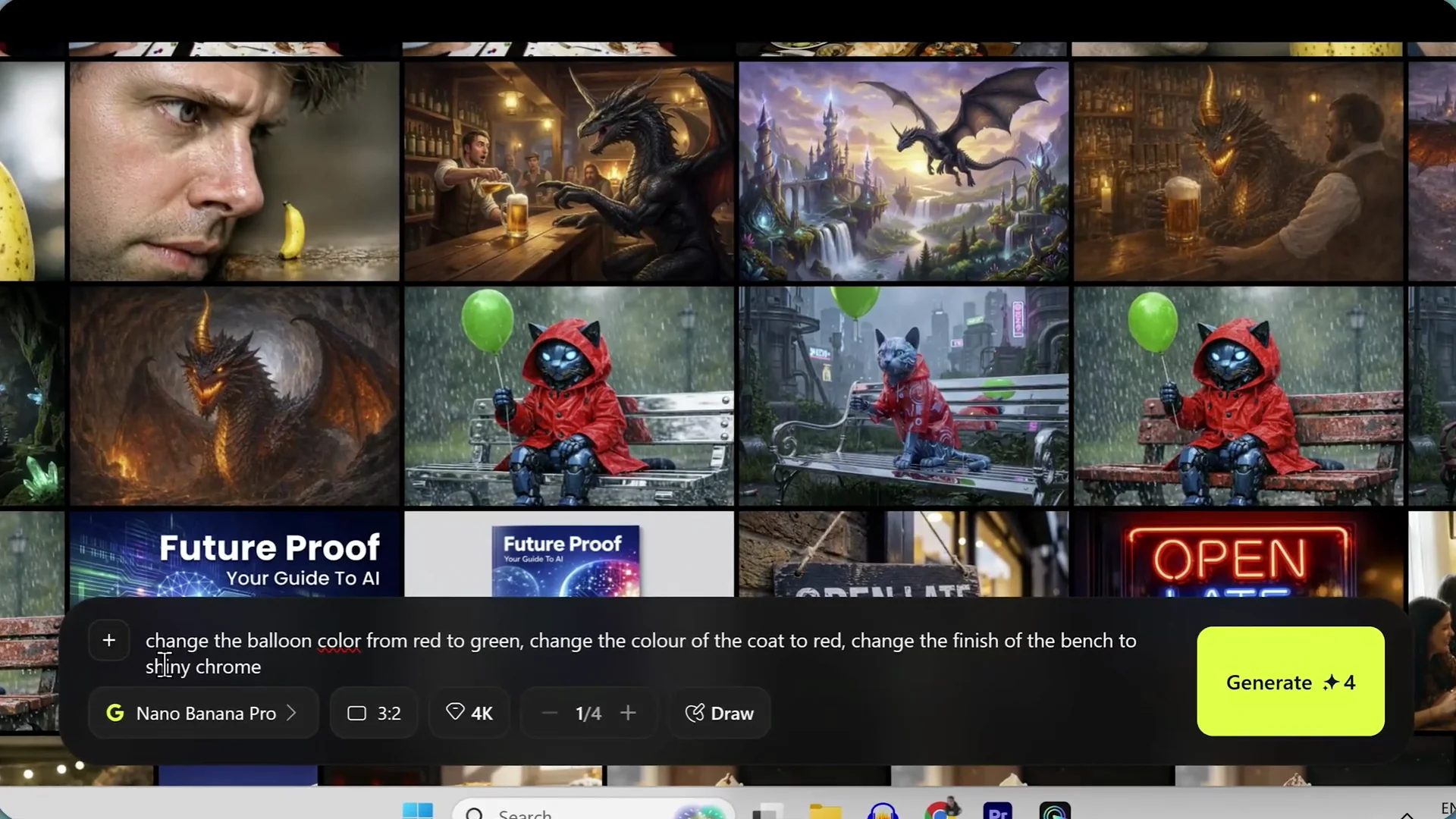
Editing and inpainting
Edits requested on the cat image using the Higsfield editor: change the balloon color from red to green, change the color of the coat to red, and change the finish of the bench to shiny chrome.
- ChatGPT Image 1.5: The inpainting is almost surgical. It changes the balloon and the coat correctly and produces a chrome bench with a natural reflection. I am really impressed.
- Nano Banana Pro: Once again, spot on. Colors are correct. The chrome bench with the reflection looks awesome. It followed everything to the letter.
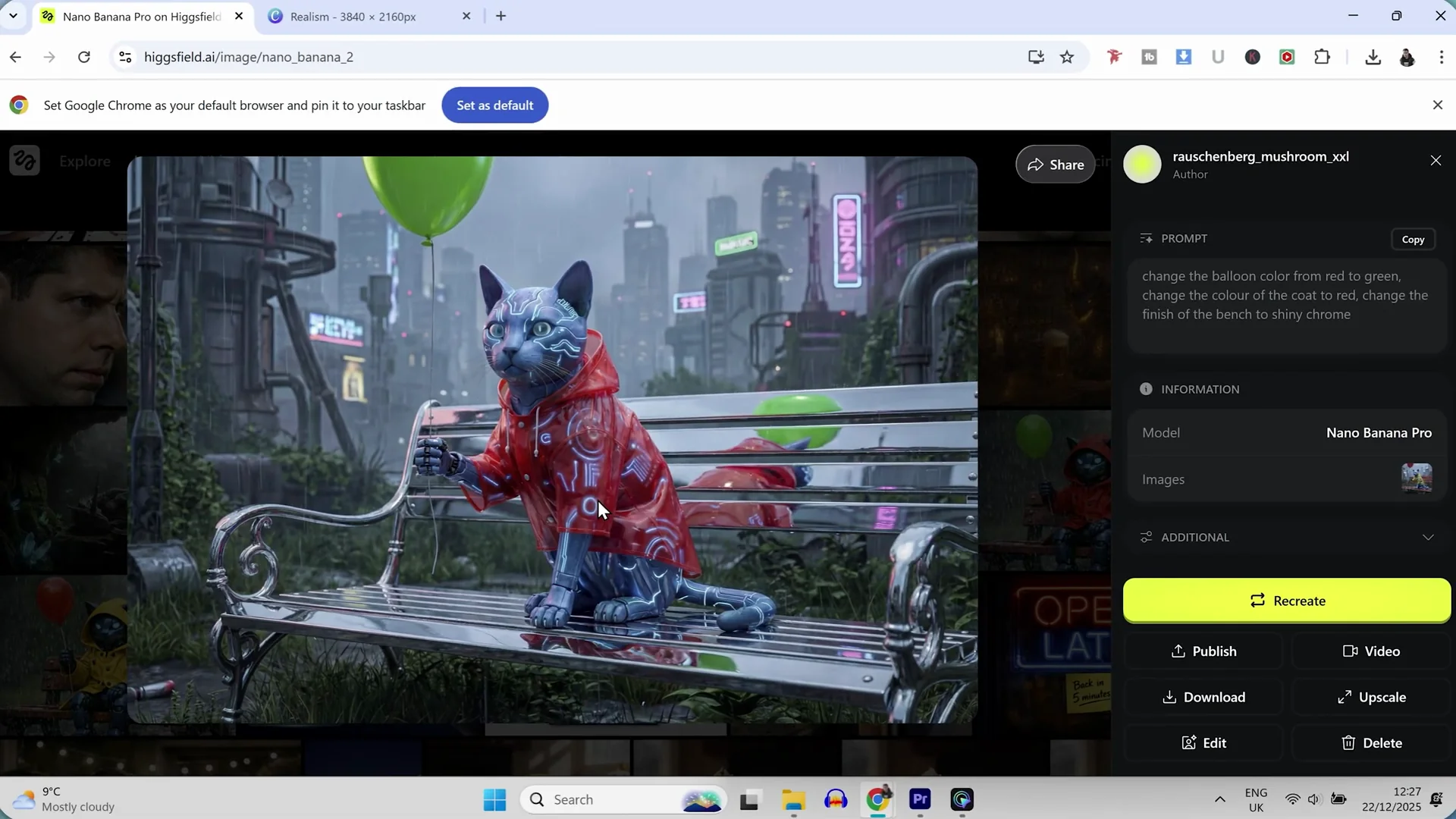
Verdict: Editing and inpainting on both models are neck and neck.
Character consistency
Reference setup and test 1
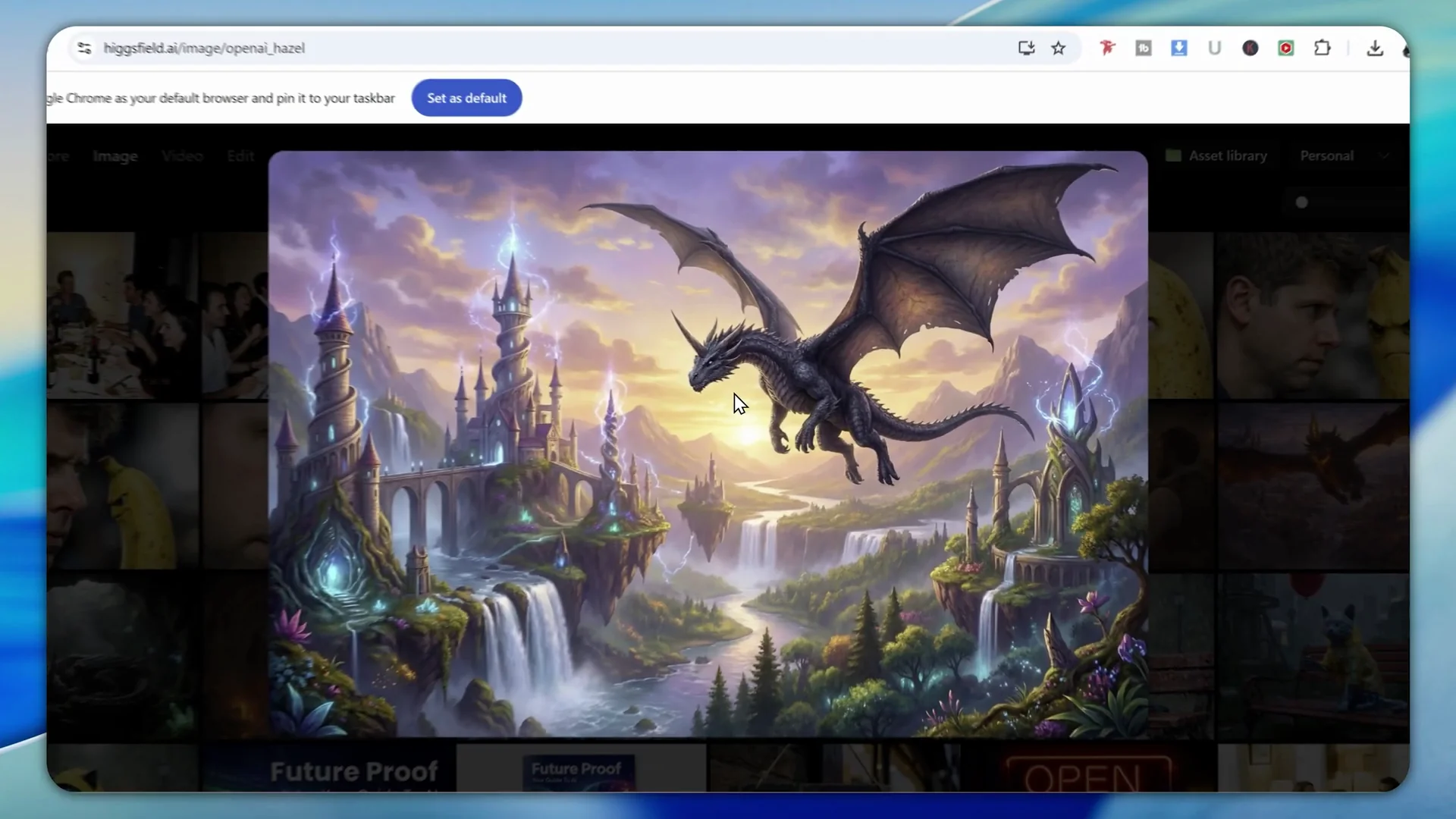
Method: Generate a dragon with a horn on top of its head and use that as the reference image.
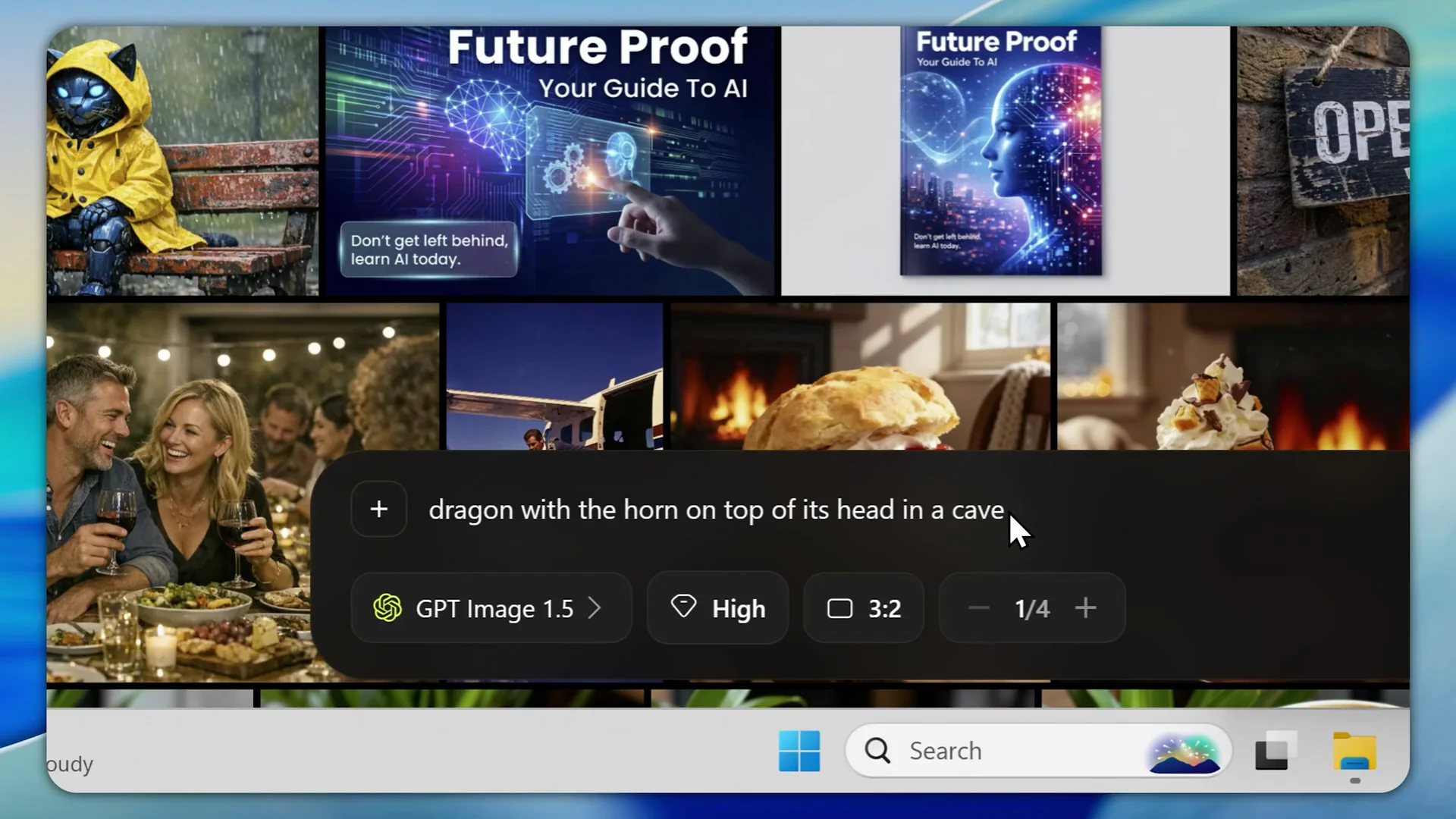
Prompt: "Generate a dragon with a horn on top of its head flying over a magical kingdom."
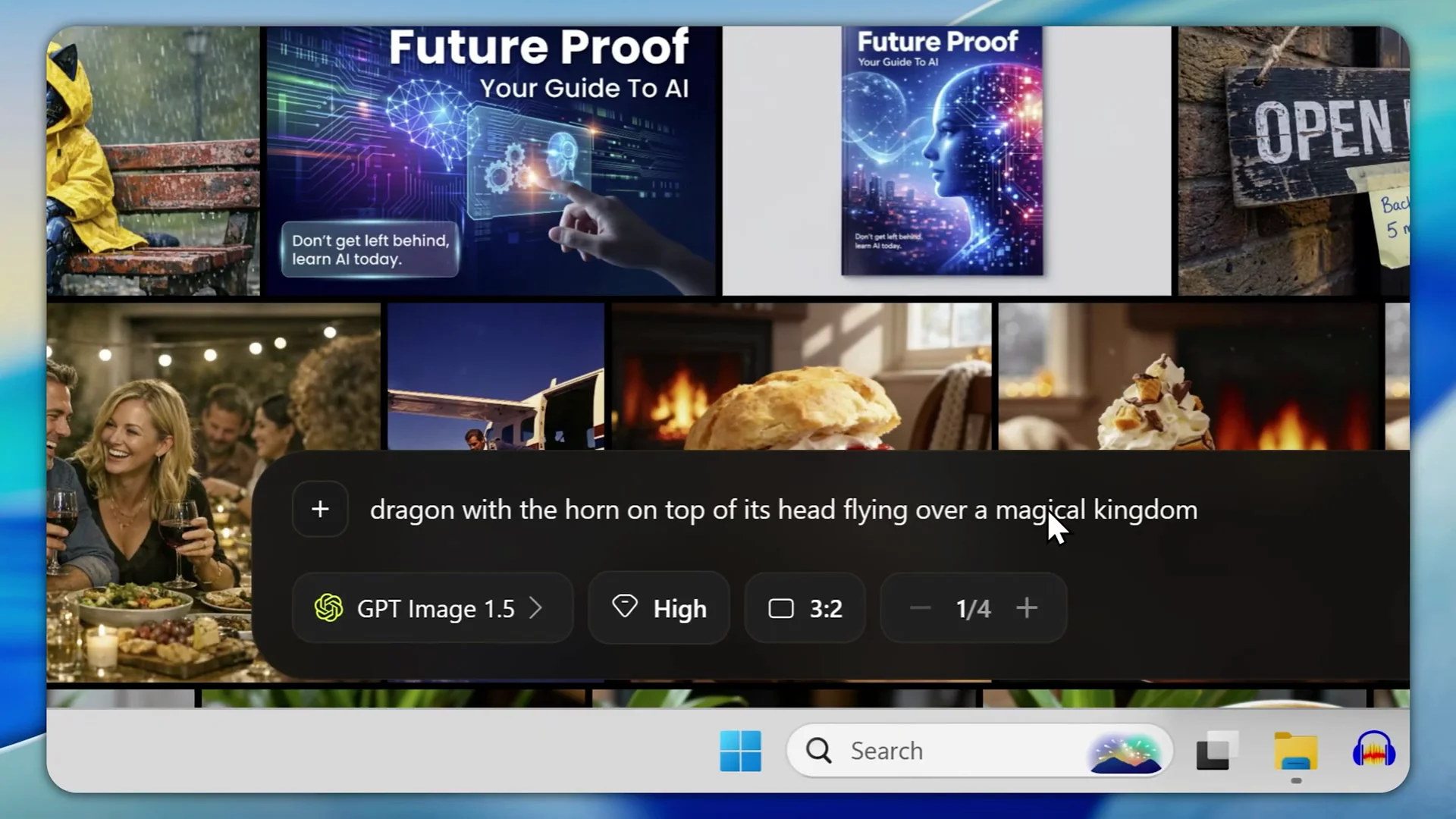
- ChatGPT Image 1.5: Absolutely brilliant. The character consistency and also the scene consistency are spot on.
- Nano Banana Pro: Using the same reference, it is the same dragon and character consistency is great. The scene is not consistent though. It looks a bit different and feels different.
Test 2 with the same reference
- ChatGPT Image 1.5: Once again, it smashed it. It excelled at character consistency in this test and kept the exact same scene style.
- Nano Banana Pro: The character is consistent across images, but each scene changes slightly in style.
Test 3 prompt
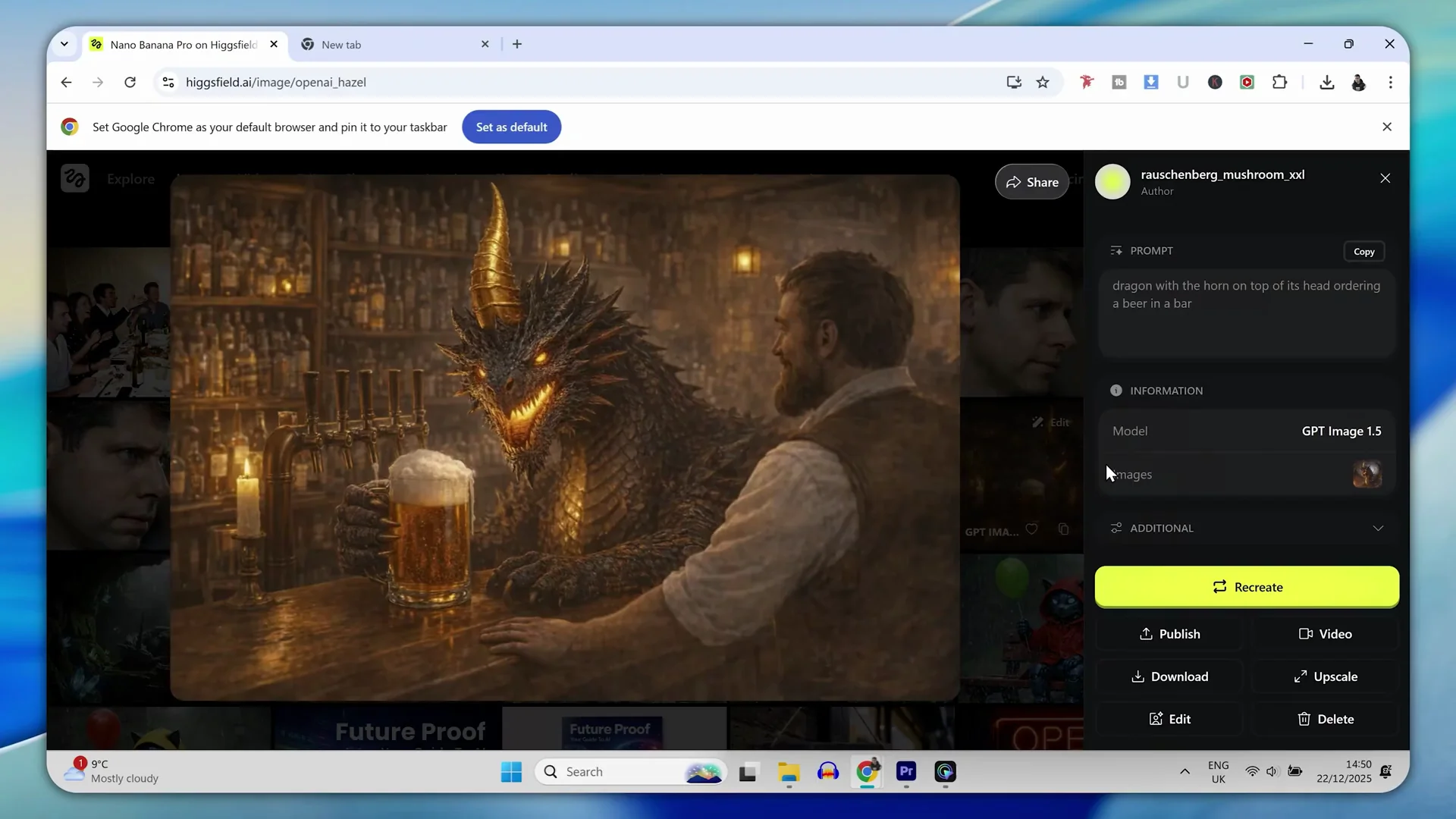
Prompt: "Dragon was horning on top of his head ordering a beer in a bar."
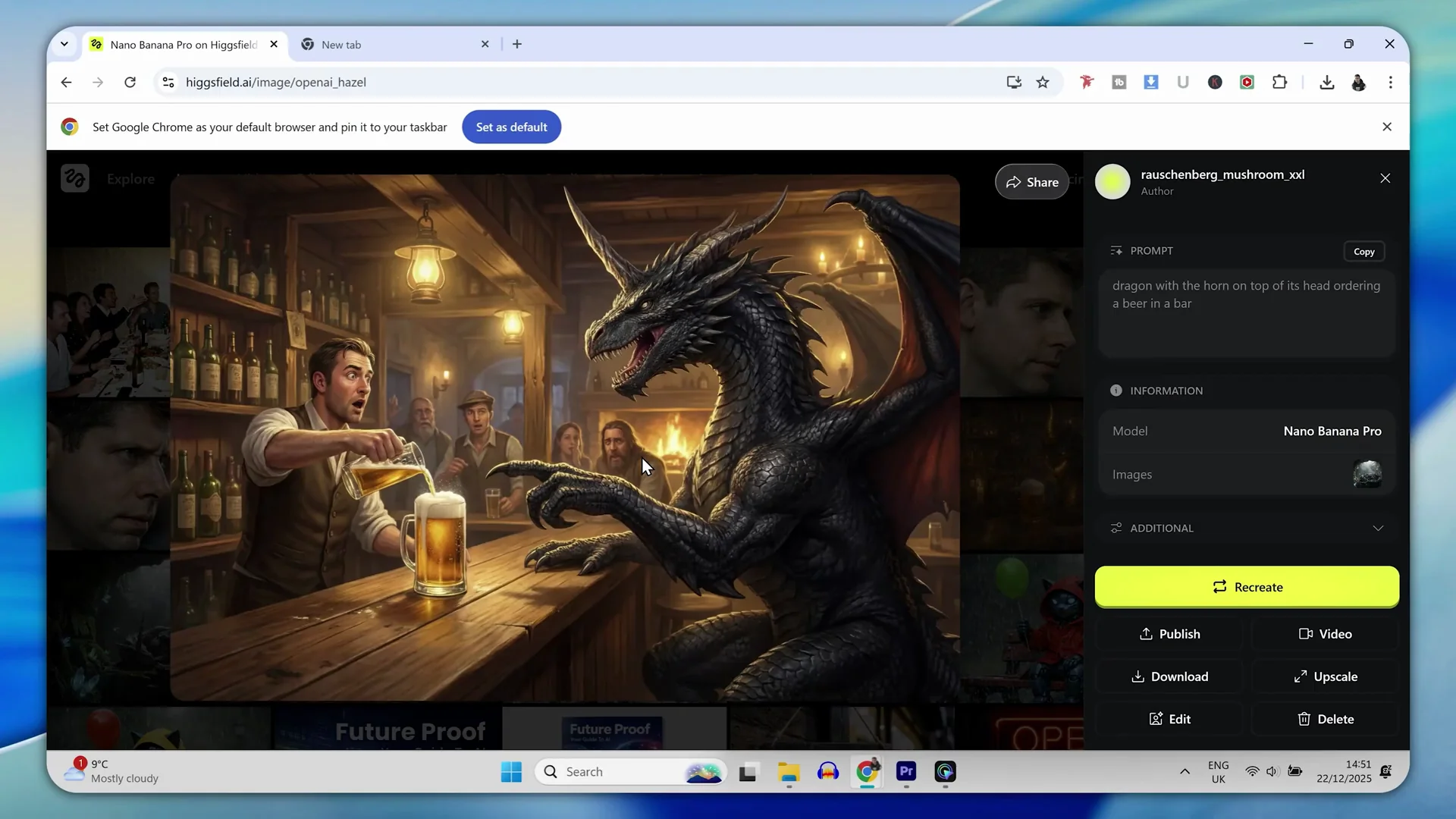
- Nano Banana Pro: You cannot deny that the dragon across the images is consistent. Character consistency is spot on, but the scene style shifts.
- ChatGPT Image 1.5: Scene retention is stronger. It keeps the scene style exactly the same based on the reference, which looks a little bit more impressive.
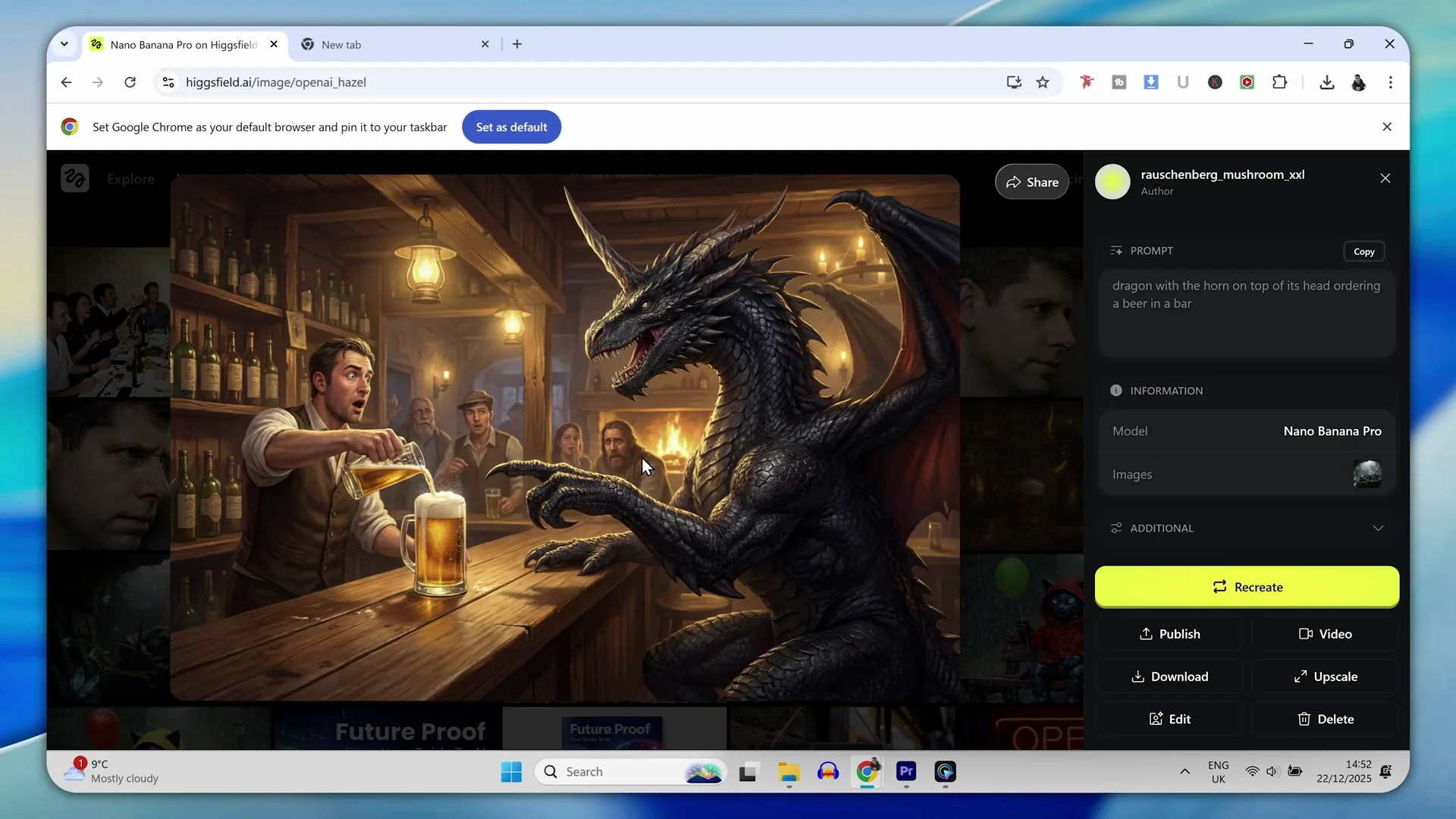
Quality note: The thing that lets ChatGPT down is the quality of the output. Nano Banana Pro feels like it has the tick for quality.
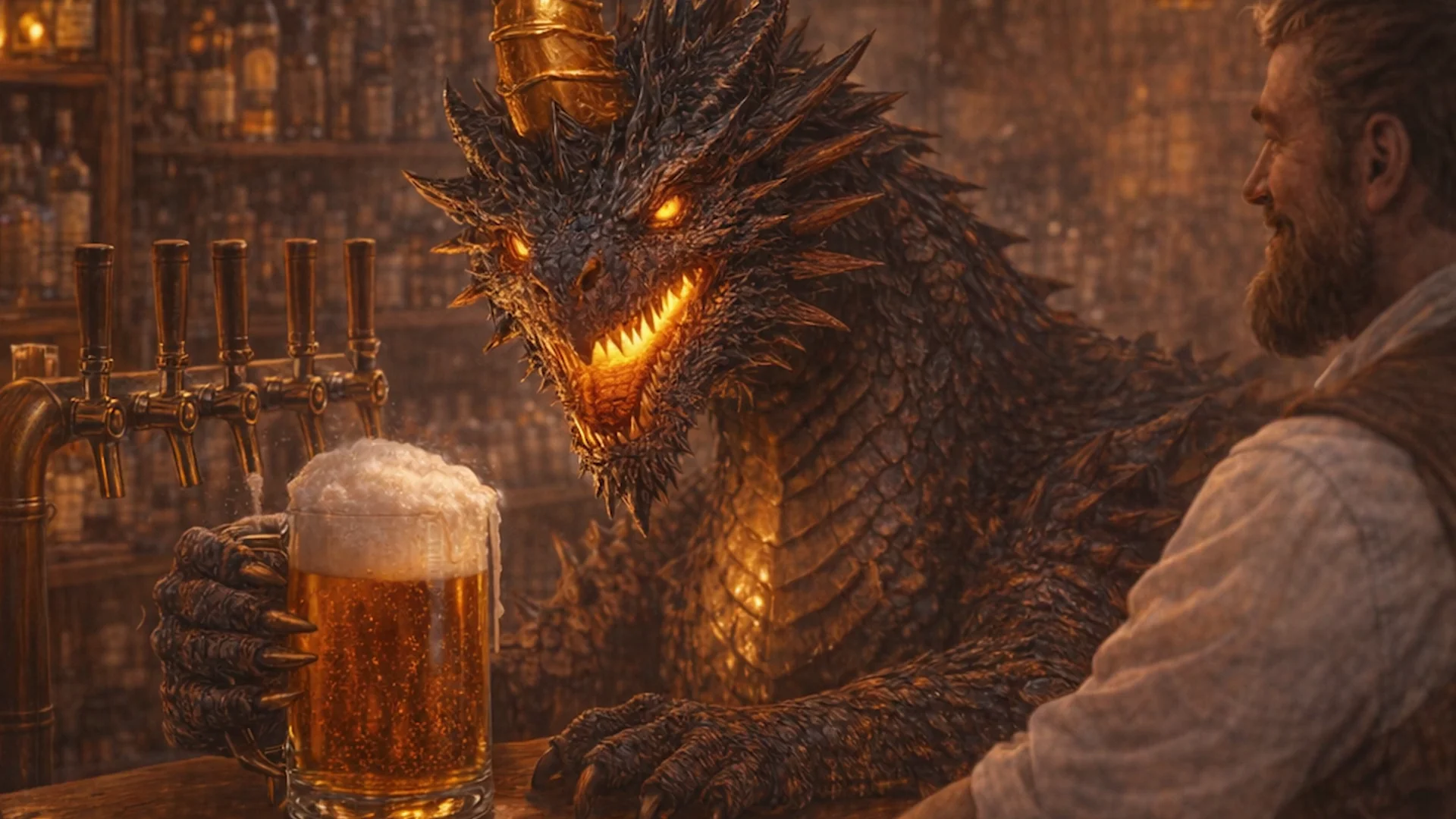
Verdict: It is difficult to separate them. For character consistency, both perform exceptionally well. ChatGPT keeps the scene style consistent, Nano Banana Pro looks higher quality.
Features breakdown: Nano Banana Pro
- Produces images that look more raw and natural, like real camera photos.
- Tends to add extra realism and higher overall output quality.
- Strong on text and typography, including correct fonts and layout.
- Follows prompts exactly. Avoids adding details not requested.
- Editing and inpainting are spot on, with convincing reflections and surface finishes.
- Character consistency is strong across images, though scene style may change between generations.
Features breakdown: ChatGPT Image 1.5
- Impressive cinematic compositions that can look like stock photos or polished posts.
- Major improvement on text and typography. Correct spelling and font handling.
- Follows complex, multi-constraint prompts accurately. May add small details not requested.
- Editing and inpainting feel precise, with natural reflections and correct color targeting.
- Character consistency across images is excellent, and it keeps scene style consistent from a reference.
- Overall output quality is good, though not as strong as Nano Banana Pro in side by side checks.
Pros and Cons: Nano Banana Pro
Pros
- More natural, realistic images that do not scream AI.
- Higher perceived image quality in multiple tests.
- Excellent text rendering and correct interpretation of layout prompts.
- Exact adherence to prompts without adding extras.
- Strong inpainting with convincing material finishes.
Cons
- Scene style may change between generations when using a reference for character consistency.
- Some design choices can look a little bit naff depending on the prompt.
Pros and Cons: ChatGPT Image 1.5
Pros
- Great cinematic compositions and polished results.
- Big step up in text handling, correctness, and font application.
- Very accurate on complex prompts with many constraints.
- Editing and inpainting are precise and reliable.
- Exceptional at character consistency with scene style retention.
Cons
- May introduce small details not explicitly requested.
- Output quality can feel a notch below Nano Banana Pro in side by side comparisons.
- In one case, produced an image of a person looking at a cover rather than the cover itself.
Use cases where Nano Banana Pro excels
- Photorealistic scenes where natural, raw realism matters.
- High quality art direction where the final look needs to feel like a real camera shot.
- Projects that require exact adherence to the written prompt.
- Text-heavy designs that need correct fonts and a literal interpretation of layout.
Use cases where ChatGPT Image 1.5 excels
- Character consistency across multiple images with strong scene retention from a reference.
- Typography tasks where correctness and font application are critical.
- Editing and inpainting workflows where precise, surgical changes are needed.
- Stylized or cinematic visuals that look polished out of the box.
Final Conclusion
When comparing ChatGPT 1.5 Image versus Nano Banana Pro, you really cannot go very wrong using either of these AI image generation models. ChatGPT 1.5 Image is an impressive successor to the previous model and has upped its game, especially in text handling, precise editing, and scene retention for character workflows. You could argue that Nano Banana Pro is still kind of the king, especially on overall image quality, natural realism, and exact prompt adherence.
- Pick Nano Banana Pro if you want the most natural, realistic images and strict fidelity to your prompt.
- Pick ChatGPT Image 1.5 if you prioritize character consistency with same-scene style across generations, strong typography, and surgical inpainting.
The gap between them is now very close. Whichever model you use, you are going to be able to get great results.
Recent Posts
How to use Grok 2.0 Image Generator?
Learn how to access Grok 2.0’s AI image generator (Premium required), write better prompts, and avoid pitfalls like real people and brands. Step-by-step tips.
How to use Instagram AI Image Generator?
Use Meta AI in Instagram DMs to turn text into images—and even animate them. It’s free, fast, and built in. No external apps needed; create art right in chat.
Leonardo AI 2026 Beginner’s Guide: Create Stunning Images Fast
Learn Leonardo AI step by step—sign up, explore Home, and generate or enhance photos with free, powerful tools. A quick, clear starter for beginners.